How Astra issues a pentest certificate
Last updated: November 16, 2026
Astra issues a pentest certificate automatically once the pentest passes every check below, so there is nothing to request. This article explains those checks, what happens when the certificate is issued, and why some pentests go to a reviewer first.
What a pentest needs for a certificate
Astra checks the pentest each time a finding's status changes and each time a manual rescan passes. When every check below is met, the certificate is issued straight away:
No finding is left Unsolved, Need Help or Under Review. Draft findings don't count.
No Critical or High finding is still unsolved.
The latest manual rescan passed. An automated rescan doesn't count, and a newer rescan that failed or was cancelled means this check isn't met.
The pentest is a manual pentest and doesn't already have a certificate.
The target's plan includes certificates.
To see which checks a pentest still has to pass, read Check a pentest's certificate status.
When the certificate is issued
The pentest moves to Completed.
The certificate shows its own validity and expiry date. For questions about the date on a certificate, contact support.
Team members with access to the target get an email and an in-app notification. If public verification is on for the target's certificates, the email links to the public verification page. Otherwise, it opens the certificate on the Certificates page.
The pentest header shows View Certificate, which opens the certificate.
Important
Rescans close once a pentest is completed. Request every rescan you need before the last findings are resolved. To test again after that, start a new pentest.
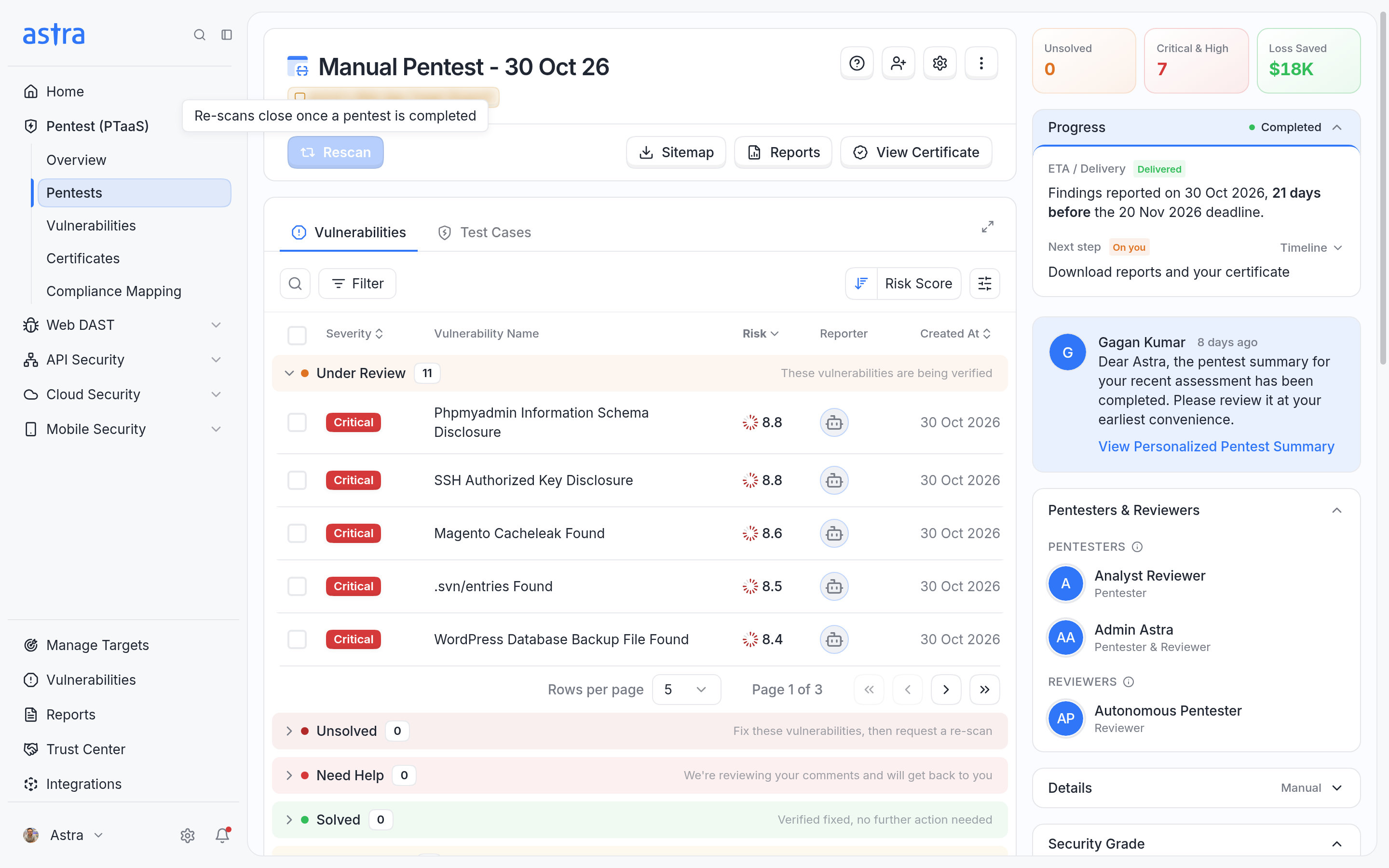
A completed pentest shows View Certificate. Rescan is disabled with the tooltip Re-scans close once a pentest is completed.
Why a certificate goes to review
Some pentests need a reviewer from Astra before the certificate is issued, even when nothing is left open. This happens when:
Your team accepted findings as risk or marked them as false positives, and together they make up a large share of the pentest's findings.
Your team accepted a Critical or High finding as risk.
The pentest has no findings at all.
While a reviewer checks the pentest, its status is In review with the message "A reviewer is checking this pentest before the certificate is issued." Nothing is needed from you, and Astra emails you once the certificate is issued.
Note
In review is a certificate status: a reviewer is checking the whole pentest. Under Review is a finding status: your team marked the finding as fixed and Astra is verifying it.
Only false positives marked by your team count here. Findings that Astra's pentesters mark as false positives don't send a pentest to review.
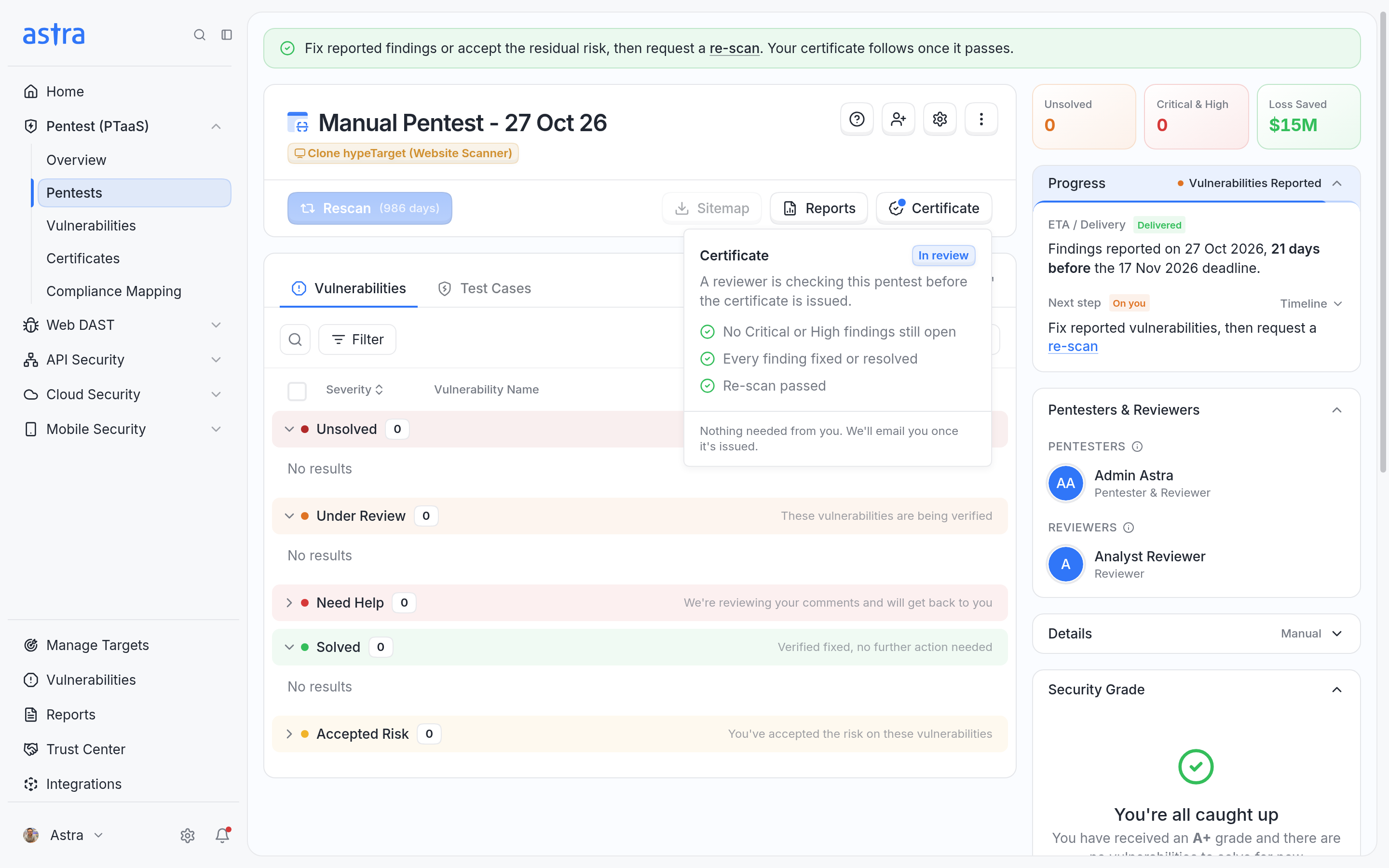
A pentest whose certificate is in review. Every check has passed and nothing is needed from the customer.
To learn how to accept a risk or mark a false positive, read How to mark a false positive or accept a risk.
FAQ
When will the certificate be issued after we fix the findings?
After the findings are fixed, request a rescan. The certificate is issued automatically as soon as the rescan passes and every check is met. If the pentest goes to review, it's issued once the reviewer has checked it.
All our findings are resolved, but the certificate page still says "Last re-scan didn't pass". How do we get the certificate?
The certificate needs the latest manual rescan to pass. When a rescan doesn't pass, the findings it couldn't verify go back to Unsolved. Resolving them afterwards doesn't change that rescan's result. Fix those findings, and then request another manual rescan that includes all of them. When it passes and every other check is met, the certificate is issued automatically. Read more in How to request a rescan.