Check a pentest's certificate status
Last updated: November 16, 2026
Each pentest shows whether its certificate is issued and, if not, what is still needed. This article explains how to read the certificate status on a pentest, what to do at each step, and how to track every pentest still waiting on a certificate.
Open the certificate status
Open the pentest, and then click Certificate at the top of the page. A coloured dot on the button shows the status at a glance, and the panel lists what is done and what is still needed.
Status | What it means |
|---|---|
Issued | The certificate is ready. The button reads View Certificate and opens it. |
Being issued | Every check passed and the certificate is being created. |
In review | A reviewer is checking the pentest before the certificate is issued. Nothing is needed from you. |
Not ready yet | Something still needs to be done. The checklist shows what. |
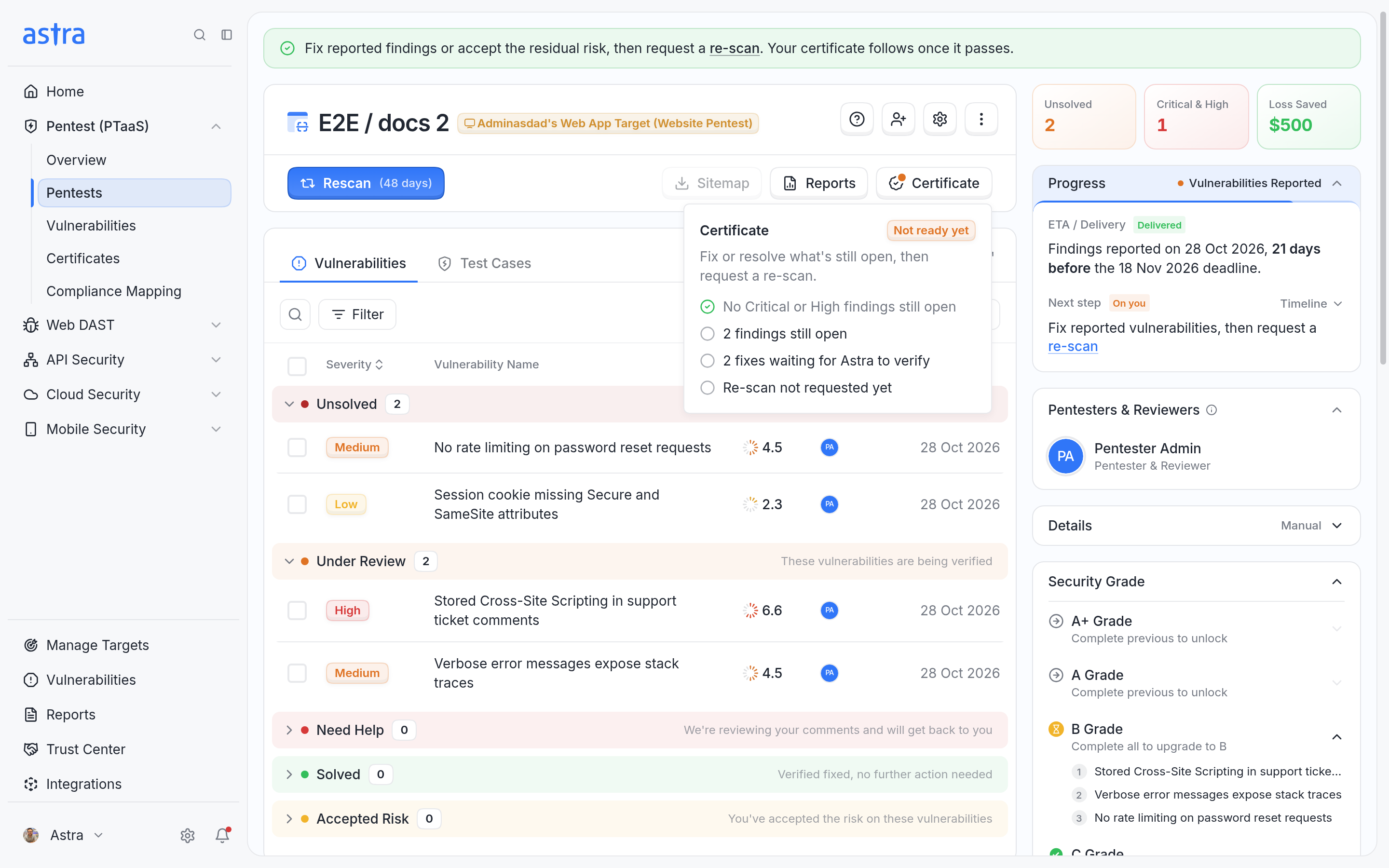
A pentest whose certificate is not ready yet. Two findings are still open, two fixes are waiting for Astra to verify, and no rescan has been requested.
To learn why a pentest goes to In review, read How Astra issues a pentest certificate.
The checklist
The panel lists the checks the pentest still has to pass:
No Critical or High findings still open, or the number of Critical or High findings still open.
Every finding fixed or resolved, or the number of findings still open.
The number of fixes waiting for Astra to verify, when there are any. These are findings your team moved to Under Review.
Re-scan passed. Until then, it shows Re-scan not requested yet, Re-scan in progress or Last re-scan didn't pass.
What to do when it's not ready
The message at the top of the panel says what comes next:
Message | What to do |
|---|---|
Fix or resolve what's still open, then request a re-scan. | Fix the open findings, or accept them as risk or mark them as false positives, and then request a rescan. |
Request a re-scan so we can verify your fixes. | Request a rescan. Read more in How to request a rescan. |
Your re-scan is in progress. The certificate follows once it passes. | Nothing. Wait for the rescan to finish. |
Your fixes are waiting for Astra to verify. | Nothing. Astra is checking your fixes. |
If a rescan fails or is cancelled, the checklist shows Last re-scan didn't pass. Fix the vulnerabilities that went back to Unsolved, and then request another rescan that includes all of them. Each rescan uses the pentest's rescan allowance, so it helps to fix everything before requesting one. Read Best Practices for Using Your Rescan Quota for tips. If the allowance runs out, the Astra team can help add more rescans.
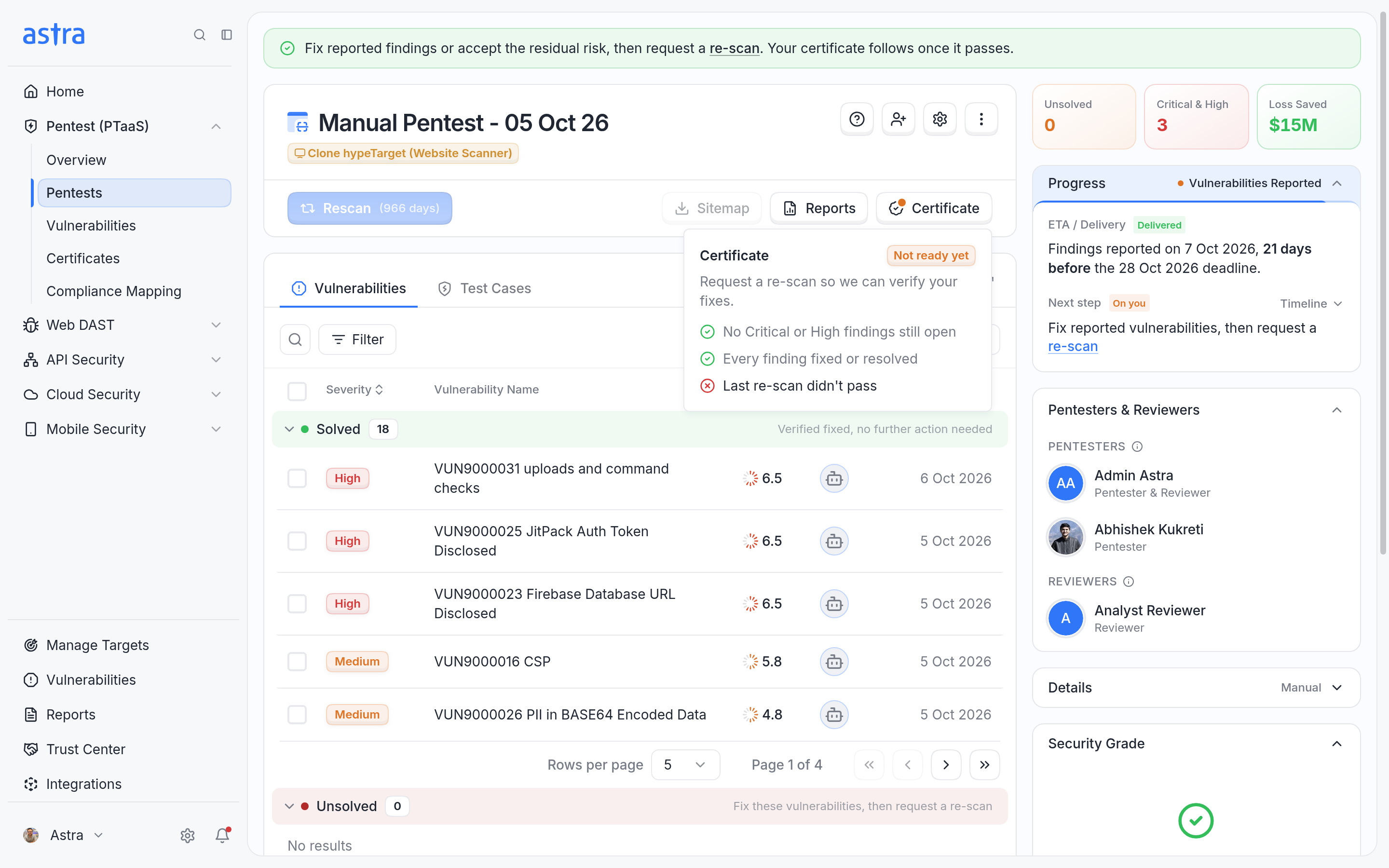
Every finding is resolved, but the last rescan didn't pass, so the next step is to request a rescan.
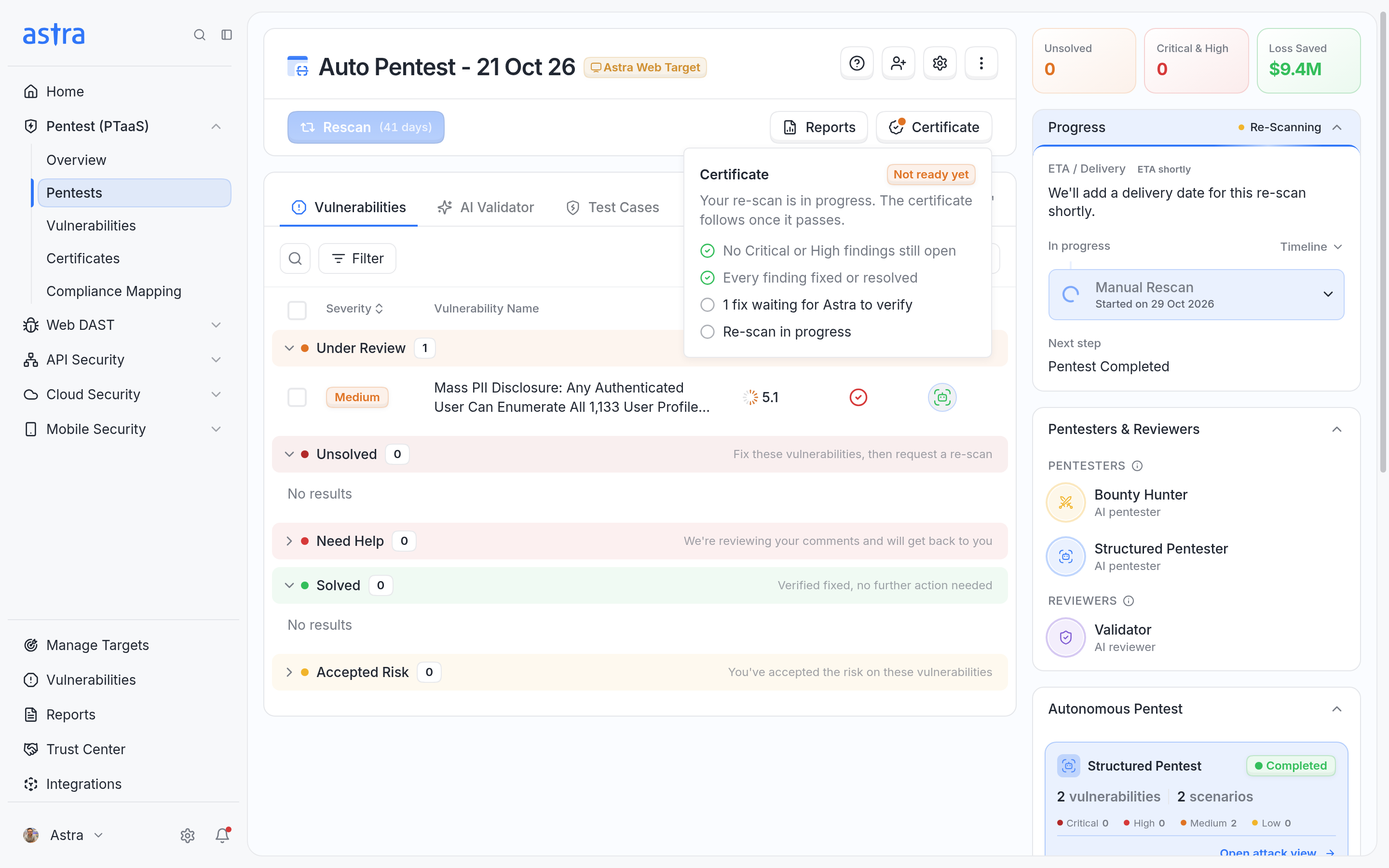
A rescan is in progress. The certificate follows once it passes.
On a pentest in the Reported stage, a banner at the top of the page also reminds you: "Fix reported findings or accept the residual risk, then request a re-scan. Your certificate follows once it passes."
When a certificate isn't available
Some pentests can't get a certificate. The button shows View Certificate greyed out, and hovering over it explains why:
Message | What it means |
|---|---|
Your plan doesn't include certificates | The target's plan doesn't include certificates. Upgrading to a plan that includes them makes certificates available. |
Certificates are issued for manual pentests | Automated scans don't get certificates. |
Available after the pentest report is delivered | Testing is still under way. |
Start a new pentest to get a certificate | The pentest was cancelled or failed, so it can't get a certificate. |
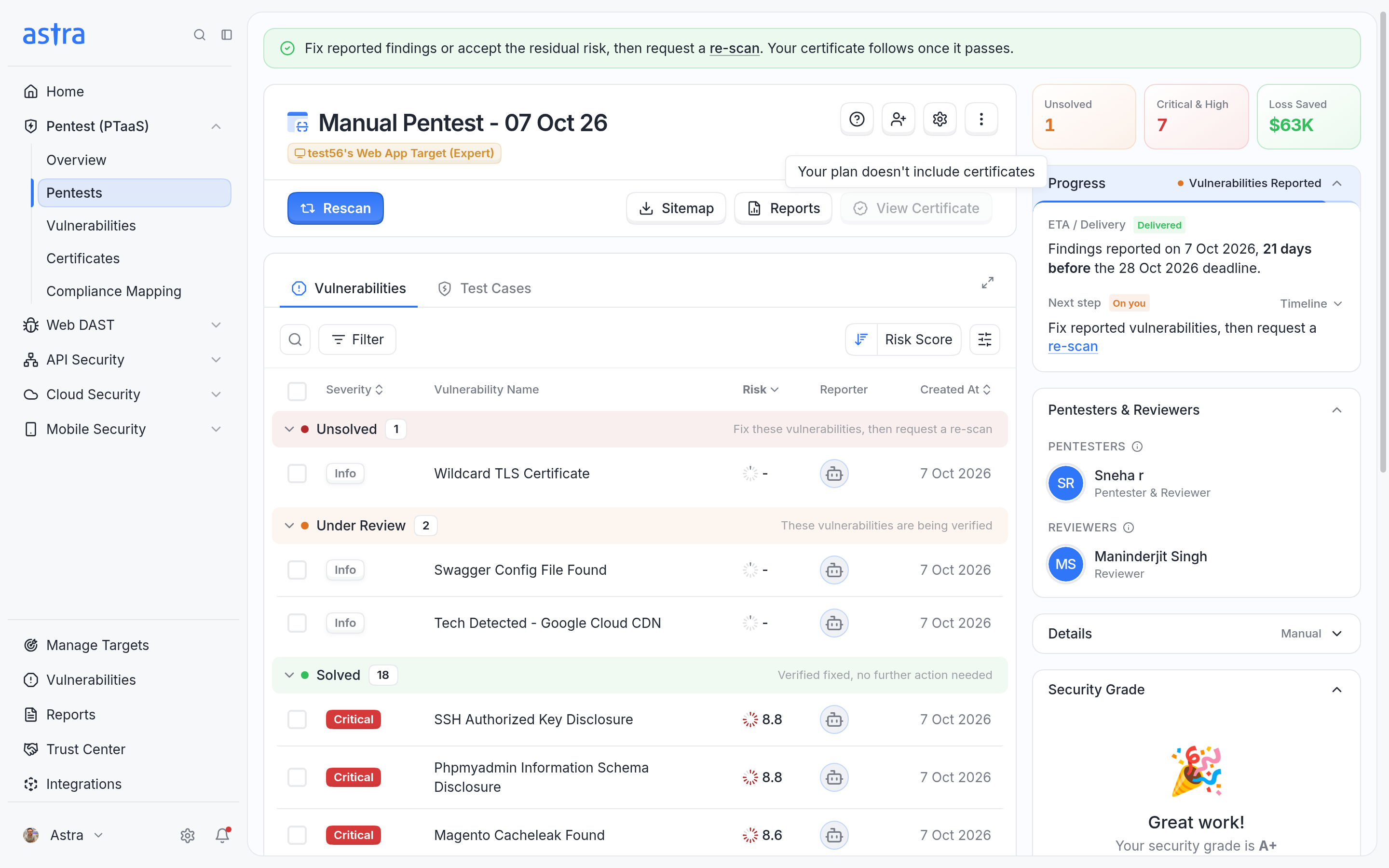
The View Certificate button is disabled, and its tooltip says the plan doesn't include certificates.
Track pending certificates
Go to Pentest (PTaaS) > Overview. The Pending Certificates card lists reported pentests that don't have a certificate yet and what each one is waiting on. Pentests that are being issued or in review are listed first. Click View on a pentest to open it.
When every pentest in the list already has a certificate, the card shows None waiting on a certificate and a View Certificates button.
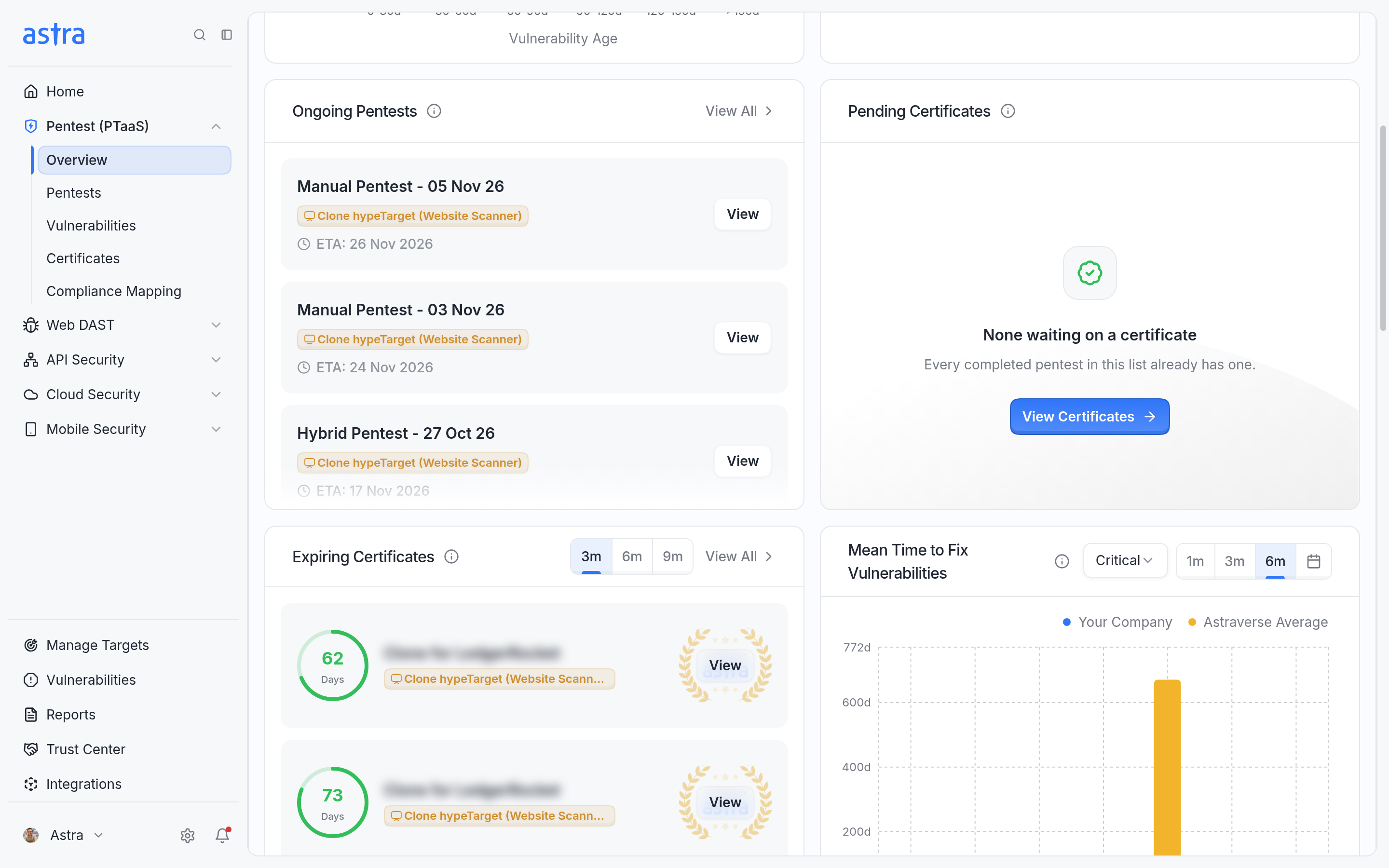
The Pending Certificates card on the PTaaS Overview page. Here, every pentest already has a certificate.
FAQ
Our pentest is complete. Why don't we have the certificate yet?
Open the pentest and click Certificate. If the status is Not ready yet, the checklist shows what is left, for example open findings or a rescan that hasn't passed. If it's In review, a reviewer is checking the pentest and nothing is needed from you. Astra emails you once the certificate is issued.
All our findings are resolved, but the certificate page still says "Last re-scan didn't pass". How do we get the certificate?
The certificate needs the latest manual rescan to pass. When a rescan doesn't pass, the findings it couldn't verify go back to Unsolved. Resolving them afterwards doesn't change that rescan's result. Fix those findings, and then request another manual rescan that includes all of them. When it passes and every other check is met, the certificate is issued automatically. The steps are in How to request a rescan.