Overview : Certificates page
Last updated: August 7, 2026
Summary
The Certificates Page is a dedicated hub within the dashboard that manages security certificates issued after successful manual penetration tests. These certificates serve as a formal attestation that your application has been thoroughly tested and that all identified vulnerabilities have been rectified.
Who should read this
Security Leads and Compliance Officers use this page to maintain valid proof of security assessments for stakeholders and regulatory requirements.
Stakeholders and Partners benefit from the public link feature, which allows them to verify the authenticity of a certificate directly on Astra's website.
Key Functions / Table Breakdown
The page features a banner showing statistics for Total, Valid, and Expired certificates. The main table categorizes certificates into three statuses based on their validity periods: Active (currently valid), Expiry in 30 Days (reminder to plan a new test), and Expired (no longer valid; new pentest required). The table includes the following critical columns:
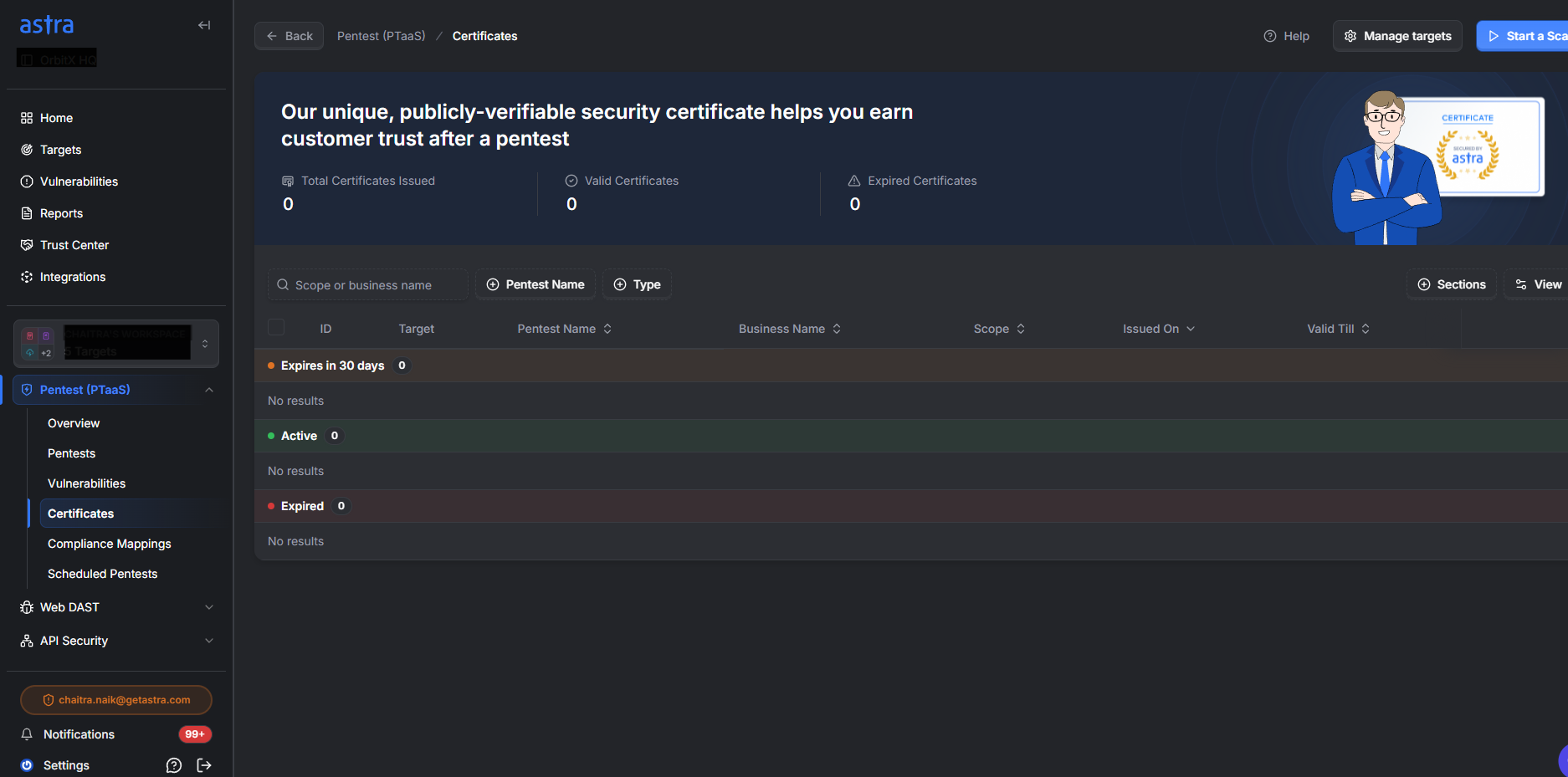
Target & Scan Name: Identifies the specific application tested and its associated scan.
Business Name & Scope: Displays the organization and testing boundaries exactly as they appear on the formal certificate.
Issued On & Valid Till: Provides the official issuance date and the upcoming expiration date.
Available Actions
Download Certificate: Allows you to save the certificate in PDF format for individual targets or bulk selections.
Get Link: Generates a shareable URL and enables a toggle to make the certificate publicly verifiable.
Extend Validity: Initiates a request for a vetted scan (if the certificate was issued within the last 180 days) or provides a path to initiate a new pentest.
Best Practices
Annual Renewal: You should renew your penetration testing certificate annually to ensure ongoing protection against evolving threats.
Proactive Scheduling: Book your next test at least one month before your current certificate expires to avoid any gaps in coverage.
Handle Major Updates: If your application has undergone major releases or received numerous new features, you must opt for a fresh pentest rather than a validity extension to ensure a comprehensive assessment.
Monitor Grace Periods: Astra provides a 20-day grace period beyond the initial 180 days during which you can still extend your certificate validity.