Download and share pentest certificates
Last updated: November 16, 2026
Once a pentest certificate is issued, it's listed on the Certificates page, where it can be downloaded as a file or shared through a public verification link. This article covers both, including downloading several certificates at once.
Download certificates
Go to Pentest (PTaaS) > Certificates.
Click Download on the certificate's row.
To download several certificates at once, select their rows, and then click Download all certificates in the toolbar at the bottom of the page.
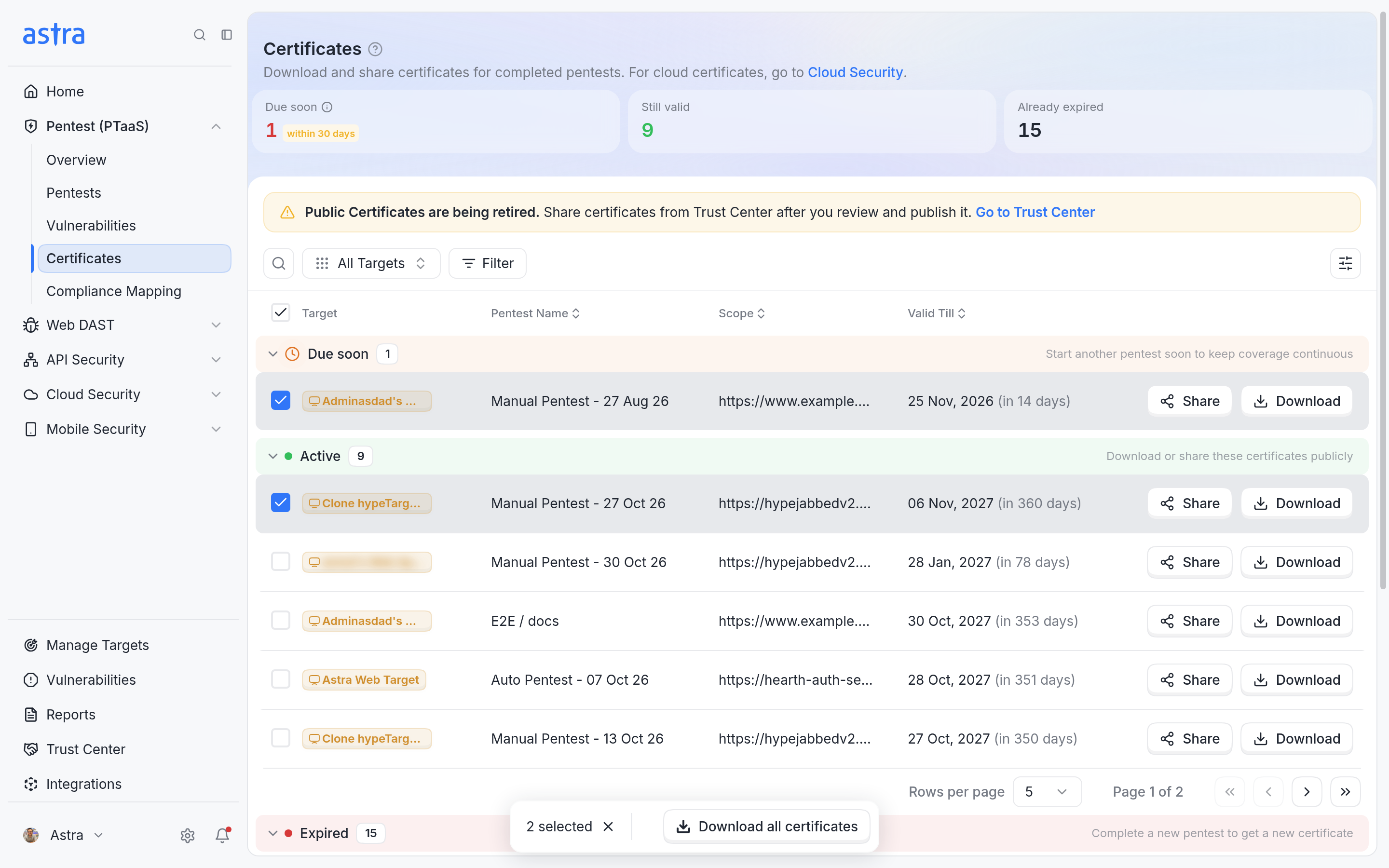
Two certificates selected, with Download all certificates in the toolbar.
Share a certificate
Go to Pentest (PTaaS) > Certificates, and then click Share on the certificate's row.
In Get Public Link, turn on Allow public verification of the certificate. Anyone with the link can then check that the certificate is genuine.
Click Copy Link to copy the link, or Open Link to preview the certificate.
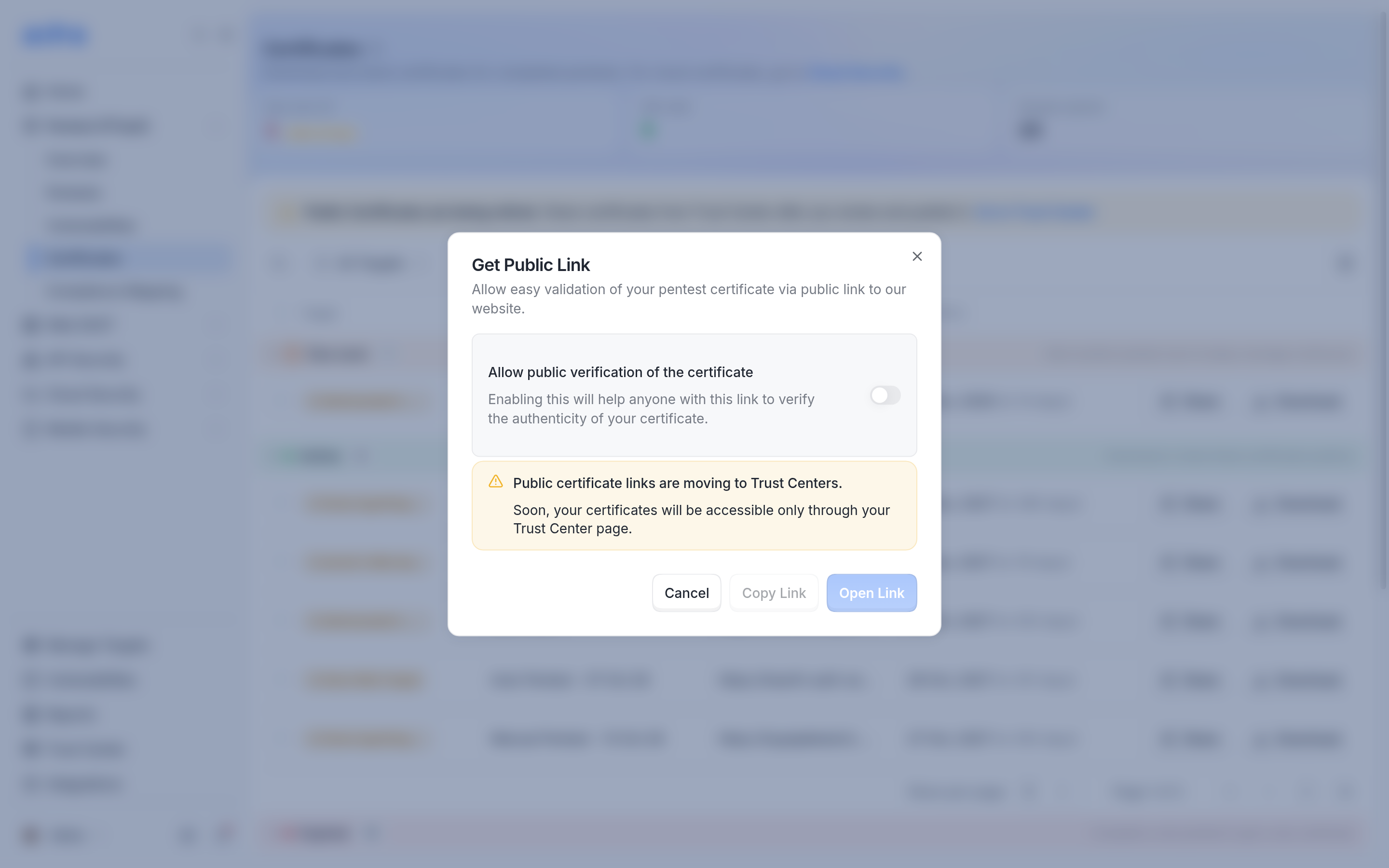
Get Public Link, where public verification is turned on before the link can be copied or opened.
Important
Public certificate links are moving to Trust Centers. Soon, certificates will be shared only through your Trust Center page. Click Go to Trust Center on the Certificates page to review and publish your Trust Center. Read more in How to Create and Configure Trust Center for your Targets.
FAQ
Can you share the certificate for our pentest?
Once the certificate is issued, open Pentest (PTaaS) > Certificates, and then click Download or Share on its row. If the pentest has no certificate yet, open the pentest and click Certificate to see what's still needed. Read more in Check a pentest's certificate status.