How to use vulnerability statuses
Last updated: November 3, 2026
Every vulnerability Astra reports has a status that shows where it stands, from newly found to fixed. Some statuses are set by the team and some by Astra. This article explains each status, which changes are possible, and links to the steps for changing them.
Statuses
Each vulnerability has one of these statuses.
| Status | What it means | Set by |
|---|---|---|
| Unsolved | Found and not yet fixed. New vulnerabilities start here. | Astra, when the vulnerability is reported |
| Under Review | Marked as fixed and waiting to be checked in the next rescan. | The team, with Mark Ready for Review |
| Need Help | The team has asked Astra's pentesters for help. | The team, with Ask For Help |
| Solved | Verified as fixed. | Astra, after verifying the fix |
| Accepted Risk | A real vulnerability the organization has chosen to keep. | The team, with Accept Risk |
| False Positive | Not a real vulnerability. Removed from active risk dashboards and compliance reports. | The team, with Mark False Positive |
The Vulnerabilities page groups vulnerabilities by status. The cards at the top count Still open, Needs your help, Under review and Already fixed.
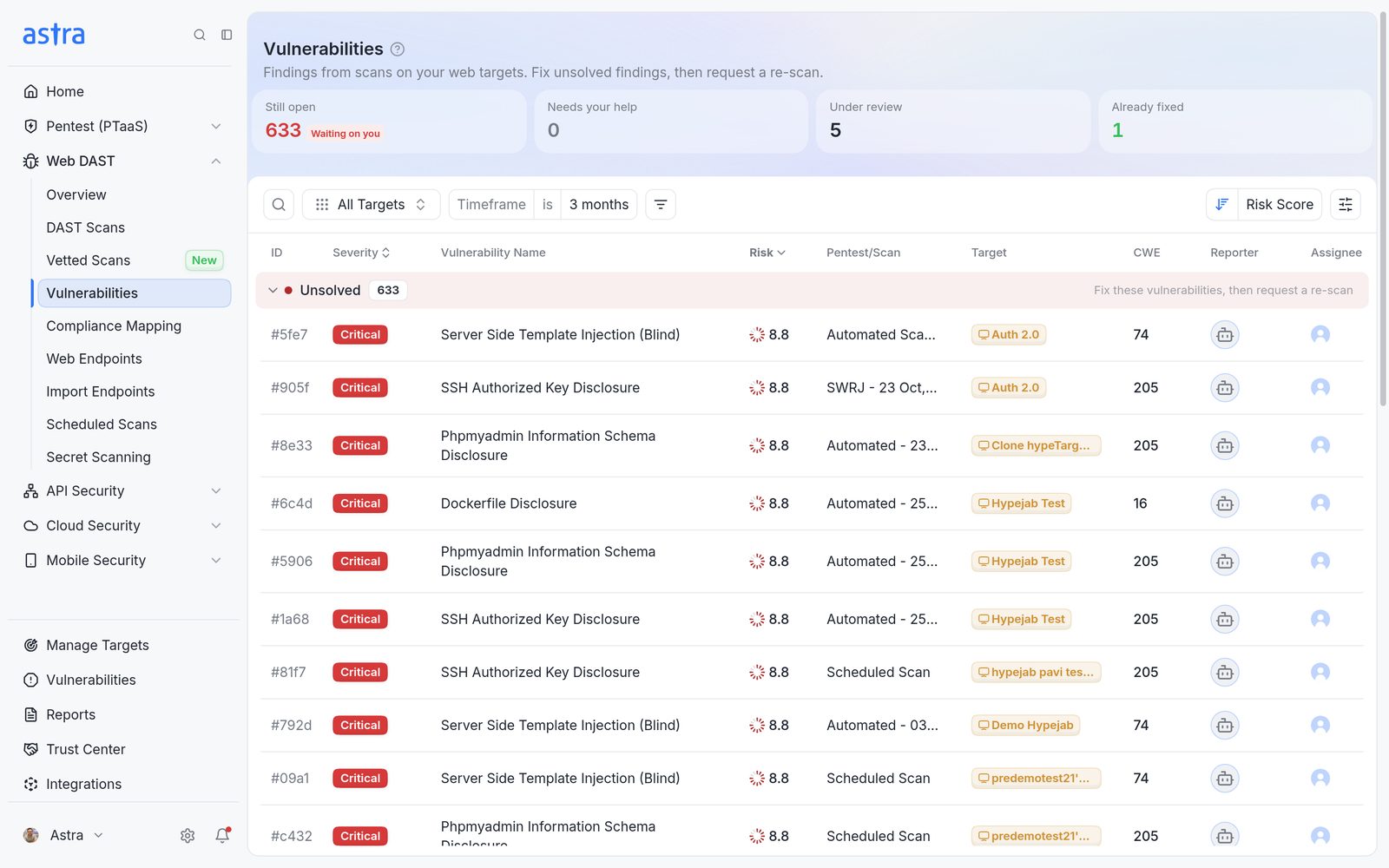
The Vulnerabilities page, with summary cards at the top and vulnerabilities grouped by status.
Note
The False Positive section is hidden by default. To show it, click the display options icon at the top right of the table and tick False Positive under Sections to show.
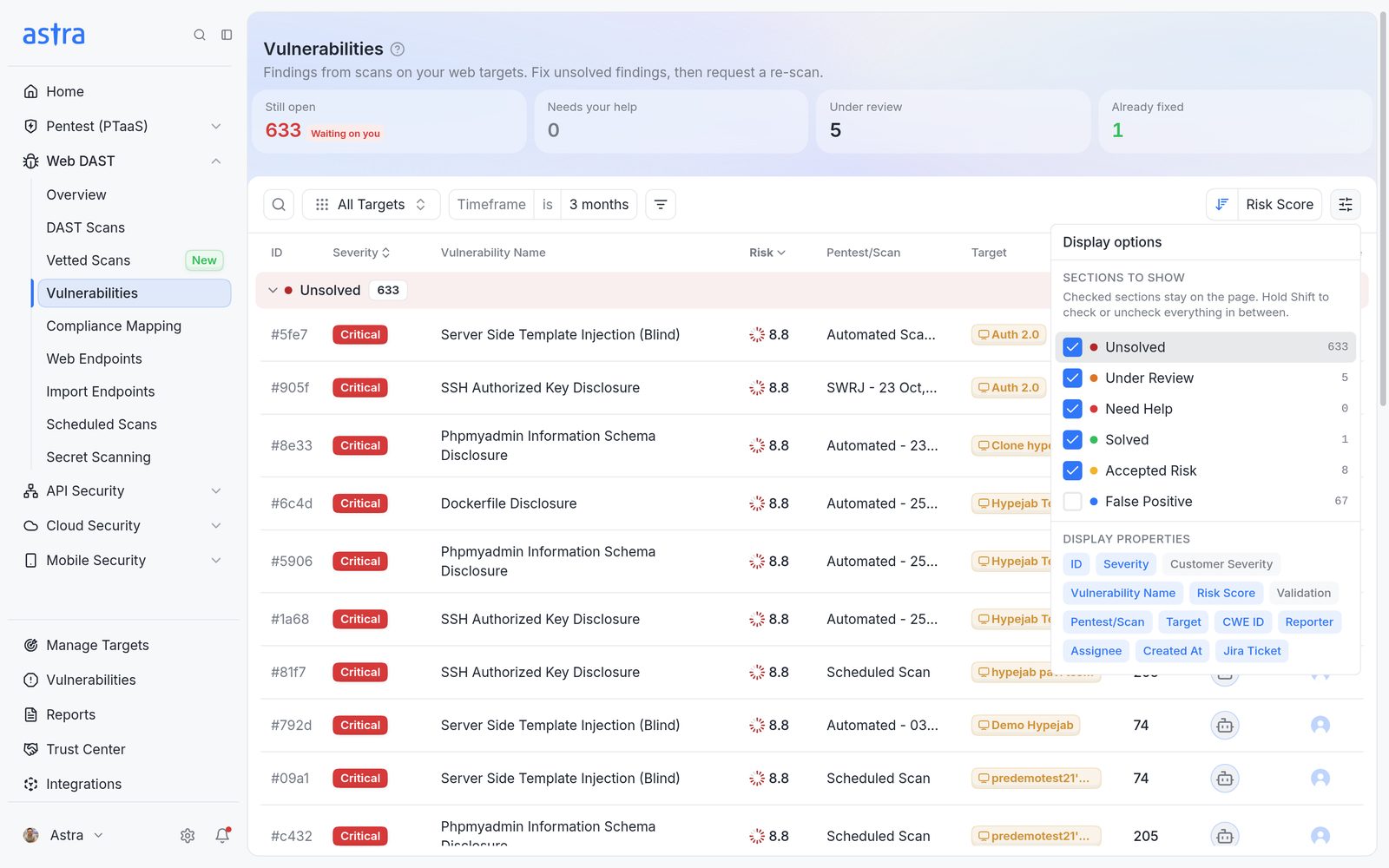
Display options, with Sections to show.
Which changes are possible
The available changes depend on the current status.
| Current status | Available changes |
|---|---|
| Unsolved | Mark Ready for Review, Accept Risk, Mark False Positive, and Ask For Help on manual pentests |
| Under Review | Accept Risk, Mark False Positive. Astra accepts or rejects the fix during the rescan. |
| Accepted Risk | Mark Ready for Review, Mark False Positive, Reject Fix (back to Unsolved) |
| Solved | Mark False Positive, Reject Fix (back to Unsolved) |
| False Positive | Unmark False Positive (back to Unsolved), Accept Risk |
While a vulnerability is in Need Help, Astra's pentesters reply in its Comments.
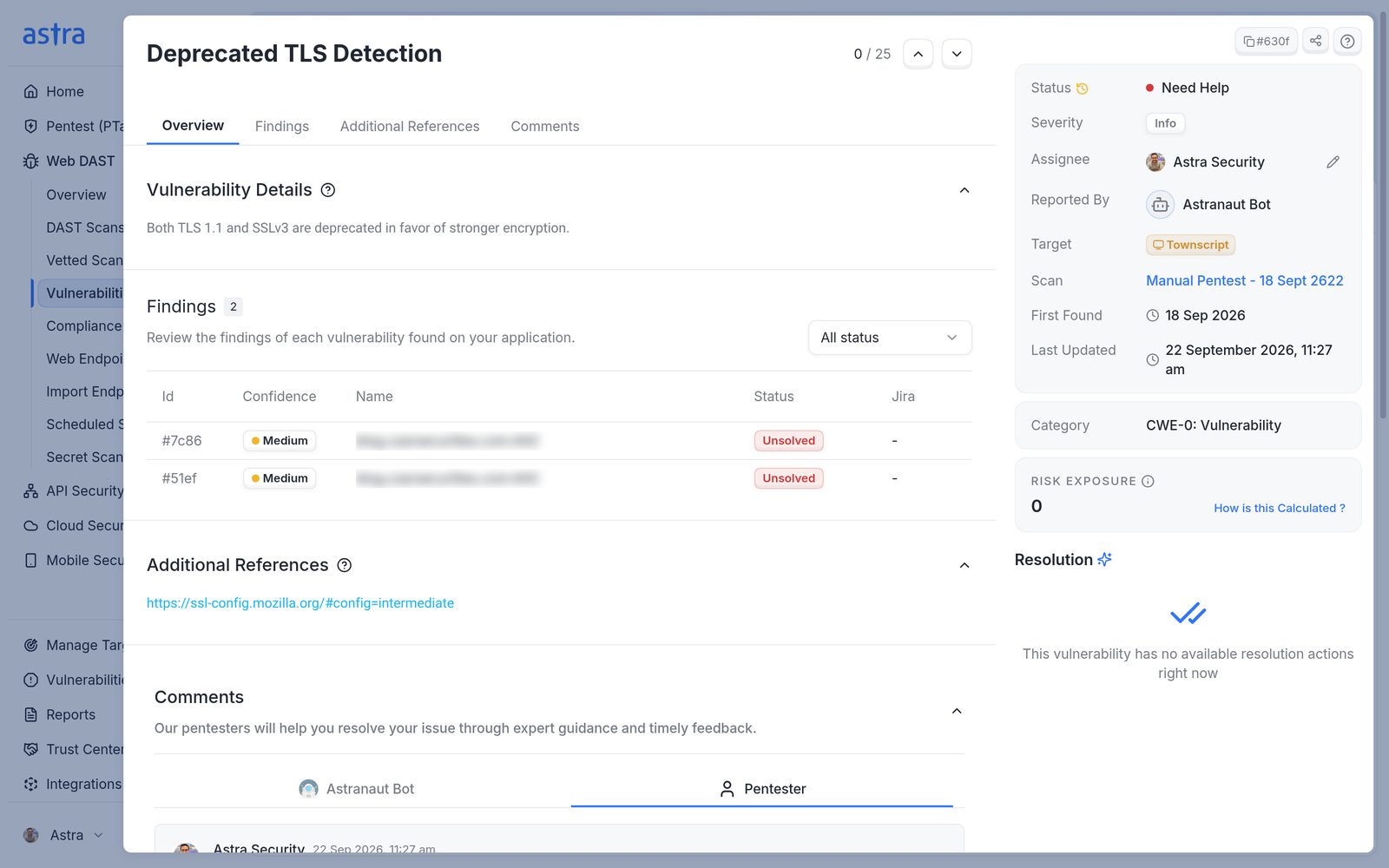
A vulnerability in Need Help, with the pentesters' reply under Comments.
Common tasks
- Change the status of one or more vulnerabilities, including marking fixes ready for review and reopening them. Read more in How to change the status of vulnerabilities.
- Mark a false positive or accept a risk, and stop future scans from reporting the same finding. Read more in How to mark a false positive or accept a risk.
FAQ
What does Under Review mean? Will Astra retest the fixes?
Under Review means the vulnerability has been marked as fixed and is waiting to be checked. It's checked in the next rescan. If the fix works, it moves to Solved. If not, it goes back to Unsolved.
The False Positive list disappeared. Where is it?
The False Positive section is hidden by default. Open the display options at the top right of the vulnerability table and tick False Positive under Sections to show.
Can an Accepted Risk be changed to a False Positive?
Yes. Open the vulnerability and click Mark False Positive under Resolution, then give a reason. A false positive can also be moved to Accept Risk.