Scan types and expert vetting explained
Last updated: November 12, 2026
Astra offers three kinds of scan: pentests, automated scans and static analysis. You start all of them from the same Start a Scan wizard, and you can start a scan on several targets at once. For automated scans, you can also ask Astra's pentesters to vet the results.
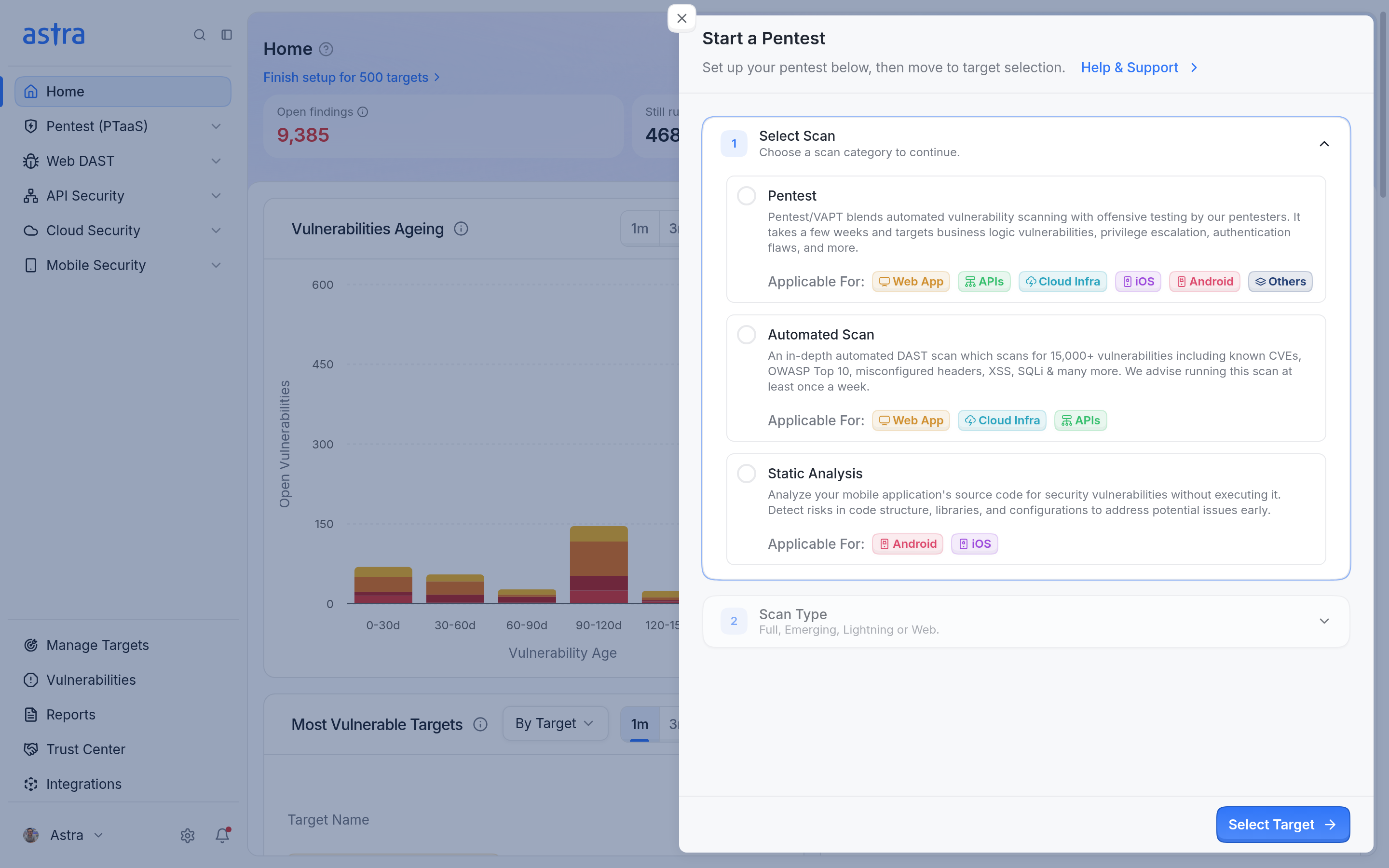
The Select Scan step shows each scan category and the target types it applies to.
Scan categories
Category | What it does | Applies to |
|---|---|---|
Pentest | Combines automated scanning with offensive testing by Astra's pentesters, including business logic, privilege escalation and authentication flaws. | Web apps, APIs, cloud infrastructure, iOS, Android and other targets |
Automated Scan | Runs an automated DAST scan for known CVEs, the OWASP Top 10, misconfigured headers, XSS, SQL injection and more. | Web apps, cloud infrastructure and APIs |
Static Analysis | Checks a mobile app's build for vulnerabilities in code structure, libraries and configuration, without running the app. | Android and iOS |
Pentest types
Type | What it is | Applies to |
|---|---|---|
Hybrid Pentest (Human + Autonomous) | Autonomous AI and certified pentesters work together on deeper vulnerabilities, complex attack paths and business logic flaws. | Web apps |
Autonomous Pentest | AI-driven testing that explores the attack surface, chains vulnerabilities and reports detailed findings. | Web apps |
Manual Pentest | A manual engagement with certified pentesters, with optional automated testing. | Web apps, APIs, cloud infrastructure, iOS, Android and other targets |
For each pentest, you can also choose one or more objectives, such as SOC 2, PCI DSS or ISO 27001, and a testing approach:
Grey Box (recommended) uses the credentials or login recording on the target to test behind your login. Astra selects it when you choose an objective.
Black Box tests without signing in. It applies only to targets with no credentials or login recording.
Read more in How to start a pentest.
Availability
The scan categories and pentest types you can start depend on your plan. Options outside your plan show "This scan type is not available with your current plan."
Automated scan types
Type | What it does |
|---|---|
Automated Scan (Full) | An in-depth scan for 15,000+ vulnerabilities, including known CVEs and the OWASP Top 10. |
Automated Scan (Emerging Scan) | Checks for vulnerabilities from newly discovered threats, such as Log4Shell, Text4Shell, Polyfill and RegreSSHion. |
Automated Scan (Lightning) | A high-level scan for basic web application vulnerabilities. |
Automated Crawling (Web) | Crawls the target to build and update its inventory. It doesn't run a security scan. |
Read more in How to start an automated scan.
Static analysis
Static analysis needs the app's APK or IPA file on the target. Read more in How to start a static analysis scan.
Expert vetting
Vetting is an expert review of a completed automated scan. Astra's pentesters confirm the real risks and remove edge-case false positives, so the vetted report carries only confirmed findings. Vetting isn't available for static analysis or Automated Crawling (Web). Read more in How to request expert vetting for automated scans.
After a scan
Pentests appear on the Pentests page.
Automated scans appear under DAST Scans for web and API targets, and under Vulnerability Scans for cloud targets.
Static analysis scans appear under Mobile Security > SAST Scans.
When you have fixed the findings, request a rescan. Read more in How to request a rescan.
FAQ
Can I get vetting for a cloud scan?
Yes. Completed automated cloud scans can be vetted. Read more in How to request expert vetting for automated scans.
Why is Manual Pentest not available after I added credentials?
The pentest types you can start depend on your plan, not on the target's credentials. Read more in How to start a pentest.