How to change the status of vulnerabilities
Last updated: November 3, 2026
Statuses can be changed for many vulnerabilities at once from a scan or pentest. This article covers the bulk update, marking fixes ready for review, and reopening a vulnerability.
Update the status of several vulnerabilities
A bulk update changes all the selected vulnerabilities to the same status.
- Open a scan or pentest and go to its Vulnerabilities tab.
- Tick the vulnerabilities to change. All of them must have the same current status.
- Click Update Status and choose the new status. Only the statuses the selection can move to are offered.
- Enter a Reason. One reason can cover all of them, or click Write one per vulnerability to give each its own.
- A reason is required to mark or unmark a false positive, to move a false positive to accepted risk, to reject a fix and to ask for help. Otherwise it's optional.
- Tick Post as a comment on each vulnerability to add the reason to each one's comments.
- Set Exclude from future scans if the dialog offers it, then confirm.
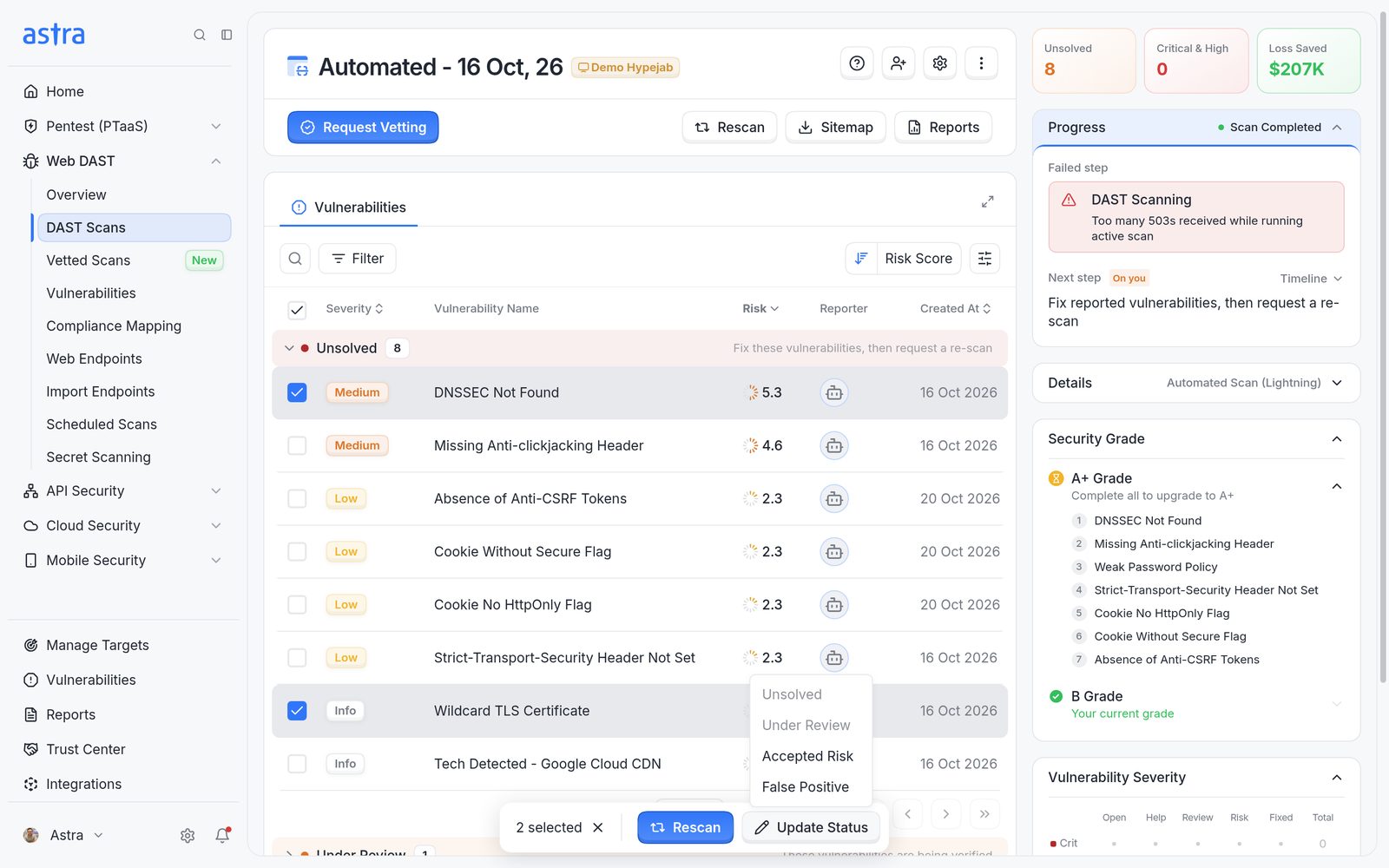
Two vulnerabilities selected, with Update Status listing the statuses they can move to.
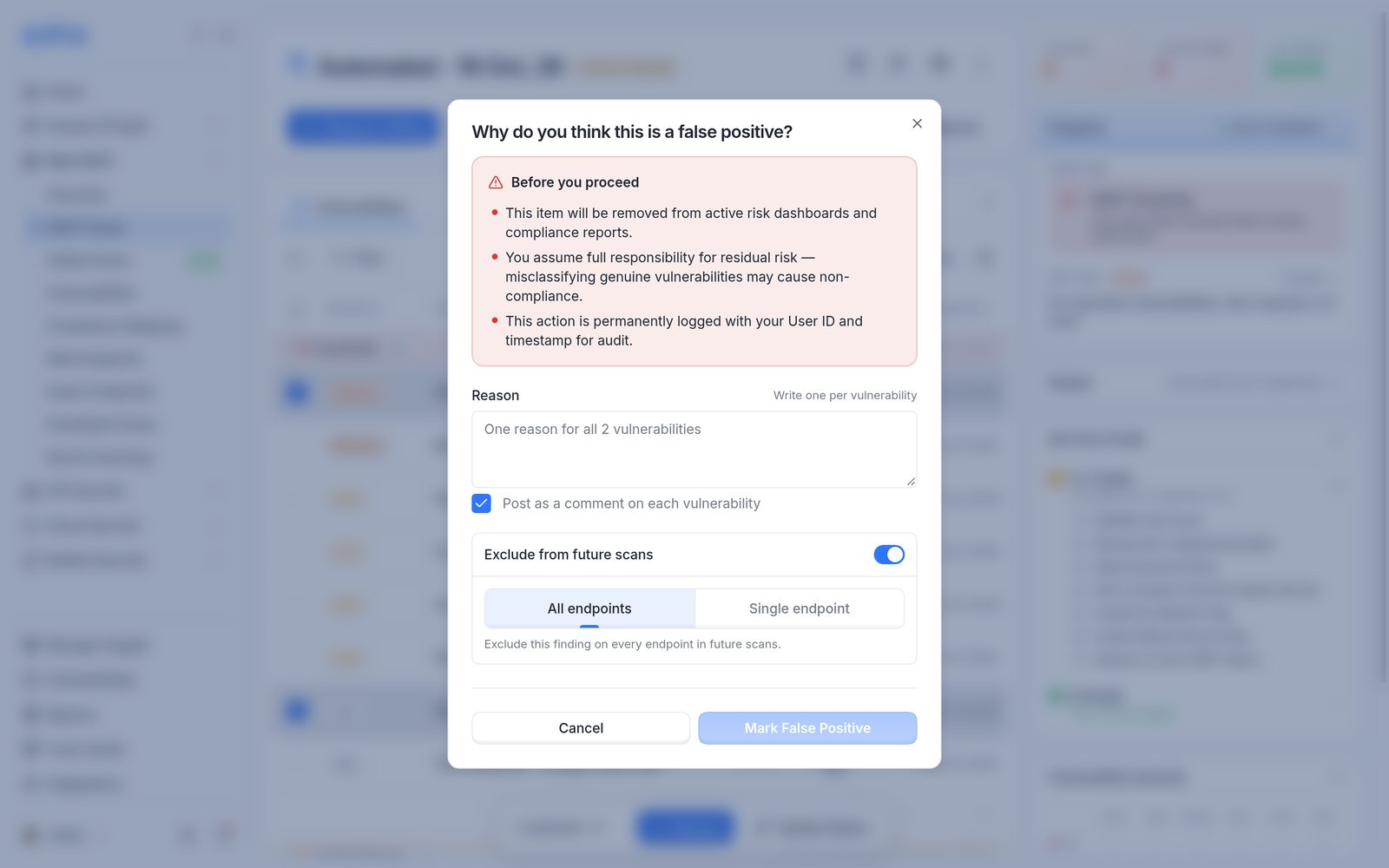
The bulk false positive dialog, with one reason for all or Write one per vulnerability.
A bulk update is all or nothing. If any selected vulnerability can't be changed, none are changed. The message names the vulnerability that's blocking the update and offers Remove from selection.
The same changes are available for a single vulnerability under Resolution on its details page.
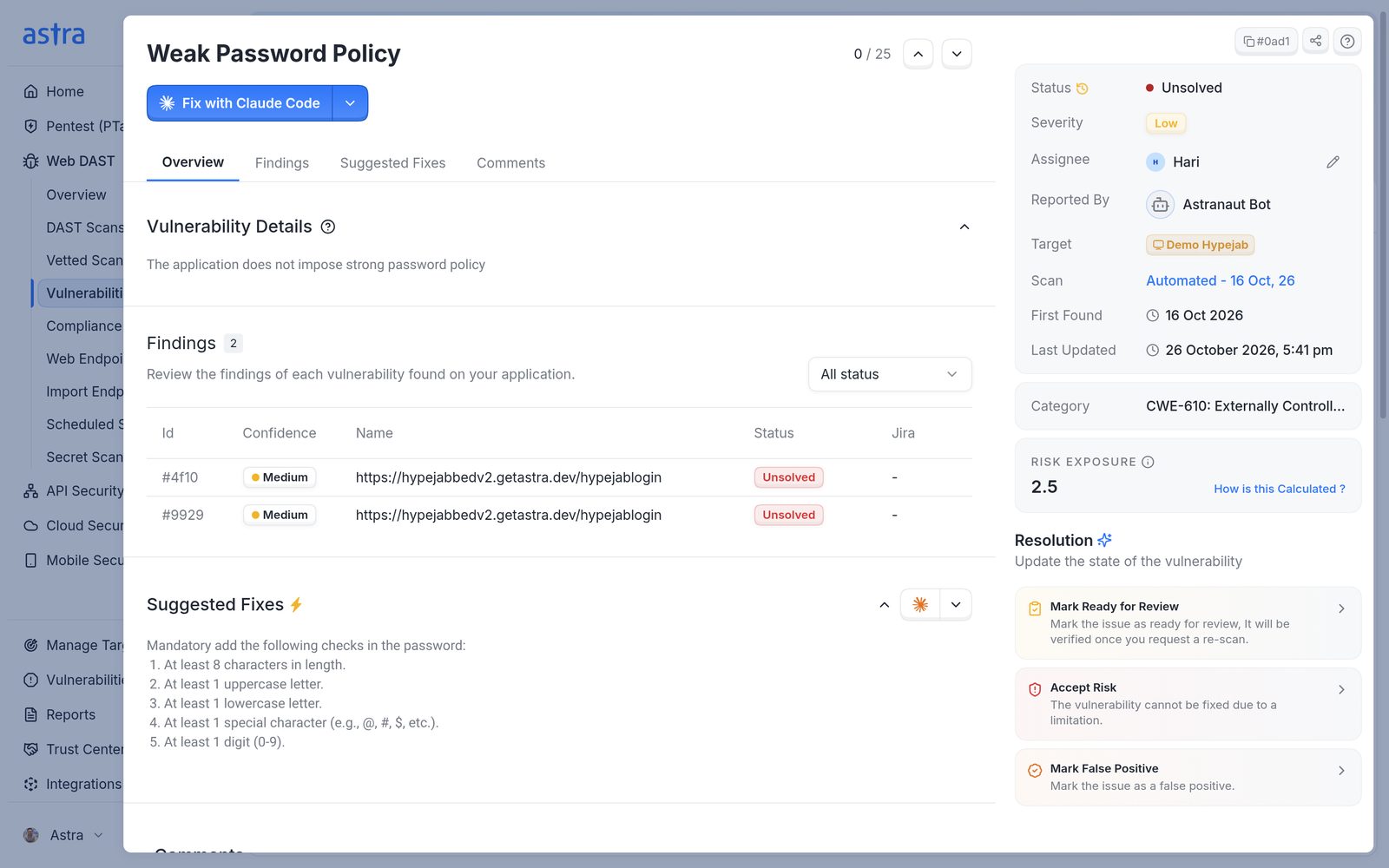
An Unsolved vulnerability, with the changes available under Resolution.
Note
The status can be changed once the scan or pentest has reached the Vulnerabilities Reported stage.
Mark a fix ready for review
Once a vulnerability has been fixed, mark it Ready for Review. It's checked during the next rescan. If the fix holds, it moves to Solved. If the vulnerability is still found, it moves back to Unsolved.
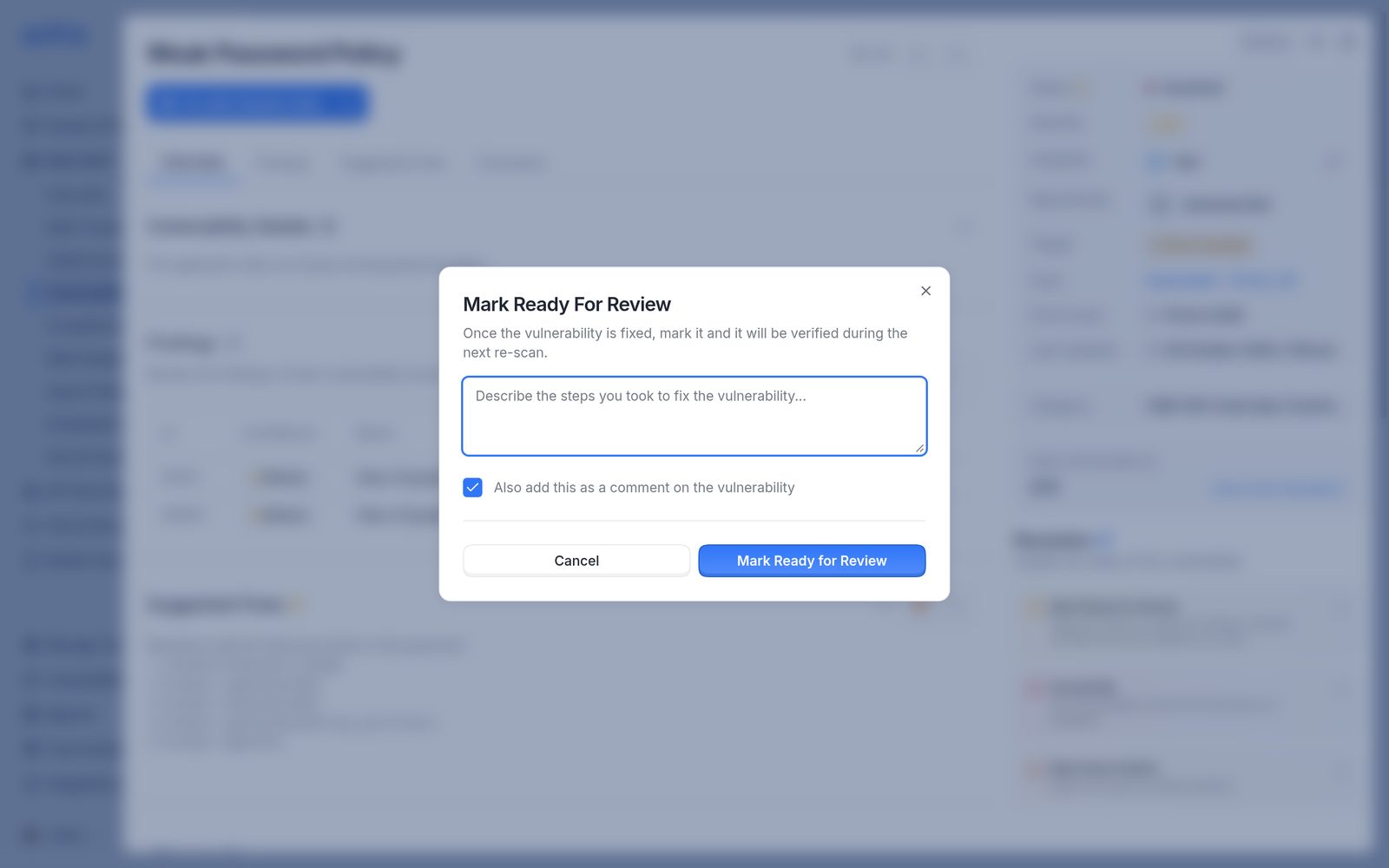
Mark Ready For Review.
While a vulnerability is Under Review, it can still be moved to Accept Risk or Mark False Positive.
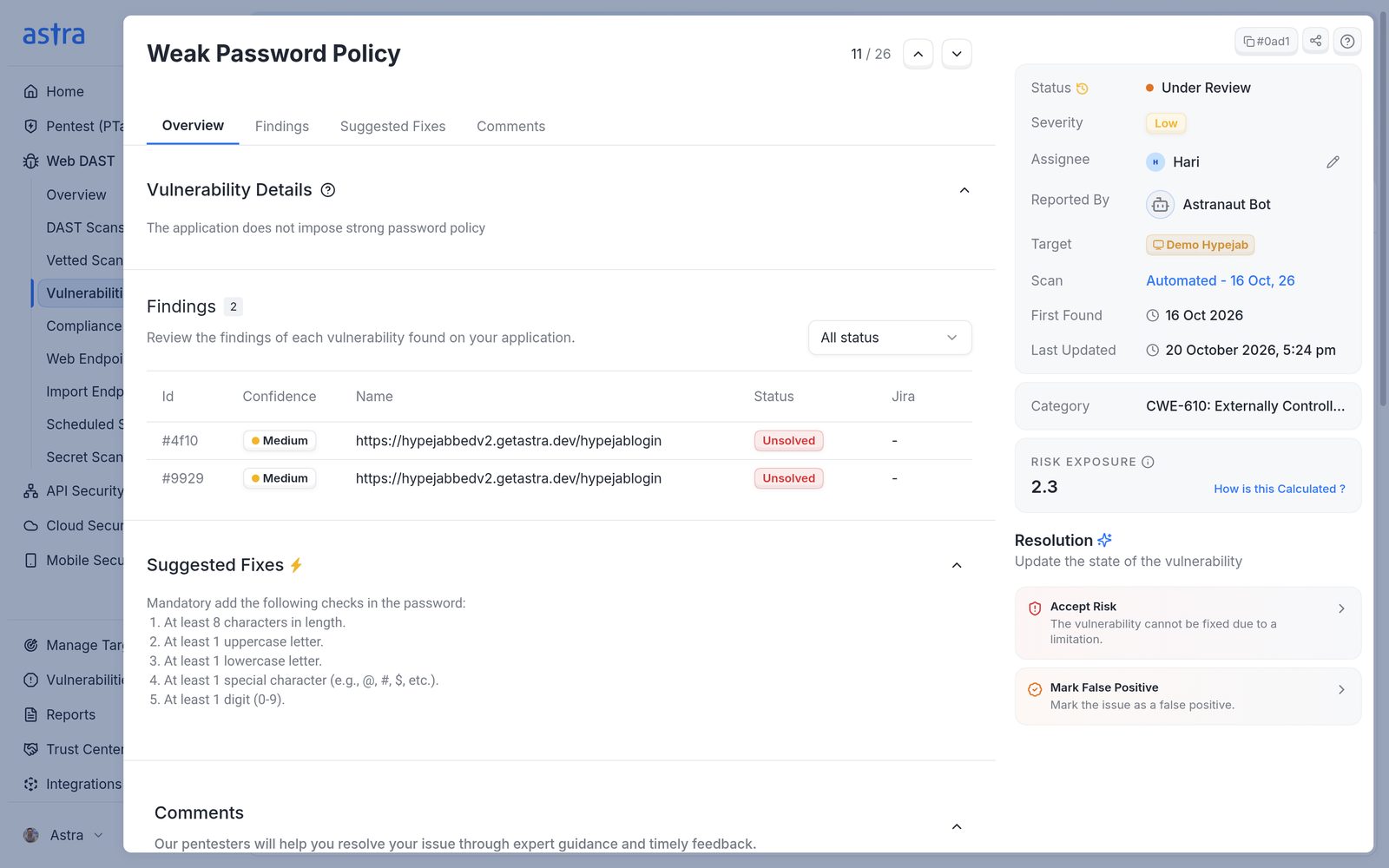
A vulnerability that's Under Review.
Reopen a vulnerability
From Accepted Risk or Solved, use Reject Fix to move the vulnerability back to Unsolved. A reason is required.
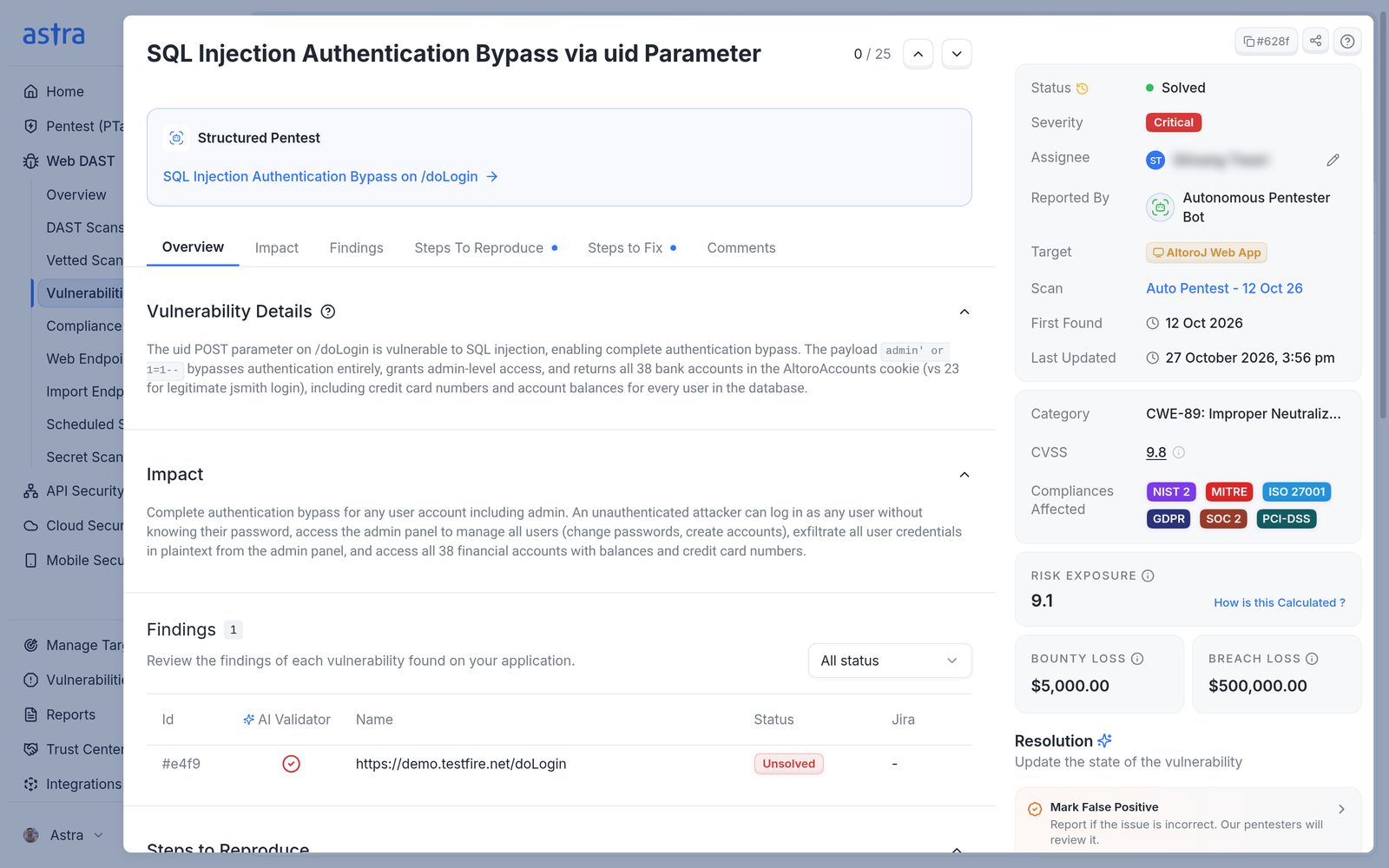
A Solved vulnerability, with Mark False Positive and Reject Fix.
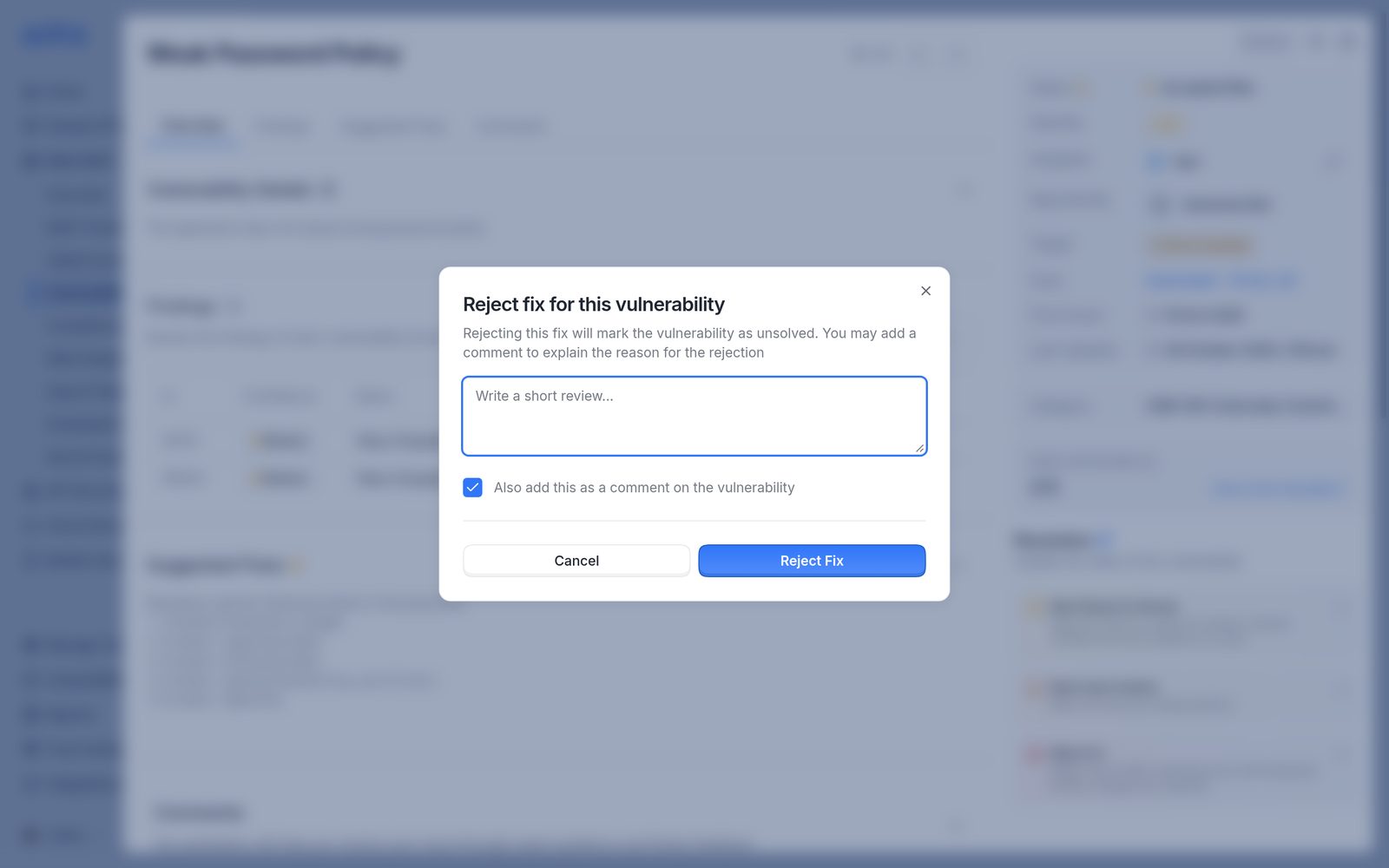
The Reject Fix dialog.
FAQ
Why can't the status of some vulnerabilities be updated?
The most common reason is that the scan or pentest hasn't reached the Vulnerabilities Reported stage yet. The available changes also depend on the current status, and false positive changes may be limited to admins. Read more in How to use vulnerability statuses.
After marking items as false positives, the Rescan button isn't available. Why?
A rescan checks vulnerabilities that are marked Ready for Review. False positives aren't rescanned, so if no vulnerabilities are Under Review, there's nothing to rescan.