What's in a scan completion email
Last updated: November 13, 2026
A completion email is a short summary of a finished automated or vetted scan, with a link to the results in Astra. This article covers what the email shows, the version that includes the PDF report, and the Re-scan completed email. For an overview of all scan emails, read Scan completion and cancellation emails.
What the email shows
Every Scan completed and Re-scan completed email shows:
The scan type (Automated Scan or Vetted Scan), the scan name and the target name.
The total number of vulnerabilities and a count for each severity: Critical, High, Medium, Low and Info.
A Review vulnerabilities link that opens the scan in Astra.
The counts include every vulnerability on the scan, whatever its status, except those marked False Positive.
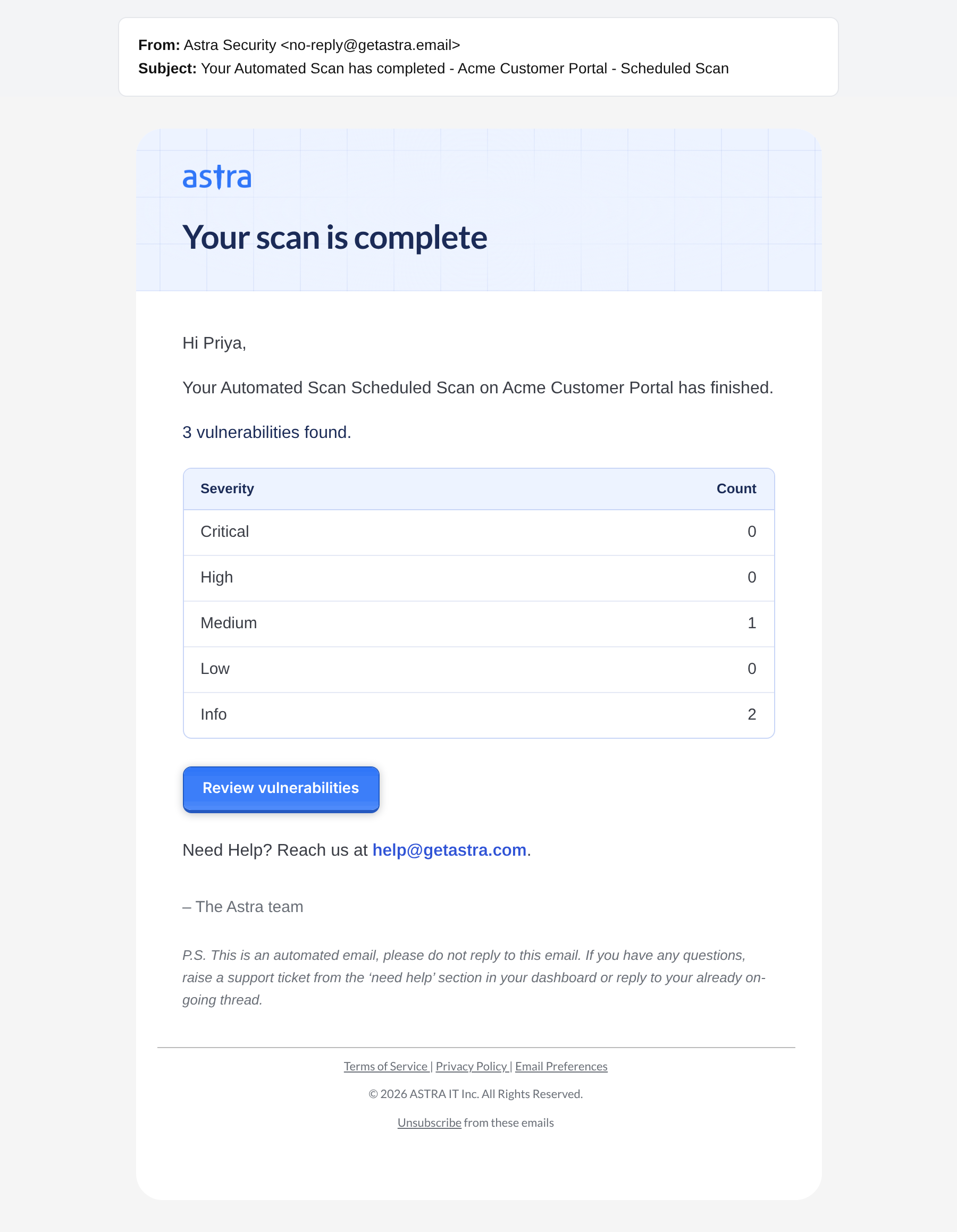
A Scan completed email: the scan, the target, the vulnerability count by severity and the Review vulnerabilities button.
Review vulnerabilities opens the scan, where each vulnerability can be opened, assigned and worked on. The scan's Vulnerability Severity card shows the same counts as the email.
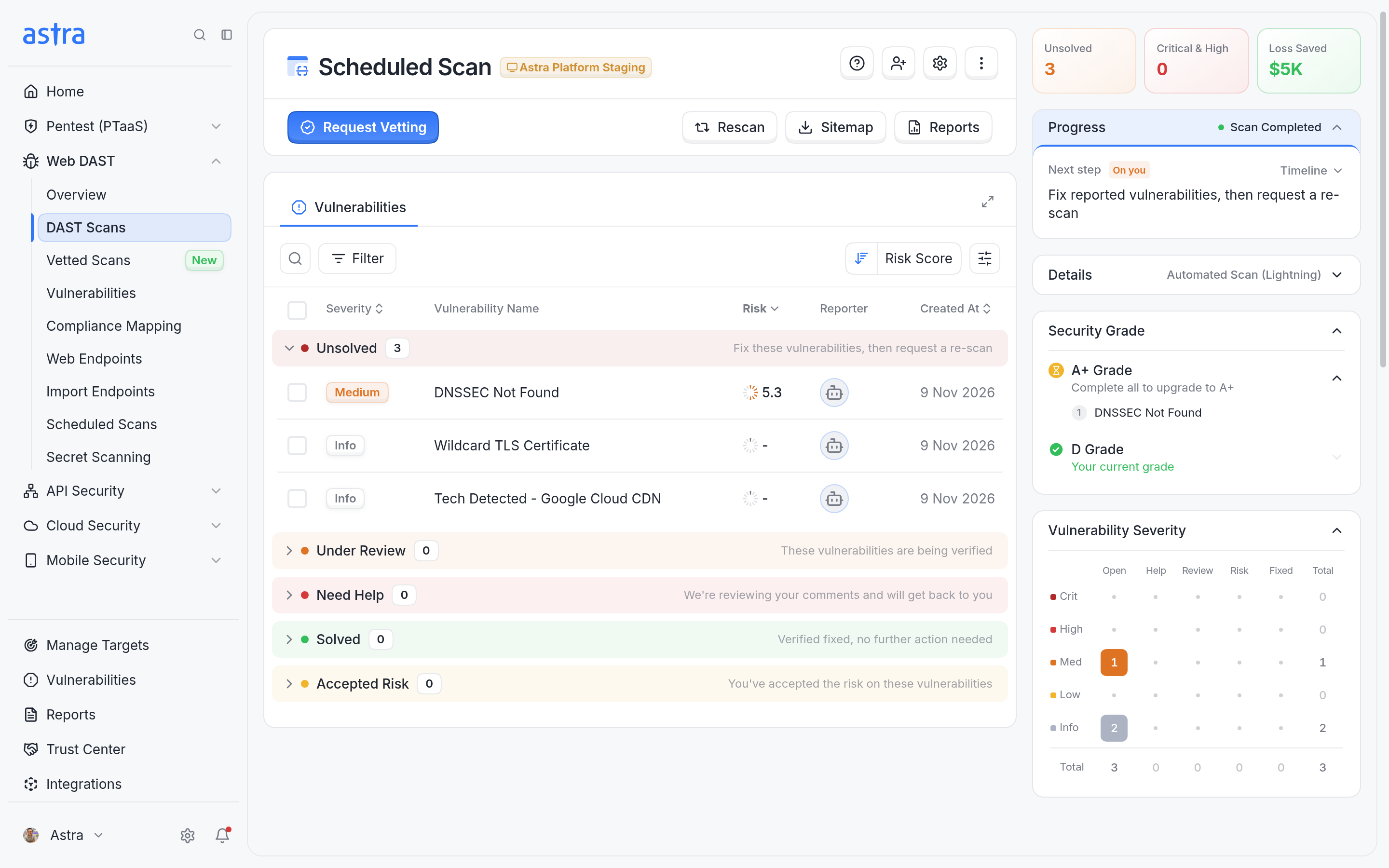
The scan opened from Review vulnerabilities, with the same severity counts as the email.
Email with the PDF report
Some companies get a version of the completion email that also includes the scan's PDF report.
Version | Subject ends with | Includes |
|---|---|---|
Summary | "...has completed" | The summary only. Results are in Astra. |
Summary with PDF report | "...has completed and the report is ready" | The summary plus a Download report button. |
Download report downloads the scan's Full Report as a PDF, with no sign-in needed.
The email states how many days the link works. After that, the report can be generated again from the scan. Read more in Overview of Scan Reports.
This version is sent when report emails are turned on for the company and the plan includes the Full Report. To get it, contact the Astra account manager.
A scan's PDF report is emailed only once. If it came with the scan's completion email, the later Re-scan completed email is the summary only.
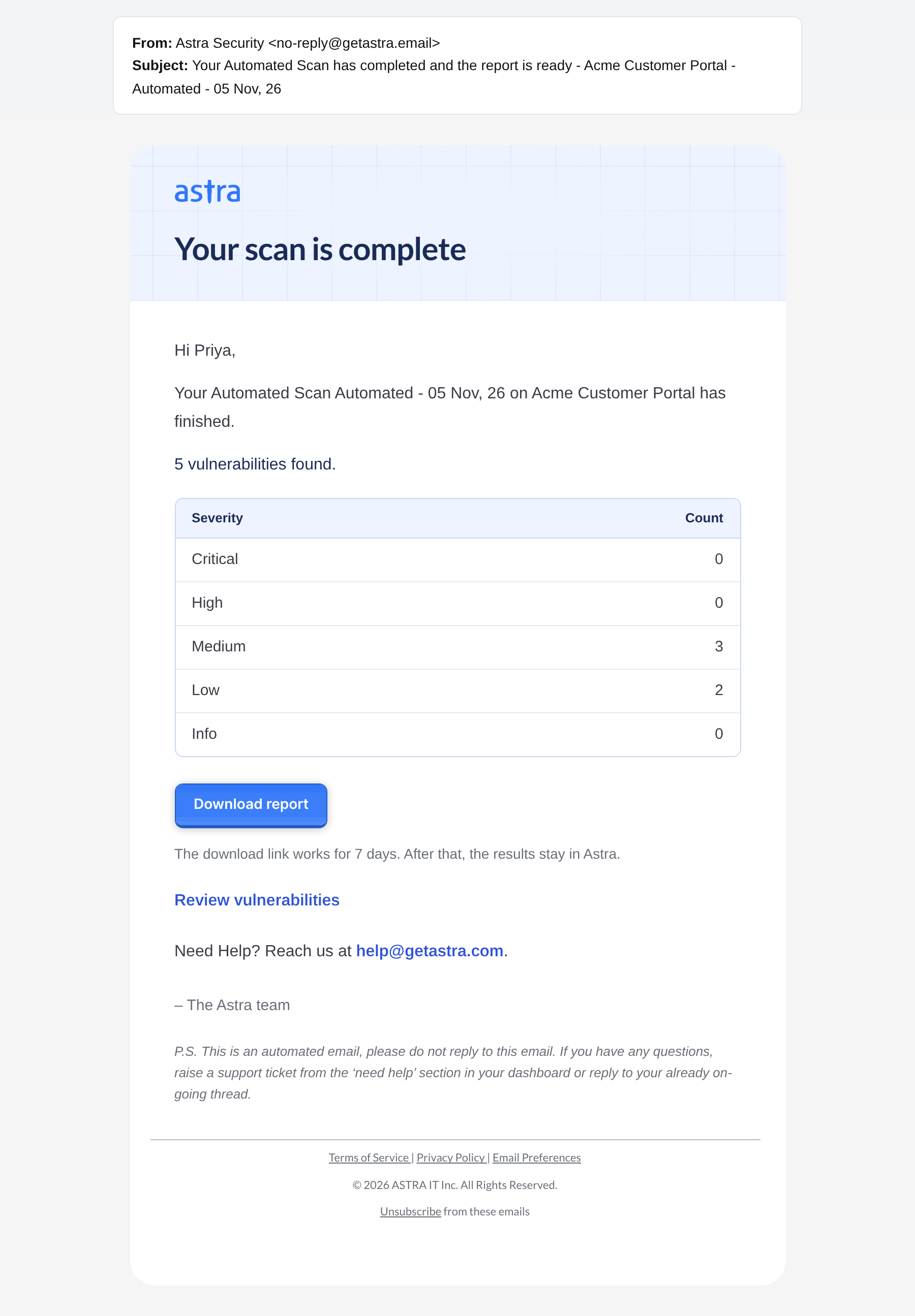
A Scan completed email with the Download report button and how long the link works.
Re-scan completed email
This email is sent when a re-scan on an automated or vetted scan finishes. It has the same summary, with the counts as they stand after the re-scan, so the team can see what is left to fix.
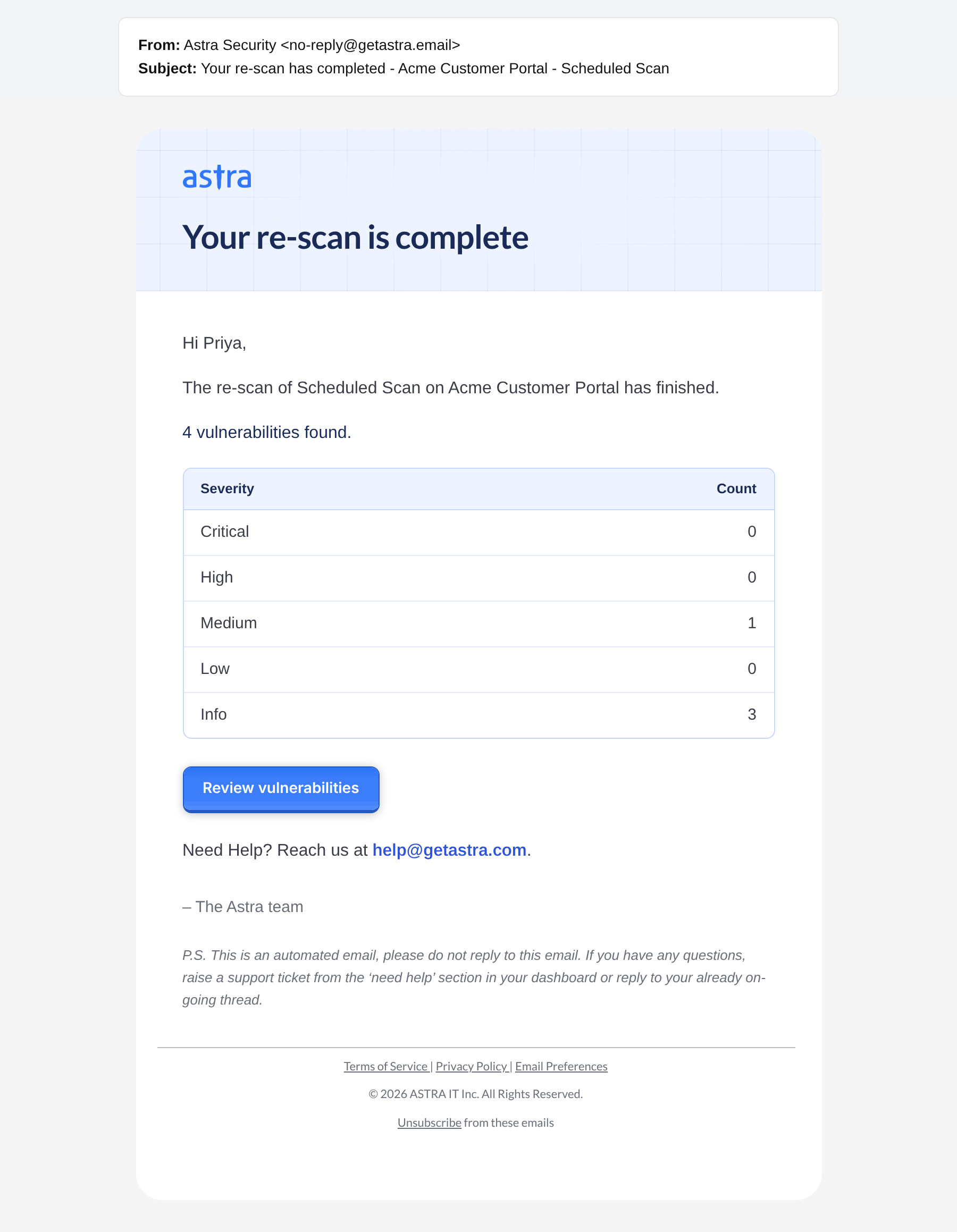
A Re-scan completed email, with the vulnerability count after the re-scan.