Overview of Scan Reports
Last updated: June 8, 2026
Summary
Astra provides multiple report types tailored to different audiences and use cases. Each report captures a different level of detail, from high-level executive summaries to raw vulnerability data for engineering teams.
Who Should Read This
Security leads and compliance officers use Management Reports to track overall risk posture. Engineering teams use Full Reports and CSV exports to reproduce and remediate findings. External stakeholders such as auditors or customers typically receive Full or Management Reports as proof of security efforts.
Key Functions
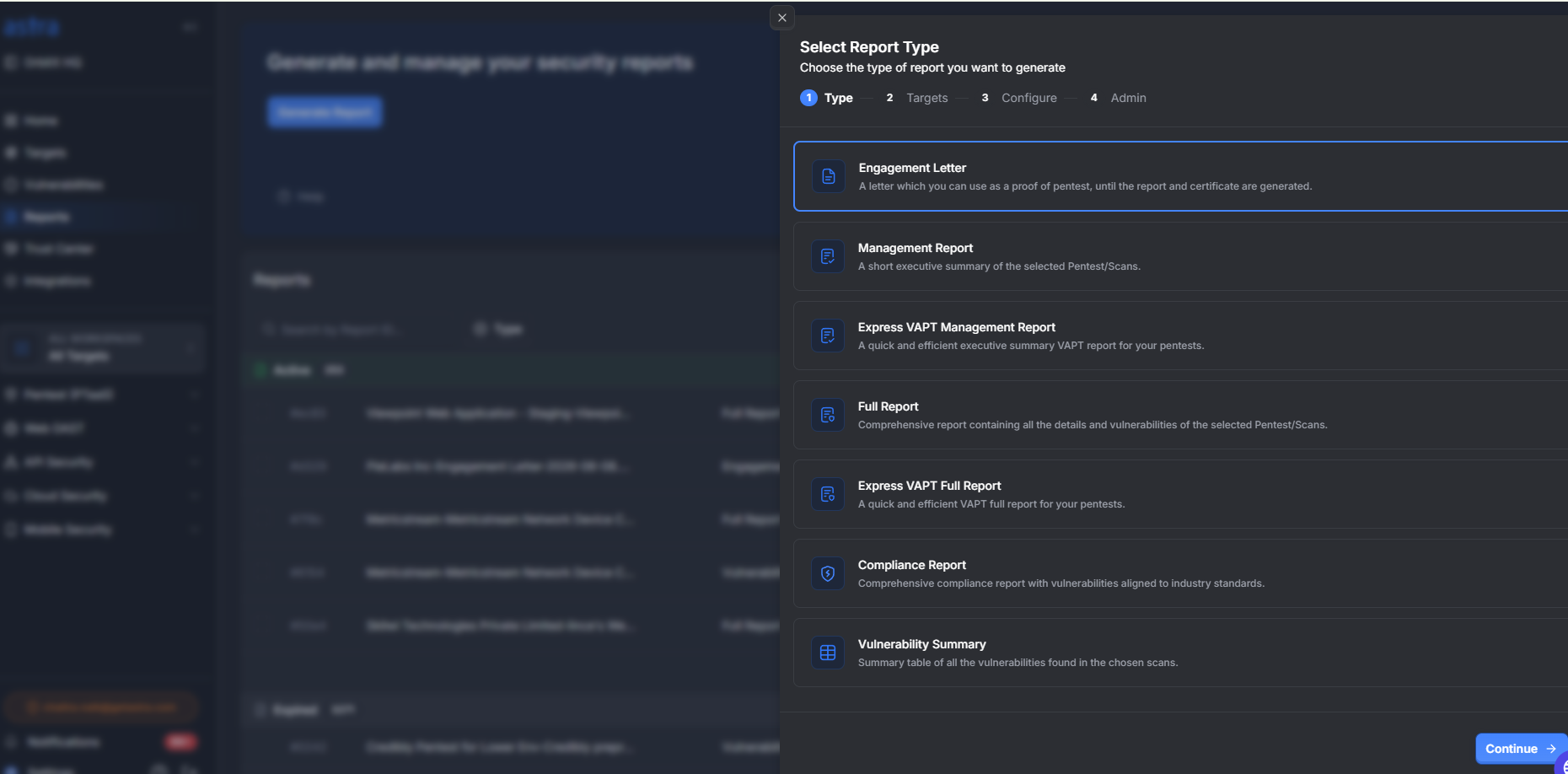
Engagement Letter
A formal document that serves as proof of an active penetration testing engagement. It can be shared with stakeholders, customers, or auditors while the assessment is in progress and before the final report and certificate are issued.
Management Report
A concise executive summary of the selected penetration test or scan. Designed for leadership and non-technical stakeholders, it highlights key findings, risk distribution, overall security posture, and high-level remediation insights.
Express VAPT Management Report
A streamlined executive summary report generated for Express VAPT assessments. It provides a quick overview of identified risks, severity distribution, and remediation priorities for rapid stakeholder review.
Full Report
A comprehensive technical report containing all identified vulnerabilities and assessment details. It includes vulnerability descriptions, severity ratings, risk analysis, affected assets, proof of concept, remediation recommendations, and supporting technical evidence.
Express VAPT Full Report
A detailed technical report for Express VAPT engagements, providing complete visibility into discovered vulnerabilities, their impact, supporting evidence, and recommended remediation steps in an accelerated reporting format.
Compliance Report
A standards-mapped report that aligns identified vulnerabilities with relevant compliance and security frameworks. It helps organizations demonstrate security assessment coverage and track compliance-related findings against industry requirements.
Vulnerability Summary
A consolidated table of all vulnerabilities identified in the selected scans or penetration tests. It provides an at-a-glance view of findings, including severity, status, affected targets, and remediation progress, making it useful for tracking and reporting purposes.
Available Actions
Generate any report from the Reports page by selecting the report type, then choosing the relevant target or scan
Generate a report directly from the Scan Details page for a specific scan
Download reports as PDF or export vulnerability data as CSV or JSON
Best Practices
Use the Management Report when sharing results with leadership or external parties. Use the Full Report when your engineering team needs step-by-step reproduction details. Use the CSV export when you want to import findings into a tracking tool or run custom analysis.