How to change a target's URL or replace a target
Last updated: November 3, 2026
A target's URL can be changed only in a few situations. In most cases, a different address needs a new target, either bought or swapped in with Replace Target on the Scanner Agency plan.
When the URL can be changed
Whether the URL can still be edited depends on the target's stage.
| Stage | Can the URL be changed? |
|---|---|
| Pending Verification | Yes, in Tell us About your Application, until ownership is verified. |
| Pending Setup, no URL saved yet | Yes, the first URL is entered during setup. |
| Verified or set up, URL saved | No. The URL is locked. |
| Web app whose latest scan couldn't connect | Yes, in the target's Scope settings, so the address can be corrected and scanned again. |
When the URL is locked, the target's Scope settings show "You can replace this target by going to the Subscription Settings."
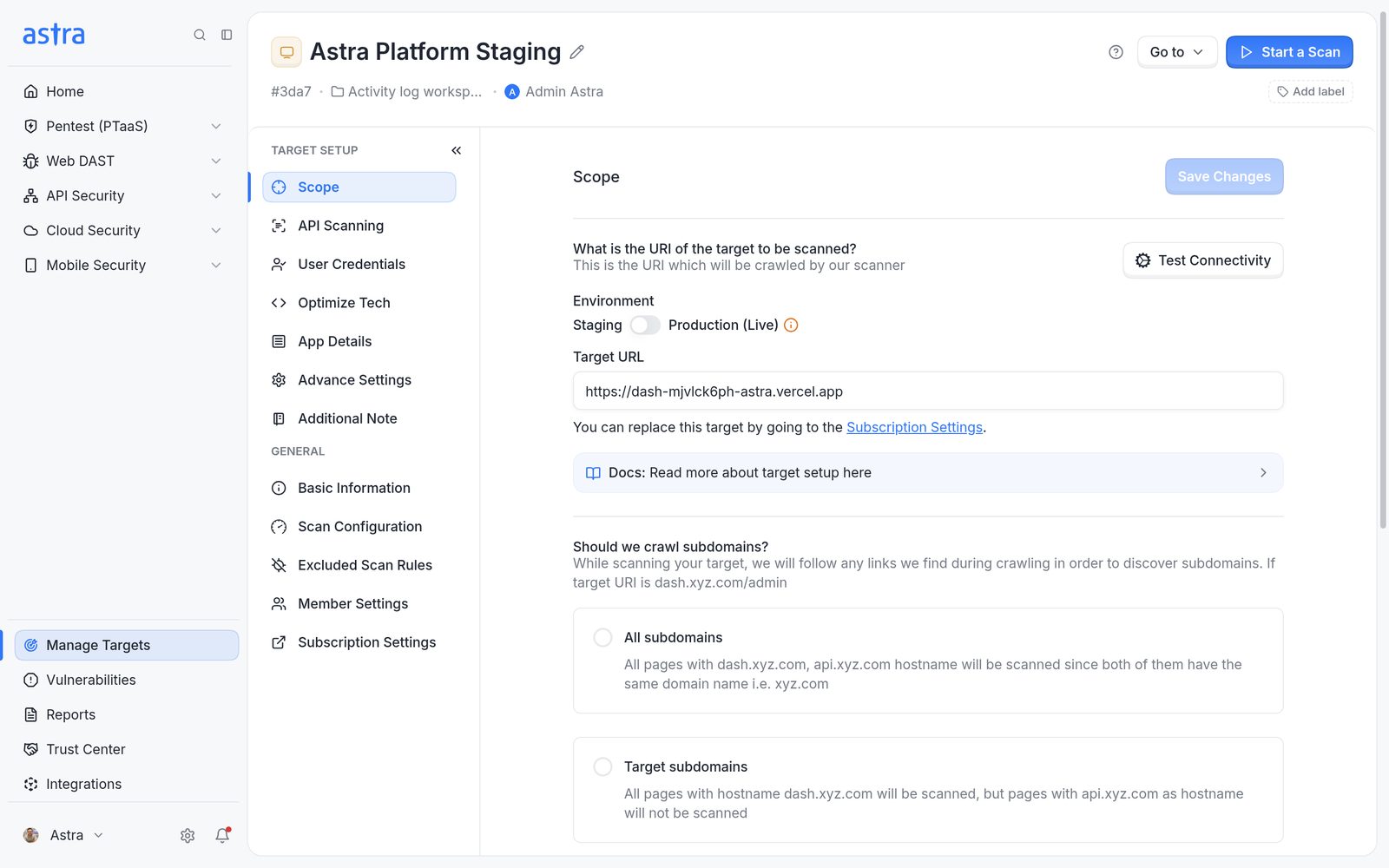
Target settings, Scope page, with the locked Target URL and the link to Subscription Settings.
Important
Moving a target from staging to production also counts as a URL change.
Replace a target
Replace Target swaps a target for a new target of the same type on the same subscription, without buying another one.
Availability
The Replace Target feature is only available on the Scanner Agency plan. The plan includes a pool of 5 targets. A target can be replaced once its 30-day cooling period has ended. The cooling period starts with the target's first scan, so a target that hasn't been scanned yet can be replaced without waiting. If a different cooling period was agreed with Astra, that period applies instead.
Workspace owners and admins, and company owners and admins, can replace targets.
- Click Replace Target under the target's name on the Targets page. Alternatively, open Settings, pick the workspace and click Subscriptions, expand the subscription, and click the replace icon next to the target.
- Read the warning and click Replace.
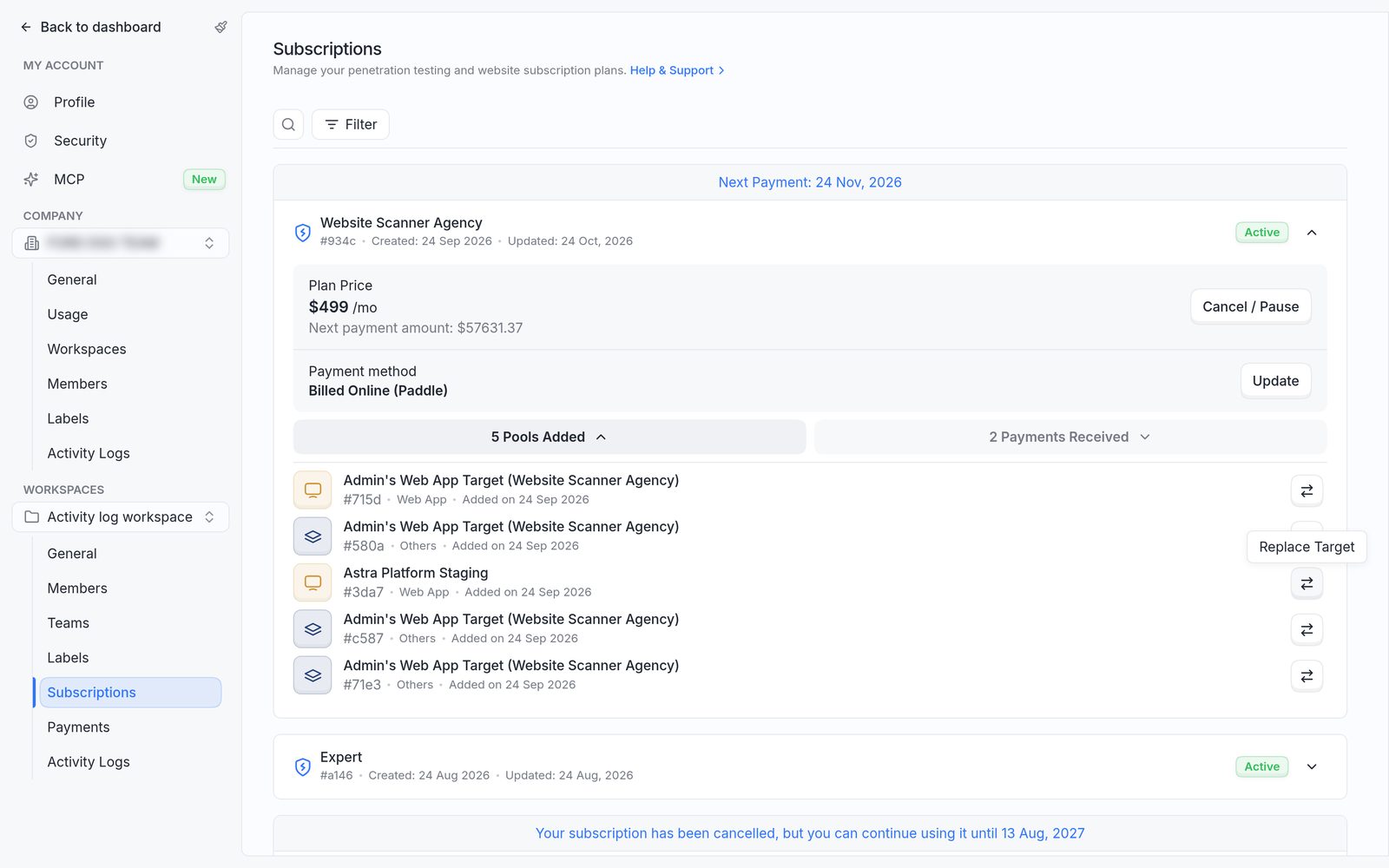
Settings, Subscriptions: an expanded subscription with its targets and the replace option on each row.
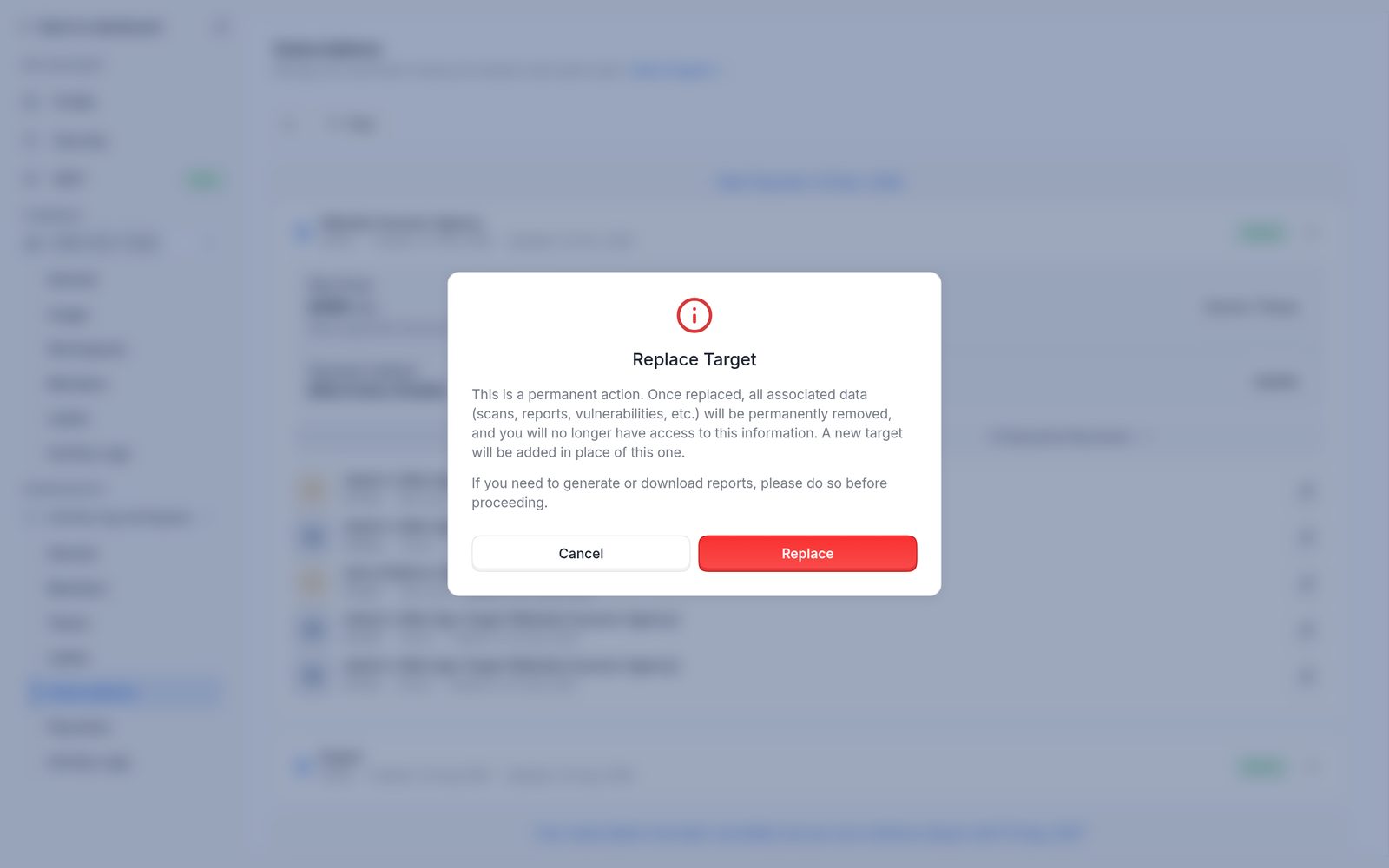
The Replace Target confirmation.
The old target is removed and a new target of the same type appears on the Targets page, ready to be set up with the right URL. The message Target replaced confirms it.
Important
Replacing is permanent. All scans, reports and vulnerabilities on the old target are deleted and can't be recovered. Download any reports or certificates that are still needed before clicking Replace.
On plans without target replacement, a new target can be bought instead. Read more in How to buy a target.
FAQ
I verified my target with the staging URL. How do I switch it to production?
The URL is locked after verification. On the Scanner Agency plan, use Replace Target and set up the new target with the production URL. On other plans, buy a new target for the production URL, or contact support.