How to verify API credentials in a Postman collection
Last updated: November 12, 2026
After you upload a Postman collection to an API target, Astra can check that the credentials in the collection and its environment file sign in to your API. The check sends requests to the API's endpoints and reports which ones accept the credentials.
Availability
Credential verification is available for API targets and for the API Scanning page of web app targets, on plans that include AI credential verification.
Verify the credentials
Open the target's Settings, and then open Definition Files. For a web app target, open API Scanning. During setup, use the same step of the setup flow.
Upload the Postman collection and its environment file, if you haven't already.
Click Verify with AI next to the collection.
You can close the sheet while the check runs. The result appears next to the collection.
If the target has no URL to test, Astra asks you to add one first: "Add a scope URL to the target before verifying credentials." For a web app target, the message asks for an API base URL.
Read the result
Result | What it means | What to do |
|---|---|---|
Check that these credentials work | The credentials haven't been checked yet. | Click Verify with AI. |
Verifying your credentials… | The check is running. | The result appears next to the collection when the check finishes. |
Your credentials work | Testing can use these credentials. | Run the check again whenever you change the credentials. |
Some endpoints rejected your credentials | Some endpoints didn't accept the credentials. | Open the report to see which endpoints failed, update the collection or environment file, and then click Verify again. |
Your credentials didn't work | No endpoint accepted the credentials. | Update the credentials in the collection or environment file, and then click Verify again. |
We couldn't verify your credentials | Nothing in the check reached your API. | Fix the issue shown, and then click Verify again. |
Verify your credentials again | The last result no longer applies. Astra shows why and when, for example Target credentials changed, Environment file replaced or Collection file replaced. | Click Verify again to check the new files or credentials. |
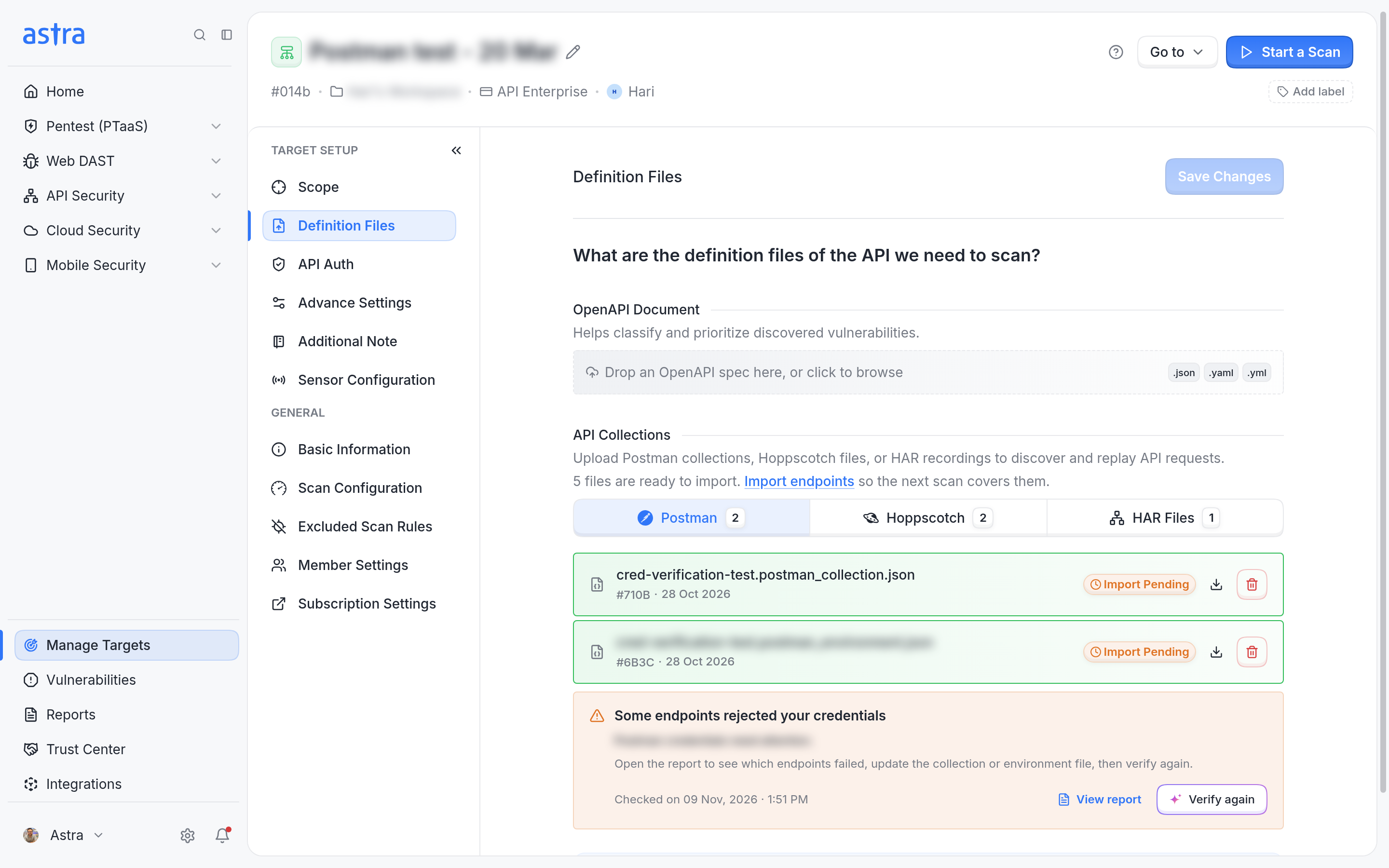
The Definition Files page shows the verification result under the uploaded collection.
Open the report
Click View report to open the Postman Collection Verification Report. It lists every tested endpoint with its method, whether it needs authentication, whether the credentials worked, and the response status. Filter the list by Failed, Needs review or Working.
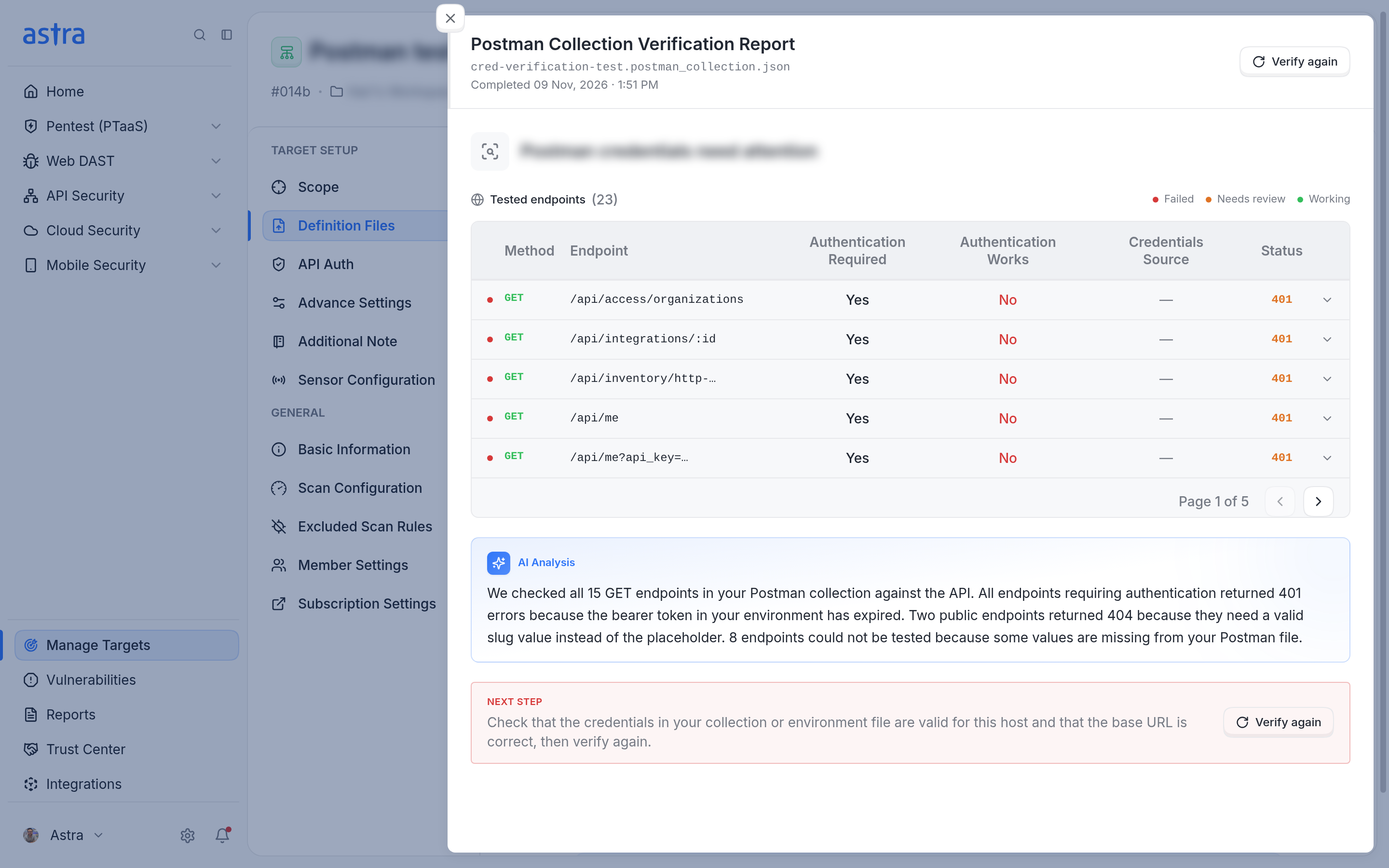
The verification report lists each tested endpoint and whether the credentials worked.
Tip
Endpoint import waits until credential verification finishes. Verify the credentials first, and then import the endpoints so that the next scan covers them.
Read more about setting up an API target in How to set up an API target.