Config Scan vs Expert Config Review
Last updated: November 12, 2026
Astra reviews cloud accounts in two ways: a Config Scan, which is fully automated, and an Expert Config Review, where an Astra security engineer reviews your cloud on top of the scan. Both run on Cloud Infra targets and both are listed under Cloud Security in the sidebar.
Config Scan | Expert Config Review | |
|---|---|---|
Automated configuration checks | Yes | Yes |
An Astra security engineer reviews your cloud | Only if you request vetting on a completed Config Scan. | Yes |
Rescan to check your fixes | Yes, with Request Config Rescan | Yes, with Request Expert Rescan. An engineer verifies your fixes. |
Certificate at the end | No | Yes, under Cloud Security → Certificates |
Where to find it | Cloud Security → Config Scan | Cloud Security → Expert Config Review |
Config Scan
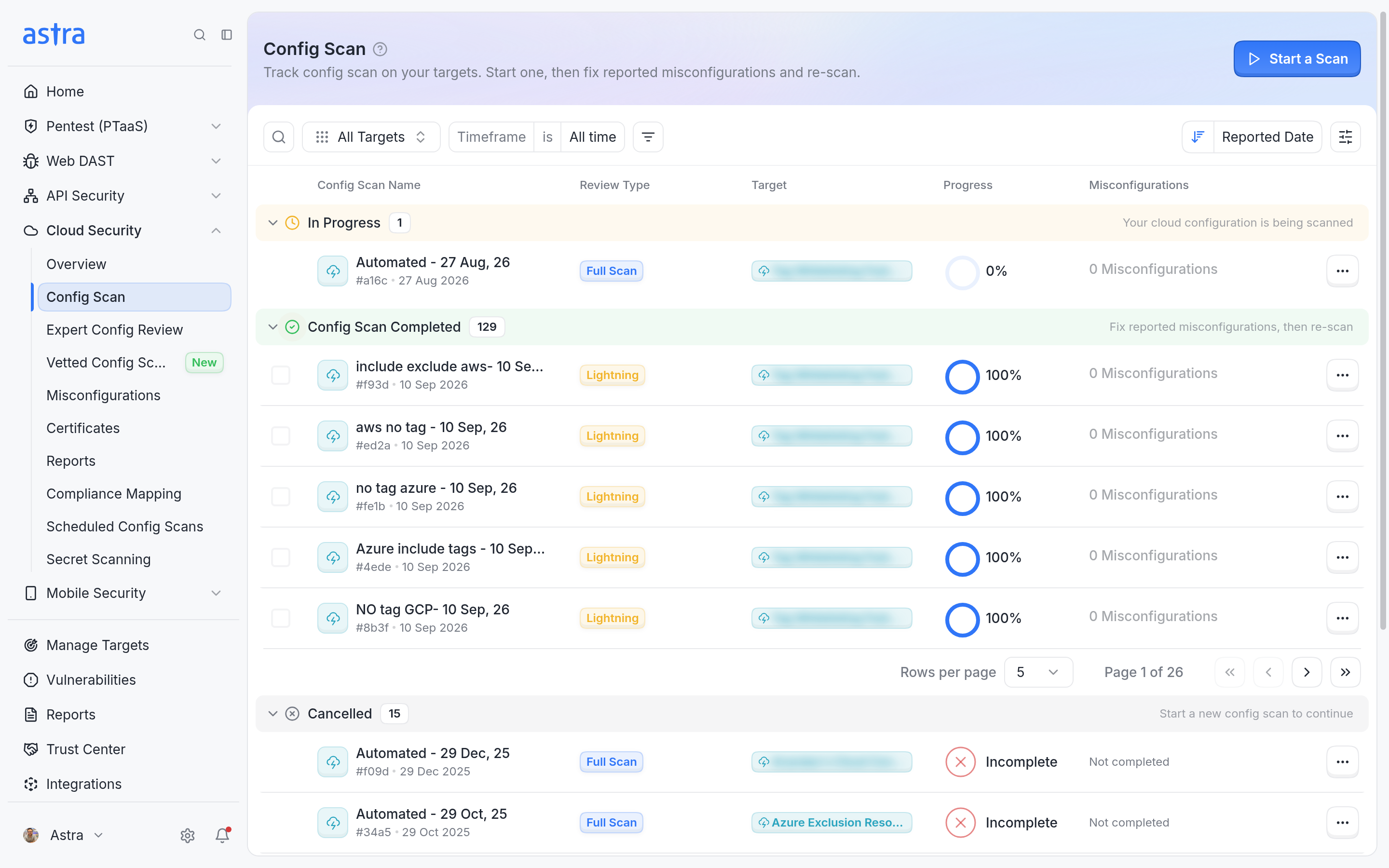
A Config Scan checks your cloud configuration automatically. When you start one, choose Config Scan (Full) for deep configuration checks across your cloud accounts. It's recommended for complete coverage.
Config Scans can also run on a schedule from Cloud Security → Scheduled Config Scans. To have Astra engineers review the results of a completed Config Scan, click Request Vetting. The scan then moves to Cloud Security → Vetted Config Scans. See Vetted Scans Page - Overview.
Expert Config Review
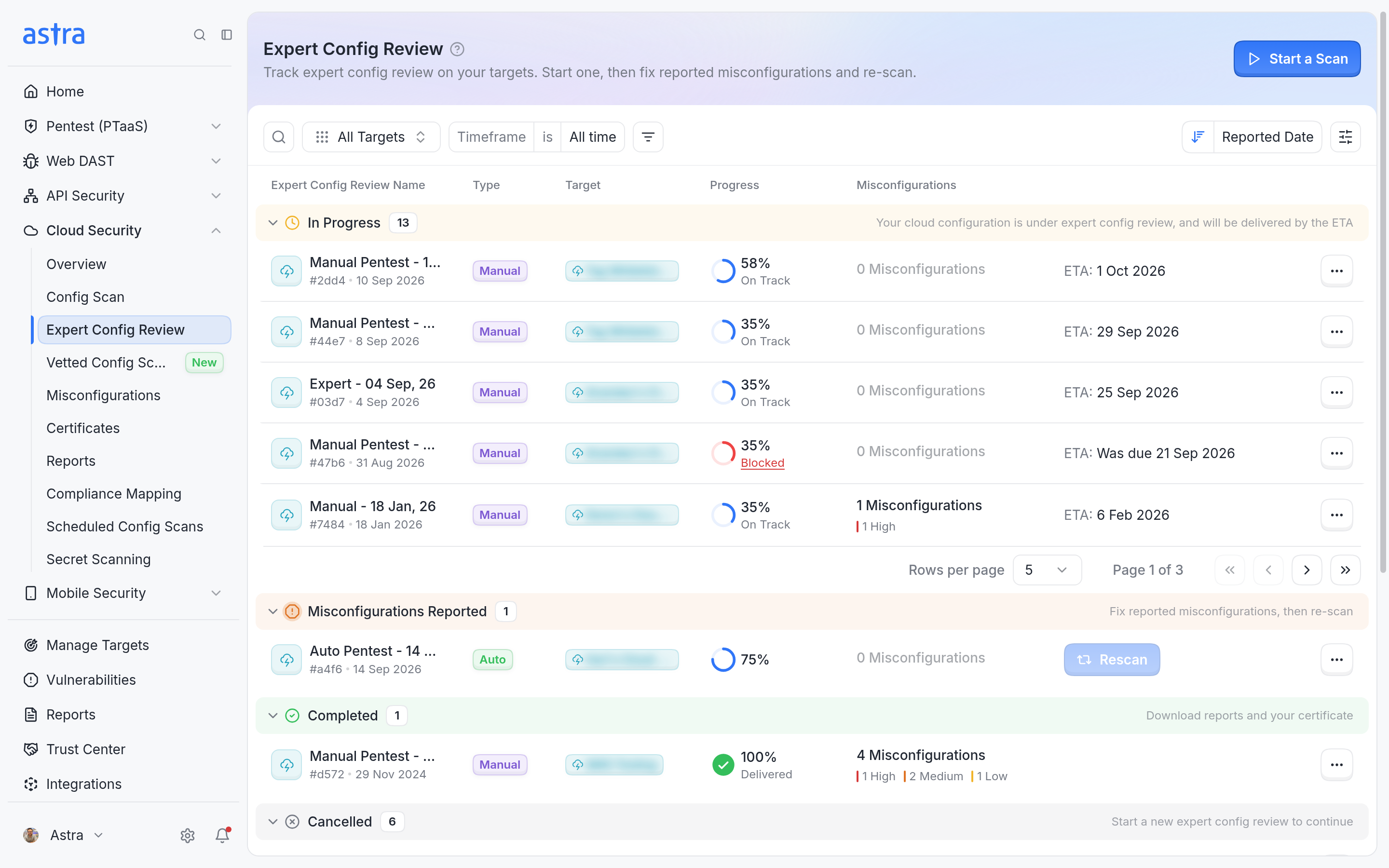
In an Expert Config Review, an Astra security engineer reviews your cloud on top of the scan, verifies your fixes, and awards a certificate on completion. Its Progress panel shows each stage, from Start scan to Certificate Awarded. See How to Track the Progress of a Pentest for the full list of stages.
How to start either one
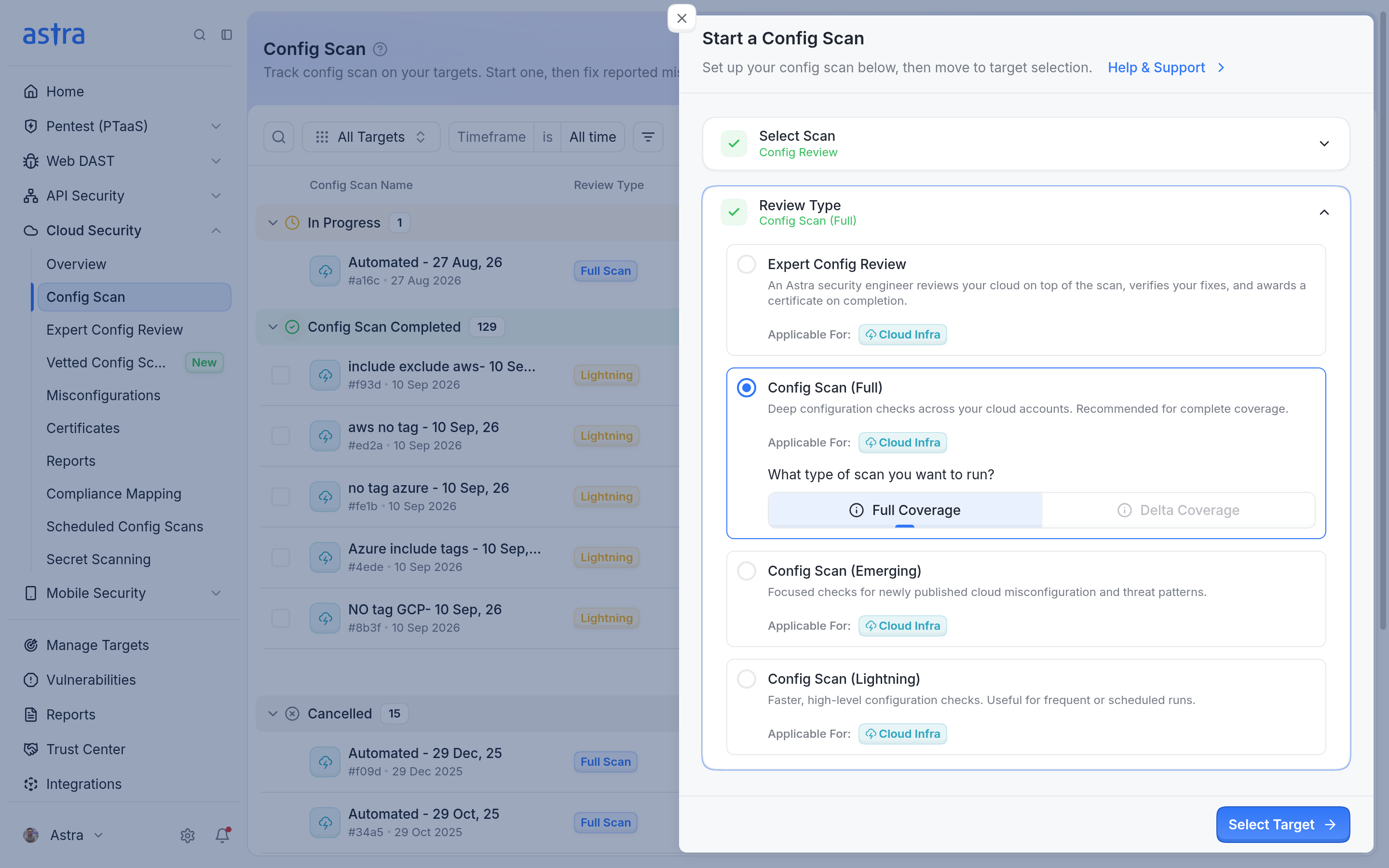
Click Start a Scan on any page under Cloud Security. The Start a Config Scan side section opens with Config Review selected.
Under Review Type, choose Expert Config Review or Config Scan (Full).
Click Select Target, choose one or more cloud targets, and start.
If a target has no quota left for the chosen type, it can't be selected. To run more, add quota as described in Understanding and Resolving "Scan Quota Exhausted" Messages. For all wizard options, see How-To: Starting a Scan.
Terms used on cloud targets
On cloud targets, the dashboard uses cloud-specific words. Web, API and mobile targets keep their existing names.
Config Review: the umbrella name for both a Config Scan and an Expert Config Review, and the scan category for cloud targets.
Config Scan: an automated scan of a cloud account.
Expert Config Review: an engineer-led review of a cloud account.
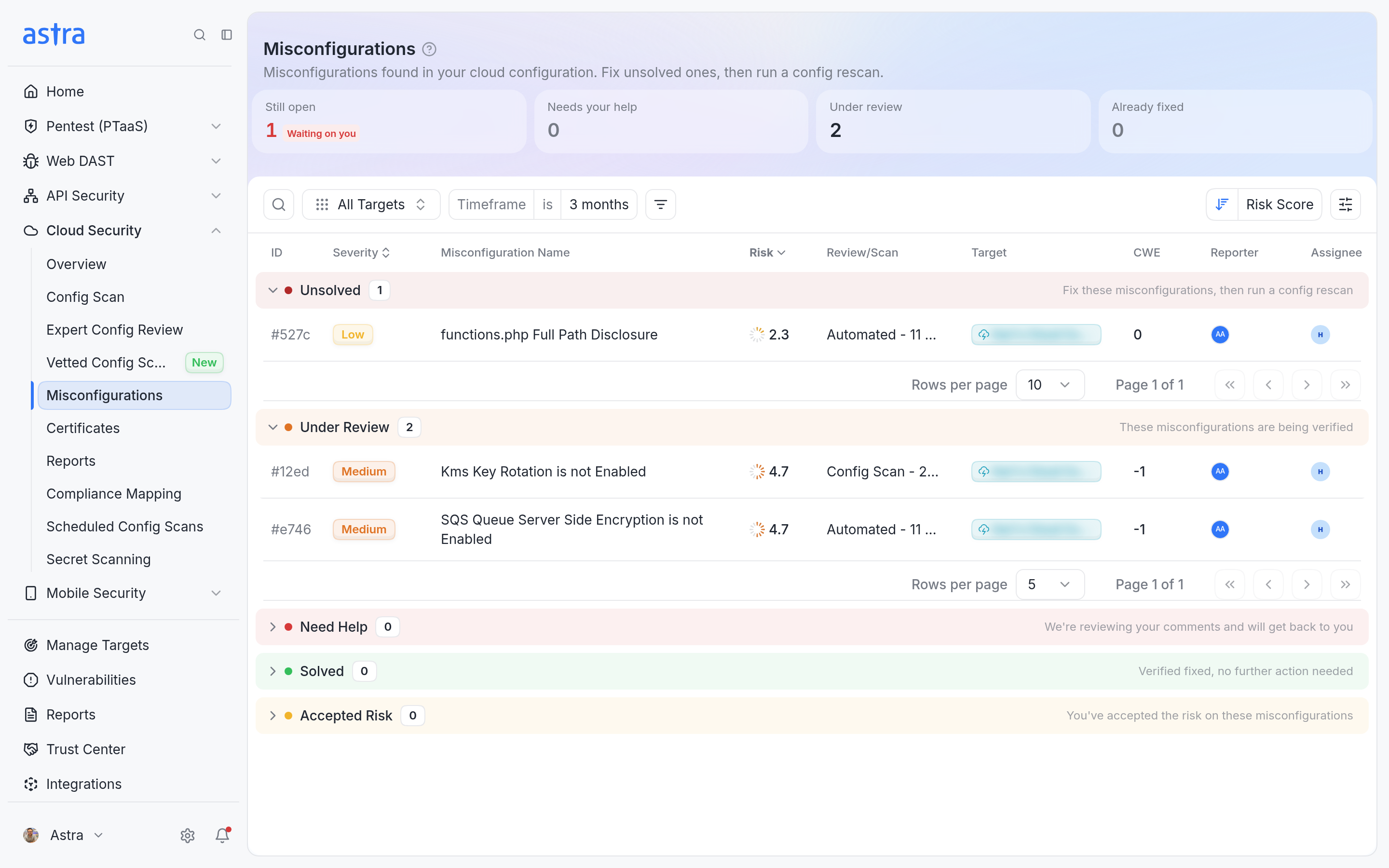
Misconfiguration: a finding on a cloud target. Elsewhere in the dashboard the same thing is called a vulnerability. Cloud findings are listed under Cloud Security → Misconfigurations.
Earlier cloud pentests
Manual reviews of cloud targets that were run before these names appeared are now listed under Cloud Security → Expert Config Review. Their findings are under Cloud Security → Misconfigurations, their reports under Cloud Security → Reports, and their certificates under Cloud Security → Certificates.