How to invite members to a workspace
Last updated: November 3, 2026
Inviting a member gives a colleague access to the workspace with the role chosen for them. Workspace owners and admins, and company owners and admins, can invite members.
Before inviting
Each new member uses one seat from the workspace's subscriptions. The Invite Member(s) panel shows how many seats are in use and how many more members can be added. Read more about seats and roles in How to manage workspace members and roles.
Invite members
All the people in one invitation get the same role.
- Open Settings, pick the workspace under Workspaces, then click Members.
- Click Invite.
- Under Email(s), type an email address and press Enter. Repeat for each person.
- Up to 10 addresses can be added at once, and no more than the number of seats left.
- Under Role, choose the role.
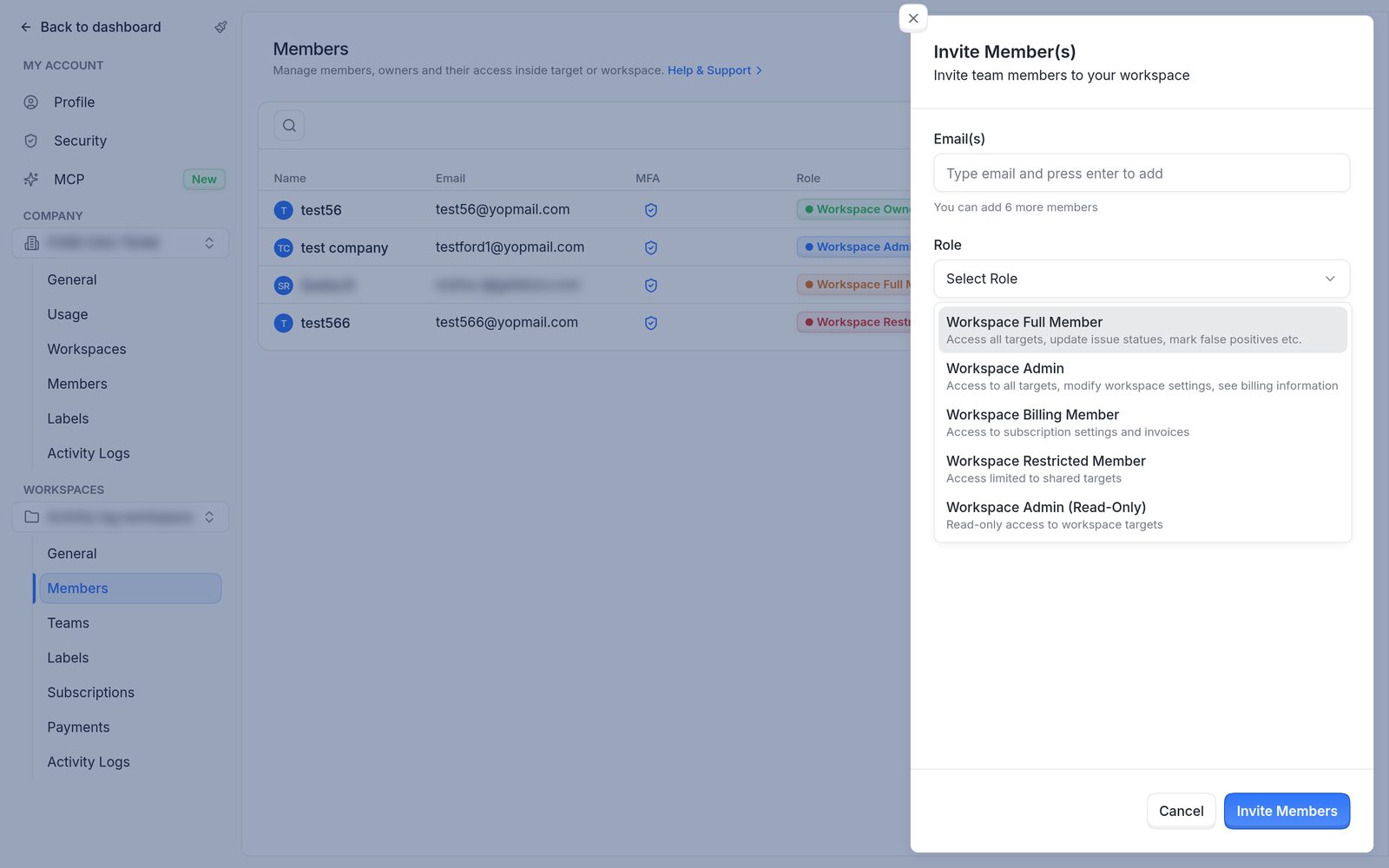
The role list in the Invite Member(s) panel, with a description of each role.
- Click Invite Members.
A message lists who was invited and anyone who couldn't be. People who already have an Astra account are added to the workspace. Others receive an email to set up their account.
Note
A Workspace Restricted Member starts with no targets. Share targets with them after the invitation. Read more in How to share targets with restricted members and teams.
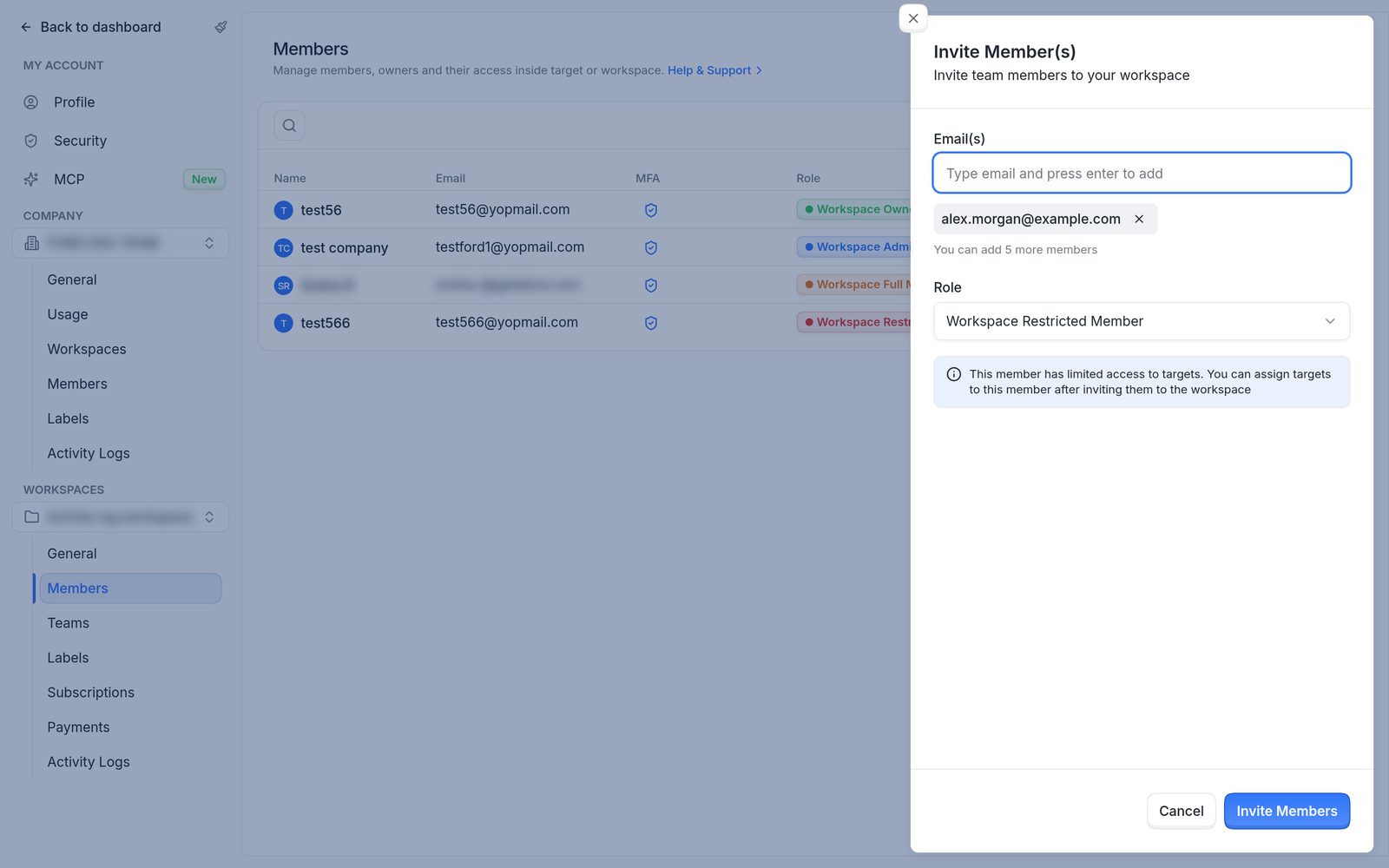
Inviting a Workspace Restricted Member. Targets are shared after the invitation.
FAQ
Inviting someone fails with "Message cannot be delivered to the email address". What does it mean?
Astra checks new users' email addresses before inviting them, and this address didn't pass the deliverability check. Check the address for typos and try again. If it still fails, raise a support request with the addresses to add.
The same check also rejects personal email providers ("Please use a business email address") and disposable addresses ("Disposable emails are not allowed").
Can members be invited with different roles in one go?
No. Everyone in one invitation gets the same role. Send a separate invitation for each role, or change a member's role afterwards. Read more in How to change a member's role, remove a member or transfer ownership.