Configuring an External Identifier for a Target
Last updated: August 7, 2026
Astra allows you to add an External App ID to your targets from the Basic Information tab within the target settings.
This optional field is designed to help you map Astra targets to identifiers used in your internal systems, making it easier to track and manage assets across platforms.
This field is completely optional. If you don’t use internal IDs for tracking, you can leave it blank.
What is the External App ID?
The External App ID is a customizable field where you can enter an internal application identifier—such as an asset tag, application code, or project ID—that your organization already uses to track this target.
Once set, this ID will appear:
On the Astra dashboard (target details)
In your security reports
Why use it?
If your organization manages multiple apps and environments, the External App ID can help you:
Match Astra targets with records in internal systems
Simplify asset tracking for large teams
Make it easier to correlate findings across tools
Ensure better visibility and reporting for audits
How to add an External App ID
Go to the Targets section in your Astra dashboard.
Click on the target you'd like to update.
Navigate to the Basic Information tab.
Find the External App ID field.
Enter your desired identifier and click Save.
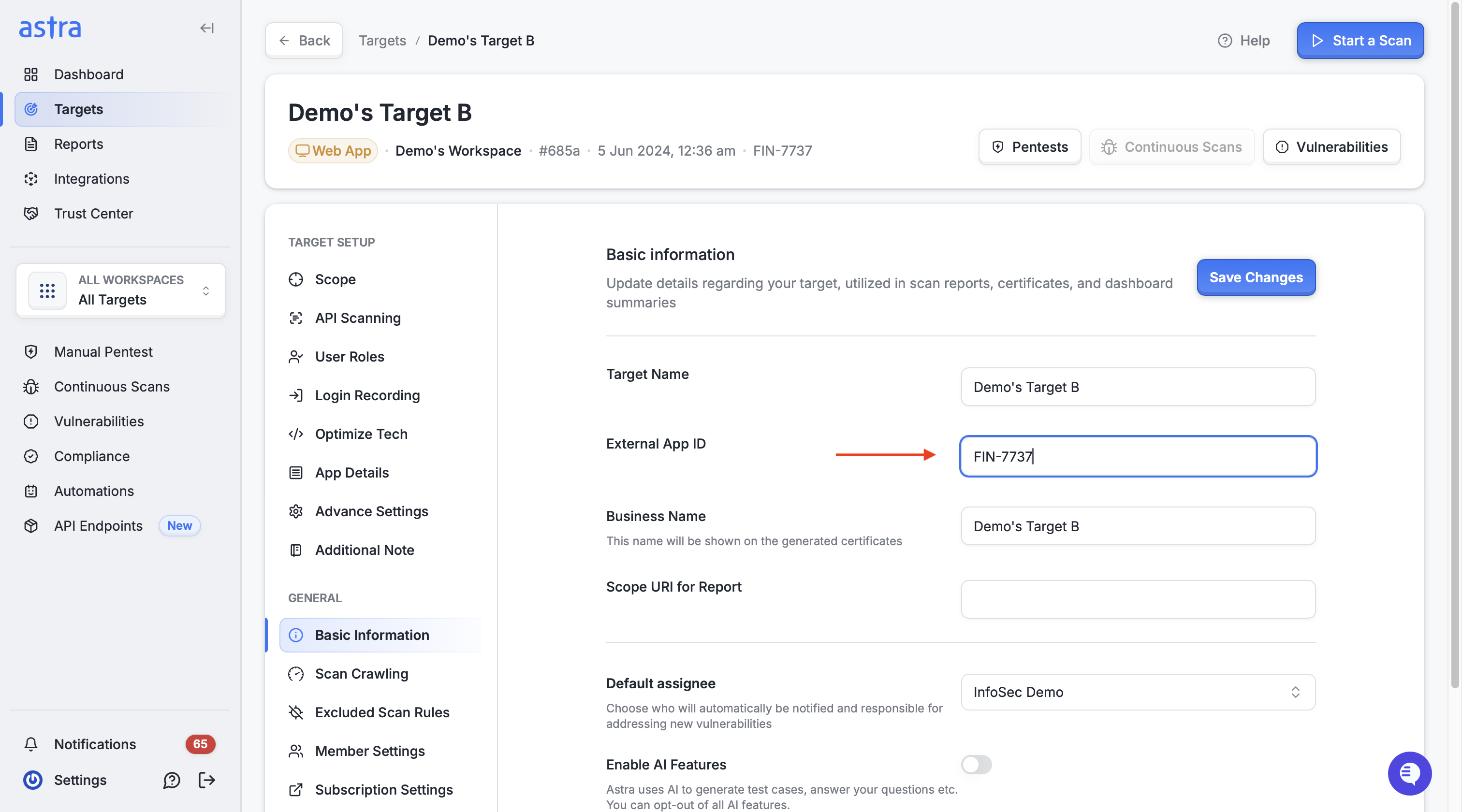
That’s it! The External App ID will now be displayed wherever the target appears.
Where it appears
Once configured, the External App ID will be visible in the dashboard under the target’s name and details.
External App ID displayed in the target details on the dashboard

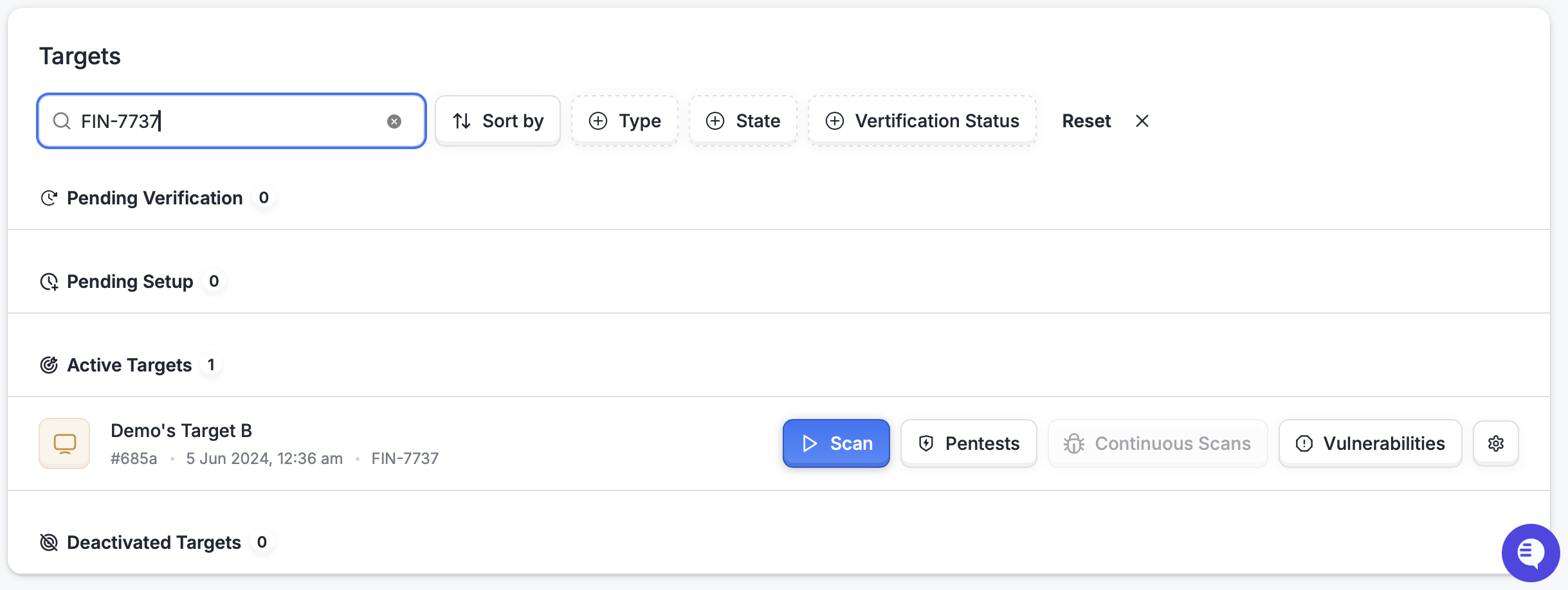
You can also search and filter targets using the External App ID, making it easier to locate relevant targets quickly.
Searching for pentests using the External App ID in the search bar or filters