How to cancel or delete a scan
Last updated: November 3, 2026
A running scan can be cancelled, and a scan that was cancelled or failed can be deleted. Deleting a scan returns it to the target's scan quota.
Cancel a scan
Cancel Scan is available while a scan is in progress.
- Open the scan from DAST Scans.
- Click the ⋮ menu at the top right and choose Cancel Scan.
- Click Cancel to confirm, or Close to keep the scan running.
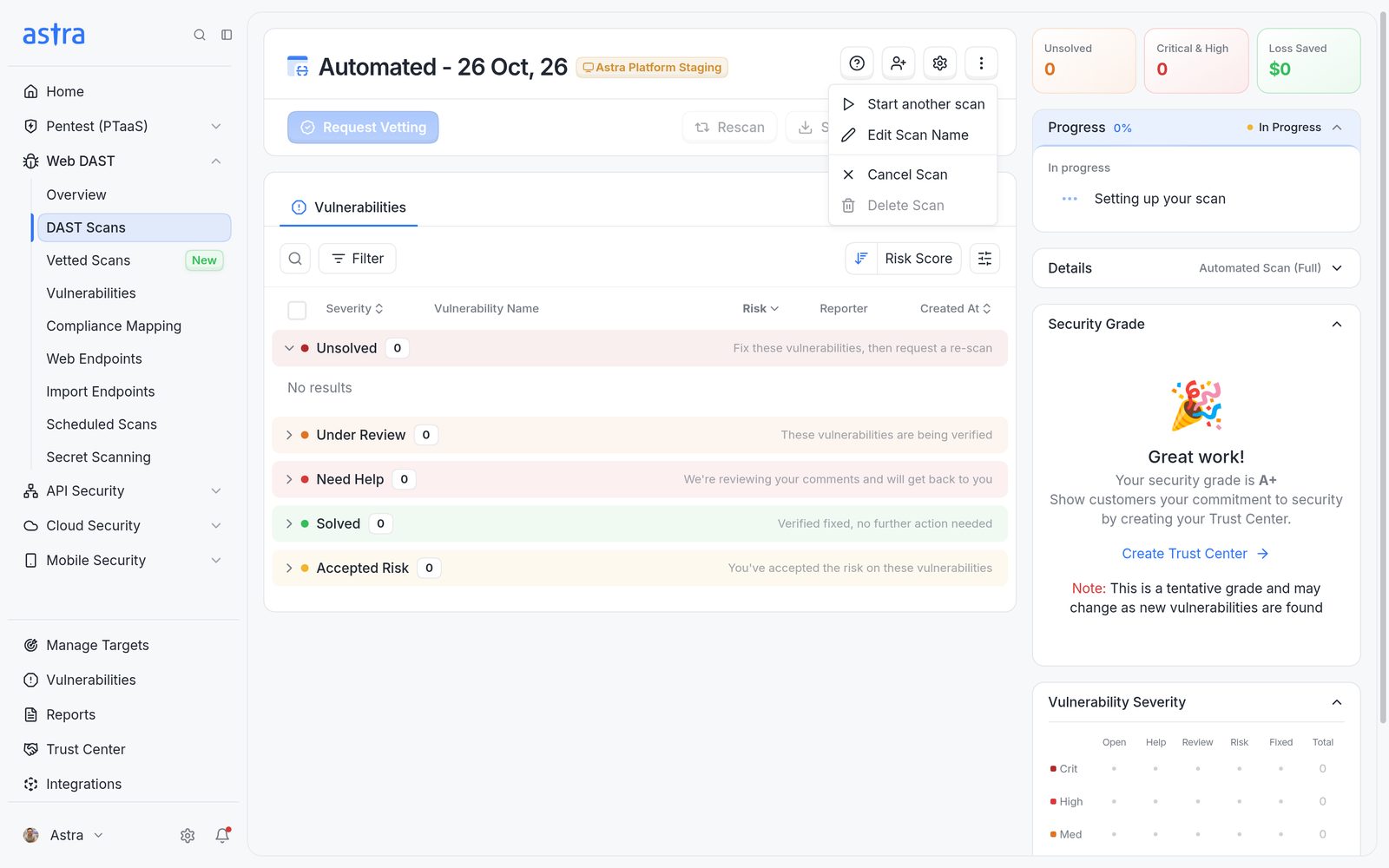
The scan's ⋮ menu, with Start another scan, Cancel Scan and Delete Scan.
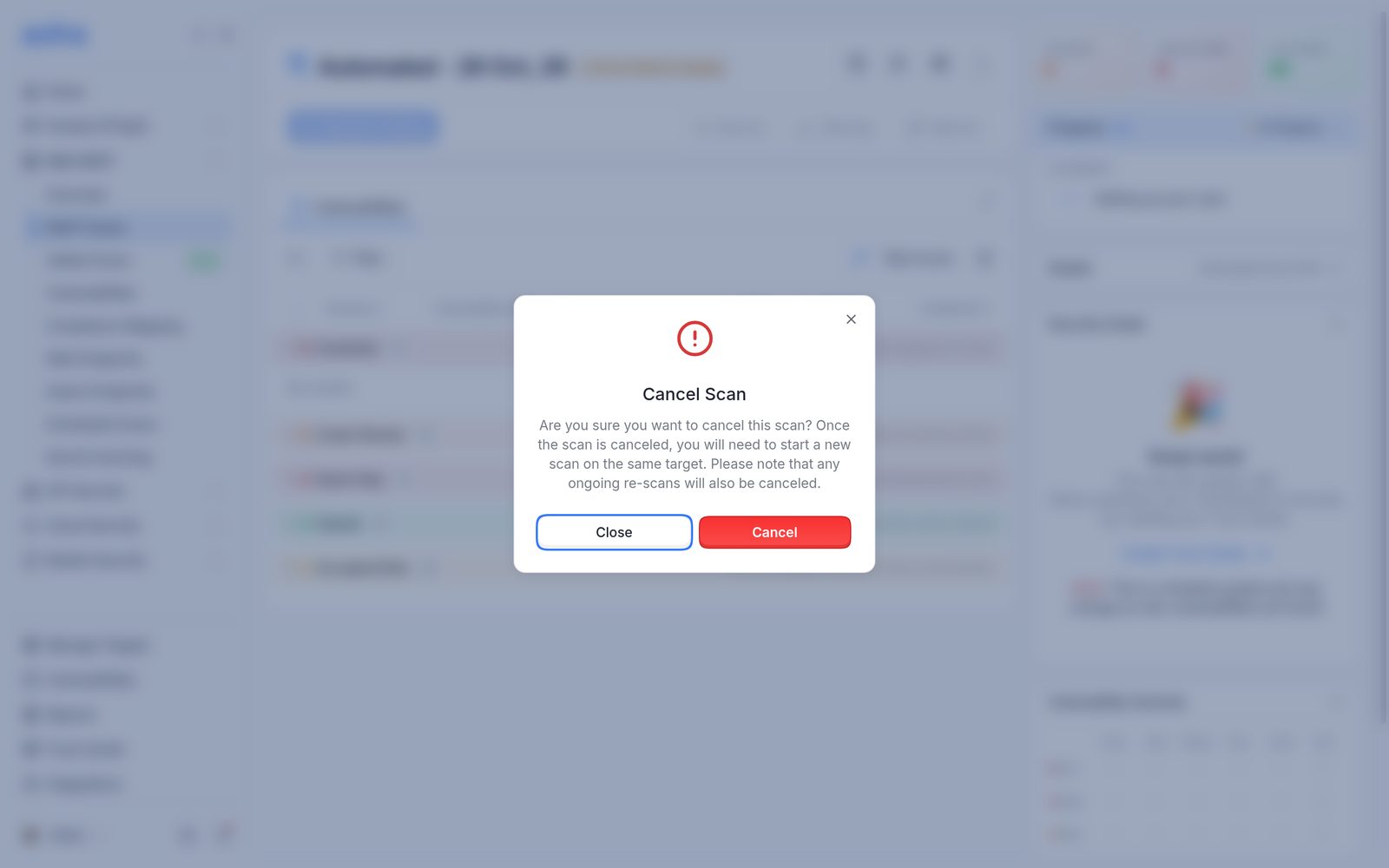
The Cancel Scan confirmation.
After a scan is cancelled:
- The scan stops, and its Progress card shows Cancelled with who cancelled it and when.
- Findings reported before the cancellation stay on the scan.
- Any rescans in progress on that scan are cancelled too.
- The scan can't be resumed. To test again, start a new scan, for example with Start another scan in the same menu.
- The cancelled scan still counts toward the target's scan quota until it's deleted.
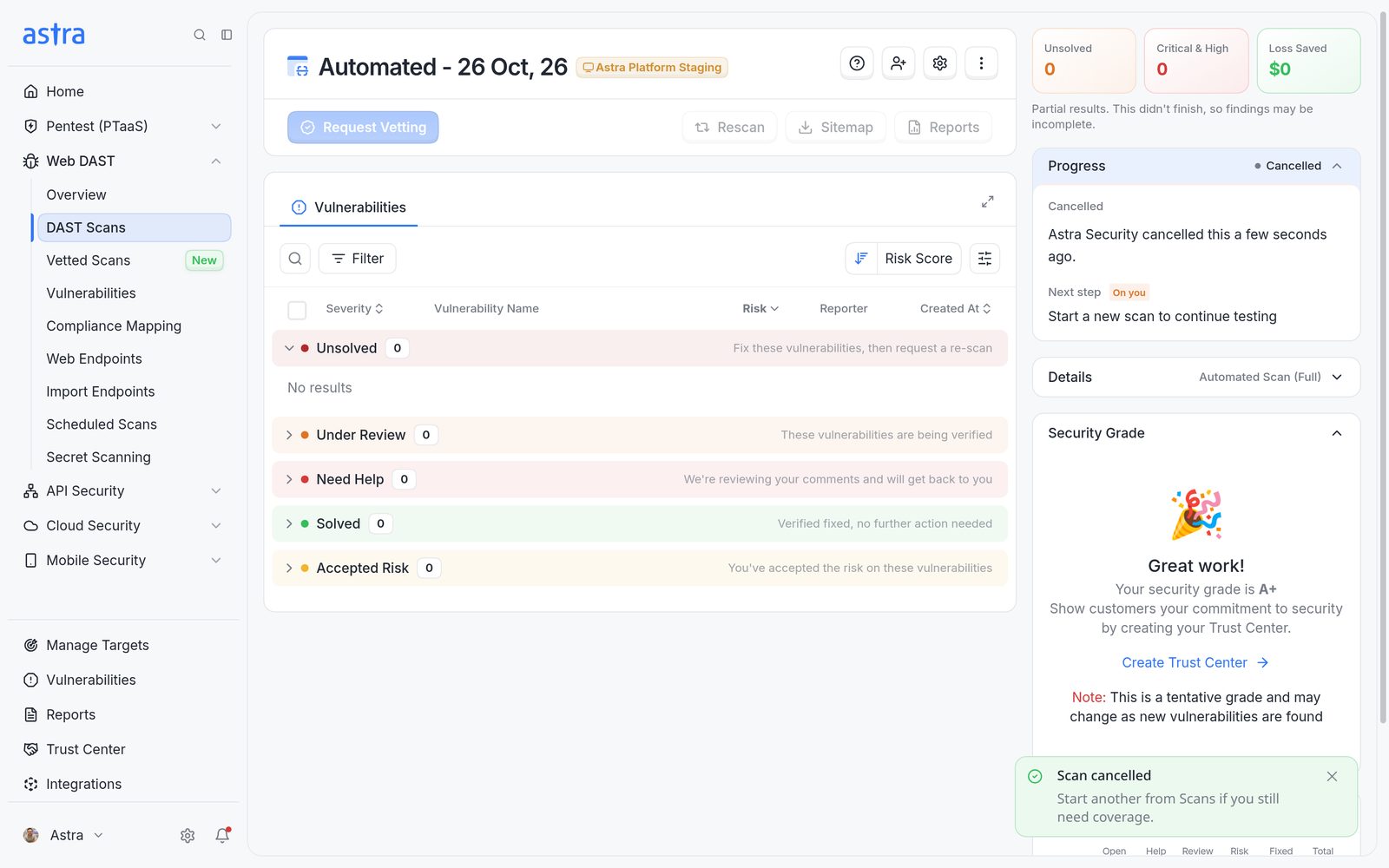
A cancelled scan, with Cancelled on the Progress card.
Note
Pentests can only be cancelled in their early stages: Starting Scan, Credential Verification or Vulnerability Scan.
Delete a cancelled or failed scan
Deleting removes a scan that was cancelled or failed, and frees its place in the scan quota. Members who can edit the target can delete its scans.
- Open the scan.
- Click the ⋮ menu at the top right and choose Delete Scan.
- Click Delete to confirm.
The message Scan deleted confirms it, and the target's quota goes back up by one.
Important
Deleting is permanent. The scan and everything on it, including vulnerabilities, rescans and comments, are deleted. To keep a record, click Generate a PDF report in the confirmation before deleting.
FAQ
I cancelled a scan by mistake. Can it be turned back on?
No. A cancelled scan can't be resumed. Start a new scan on the same target. To get the cancelled scan's quota back, delete it.
Does a cancelled or failed scan use up quota?
Yes, until it's deleted. Deleting a cancelled or failed scan returns it to the target's quota. Read more in How scan quota works.