Overview of Payments page
Last updated: August 7, 2026
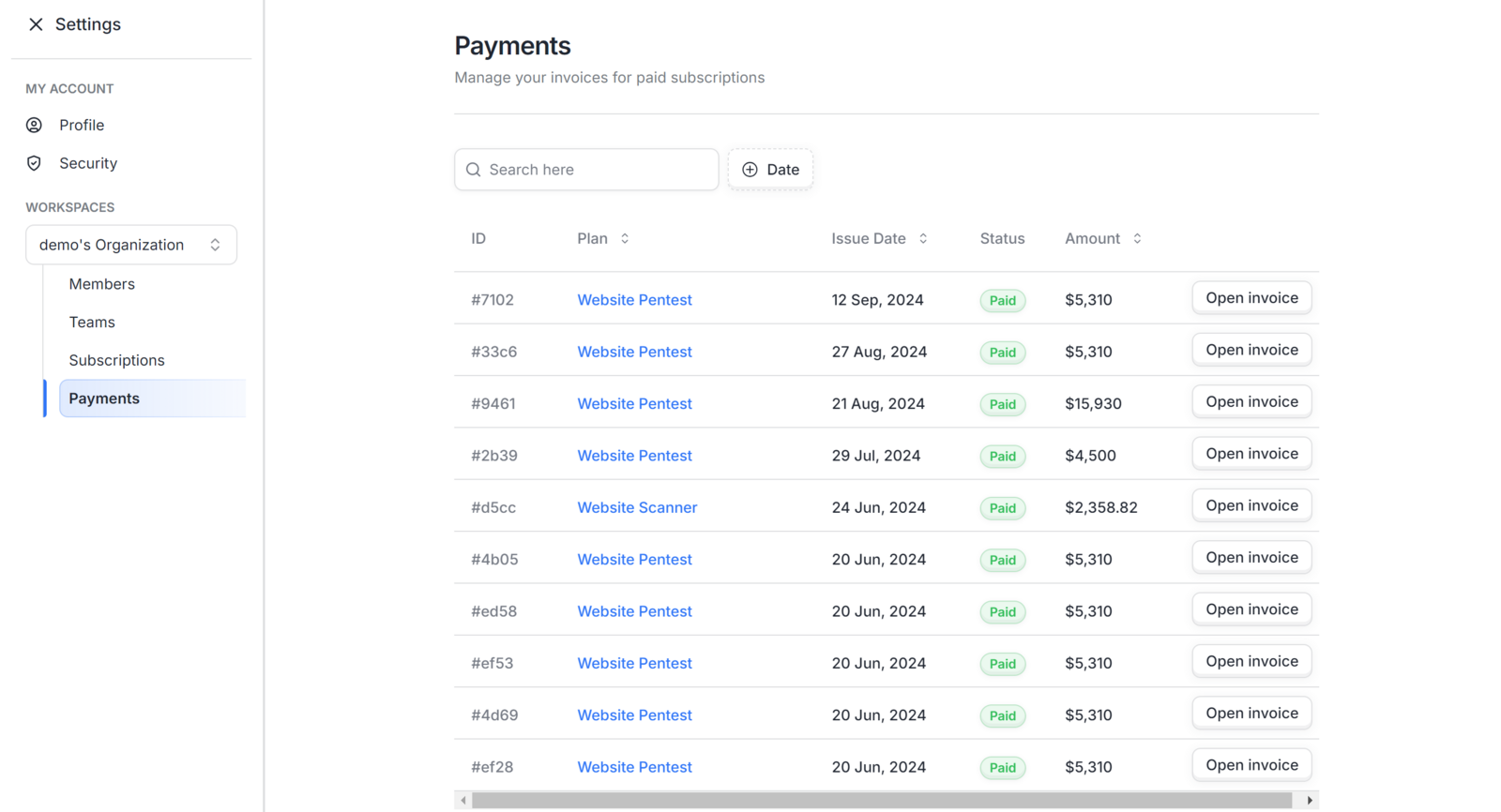
The Payments page allows you to view and manage invoices for your workspace's paid subscriptions. This page is part of your workspace settings, meaning you must first select a workspace to view and manage payment information specific to that workspace.
Searching and Filtering
To help you locate specific invoices or transactions quickly, the Payments page includes:
Search bar — Search for a specific invoice by name or ID
Date filter — Filter invoices by a specific date or date range
Breakdown of the Payments Table
The Payments table provides detailed information about your subscriptions and billing history. The table includes the following columns:
Column Name | Description |
ID | A unique identifier assigned to each invoice for easy tracking and reference |
Plan | The name of the subscription or service (e.g., "Website Scanner") |
Issue Date | The date when the invoice was generated |
Status | The current payment status (e.g., "Paid") |
Amount | The total charge for the subscription shown on each invoice |
How to Open a Payment Invoice
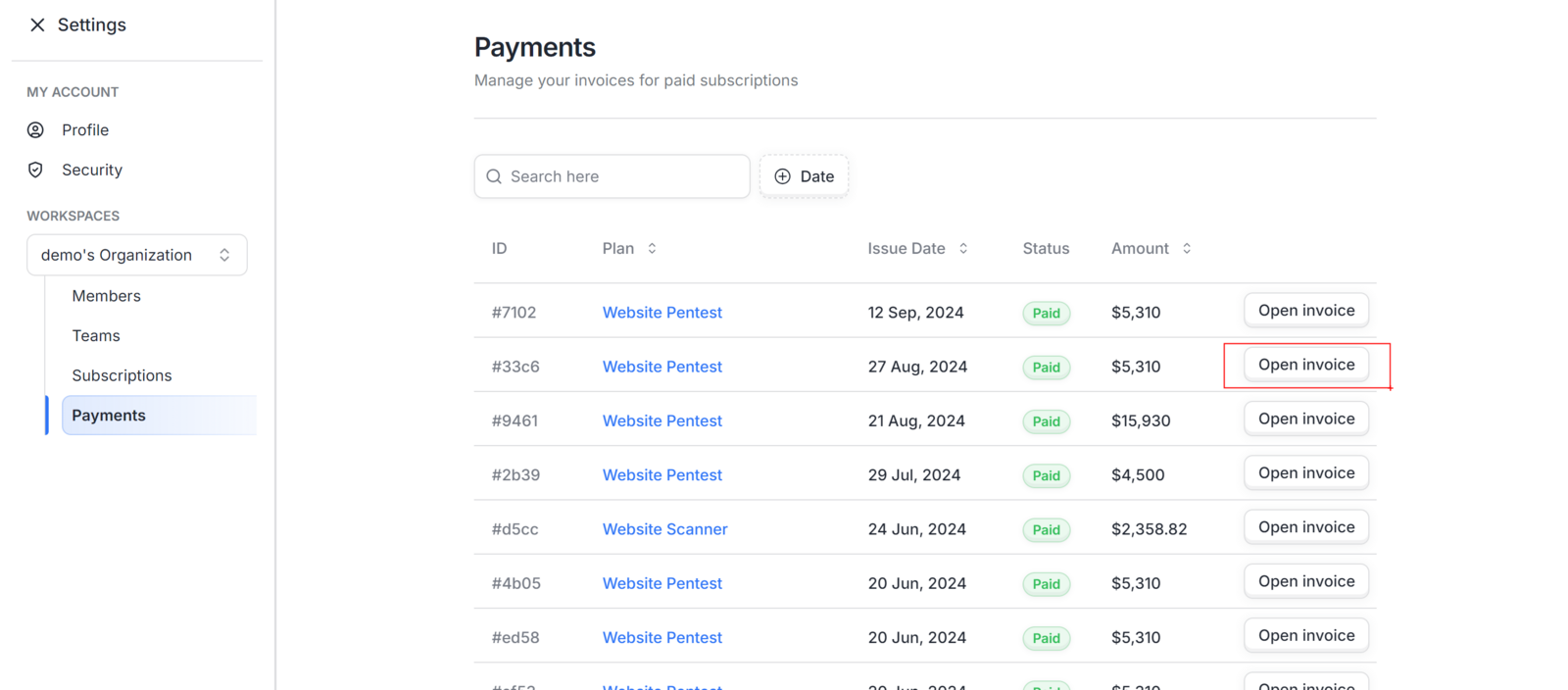
To view a detailed invoice for any of your subscriptions:
Navigate to the Payments page in your dashboard.
Locate the row of the plan you want to review.
Click the Open Invoice button on the right side of that row.
The Paddle invoice receipt will open in a new tab where you can view or download it.
Need Help?
If you have any questions about your invoices or payment history, please reach out to our support team by raising a ticket from your Astra dashboard.