How to Host Your Trust Center on a Custom Domain
Last updated: November 24, 2026
You can serve your Trust Center from your own domain, such as trust.example.com, instead of Astra's Trust Center address. This makes the page look like part of your website and easier for customers to recognize. This article explains how to add and verify the domain, and how to remove it.
Before you start
The Trust Center is set up. Read 📄 How to Create and Configure Trust Center for your Targets.
You can add DNS records for the domain, or someone on your team can.
We recommend a subdomain, such as
trust.yourcompany.com.
Set up the custom domain
In the sidebar, click Trust Center, and open your Trust Center.
Open the Custom Domain tab. You can also click Set it up here on the General Settings tab.
Under Enter your custom domain (e.g., trust.example.com), enter the domain and click Continue.
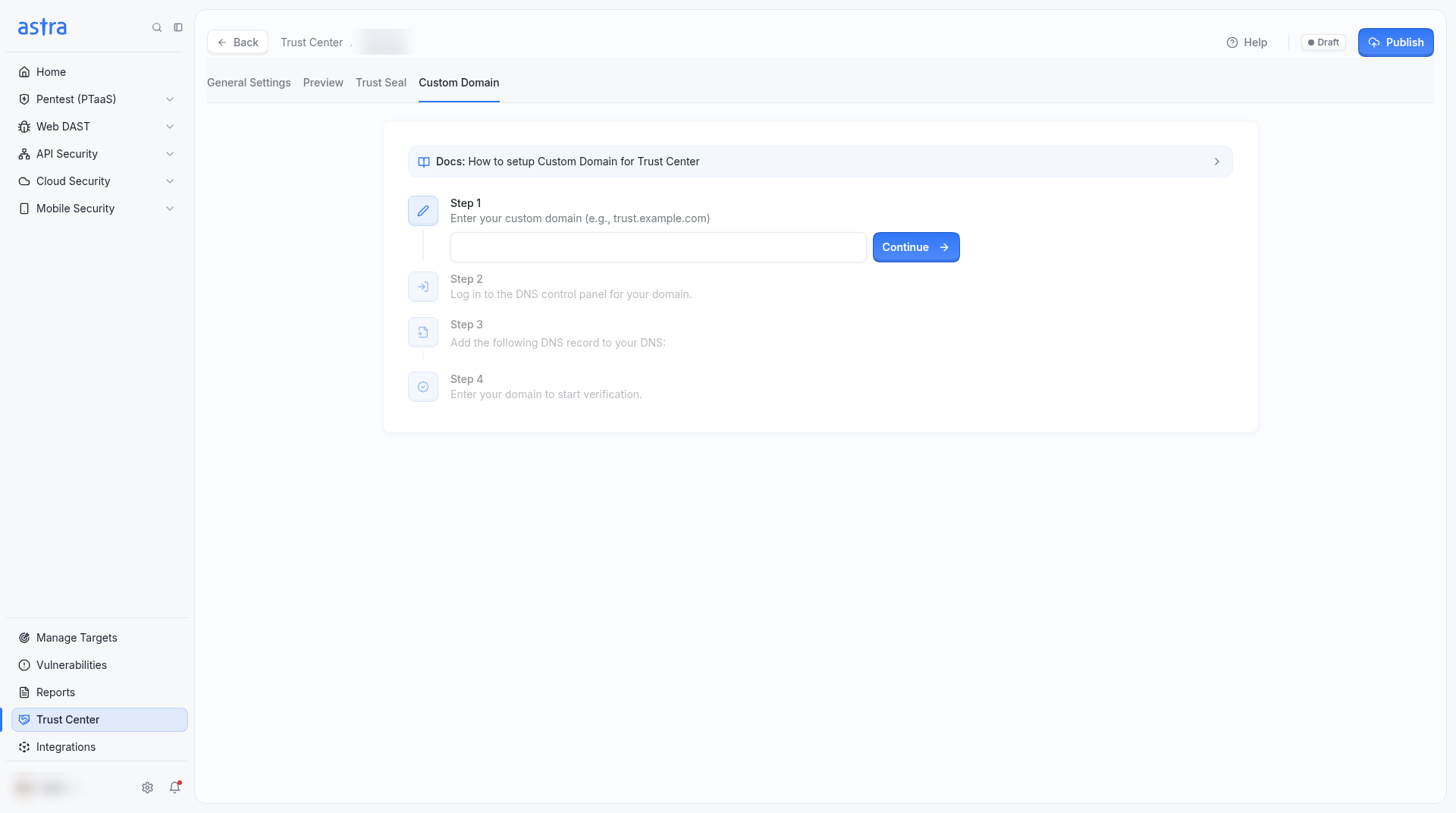
Enter your custom domain and click Continue.
Add the DNS records
The tab then lists the DNS records to add. There can be more than one, for example a TXT record that proves you own the domain and a record that points the domain to Astra.
Sign in to the DNS control panel for your domain.
For each record shown, add a new record of the type shown, such as TXT or CNAME.
In the Name/Host field, enter the value shown.
Set TTL to Auto or 60 minutes.
In the Value/Content field, paste the value shown. Use the copy button next to it to avoid typos.
Verify the domain
After you add the records, step 4 shows Domain verification in progress. DNS changes can take a few minutes to several hours to spread. Click Refresh DNS to check again.
When the records are found, the tab shows Domain verified with a link to your Trust Center on the new domain. It can take a few more minutes to go live.
The Trust Center must also be published for the domain to show it. Until then, the domain shows that the page doesn't exist.
Remove the custom domain
On the Custom Domain tab, click the delete icon (Delete domain) next to the domain. The domain is removed straight away, and the Trust Center goes back to its Astra address. You can then delete the DNS records.
Recommendations
Check the domain and every record value before you save. A single typo makes verification fail.
Give DNS time before you troubleshoot. Some providers take hours to publish changes.
Keep the DNS records after verification. Removing or changing them can take the Trust Center offline on your domain.
Troubleshooting
The domain is verified, but the page says it doesn't exist. The Trust Center is still a draft. Publish it.
The domain opens over HTTP but not HTTPS. Contact support, so the team can check the certificate for your domain.
If you need help with your custom domain, contact support from your Astra dashboard or reach out to your CSM.