How to Update Your Target and Business Name and Target URL
Last updated: August 7, 2026
You can easily update the basic details of your target from Astra’s dashboard, including:
Target Name
Business Name
Steps to Update Basic Information:
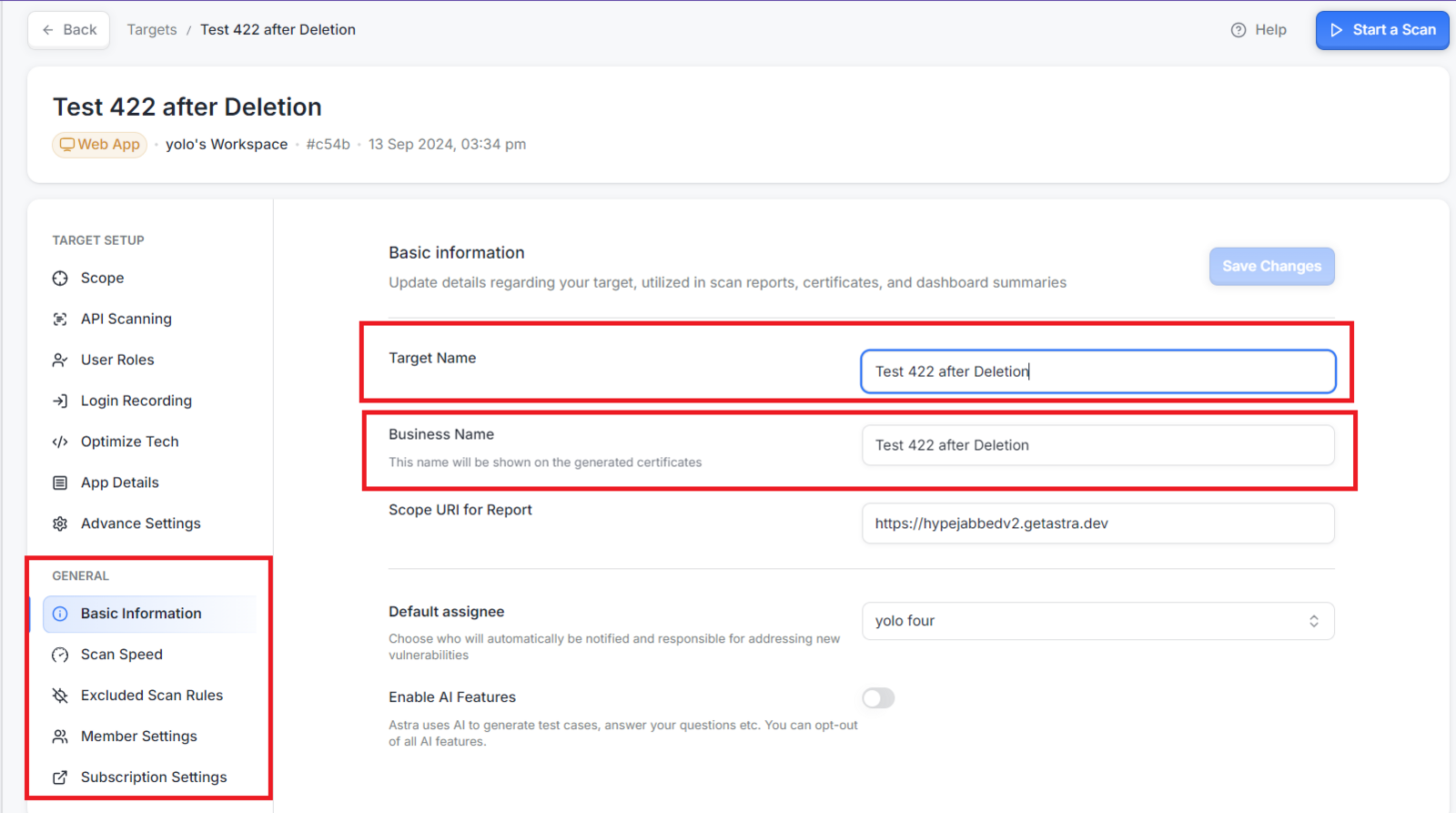
Go to the Target Settings page.
Scroll to the General Settings section.
In the Basic Information section, click on the Business Name and Target Name fields to update them.
After making your changes, click Save Changes.
||| Note: This information is critical as it appears in scan reports, certificates, and dashboard summaries.
| If you encounter any issues or need further assistance, don't hesitate to contact our support team via a support ticket.