How to allow Astra’s scanners on Vercel using "System Bypass Rules"
Last updated: August 27, 2026
Introduction
If your site is hosted on Vercel, its built-in Web Application Firewall (WAF) may block Astra's scanner requests. This causes connectivity check failures or incomplete login recordings during scans.
This guide shows you how to allowlist Astra's IPs in Vercel using System Bypass Rules — taking about 5 minutes to complete.
This feature is available on Vercel's Pro and Enterprise plans. Check your Vercel plan or contact Vercel support.
Who this is for
Developers or admins managing a Vercel-hosted target in Astra.
Prerequisites
Admin access to your Vercel project
Your target already added in the Astra dashboard
Steps
Log in to your Vercel dashboard and open your project.
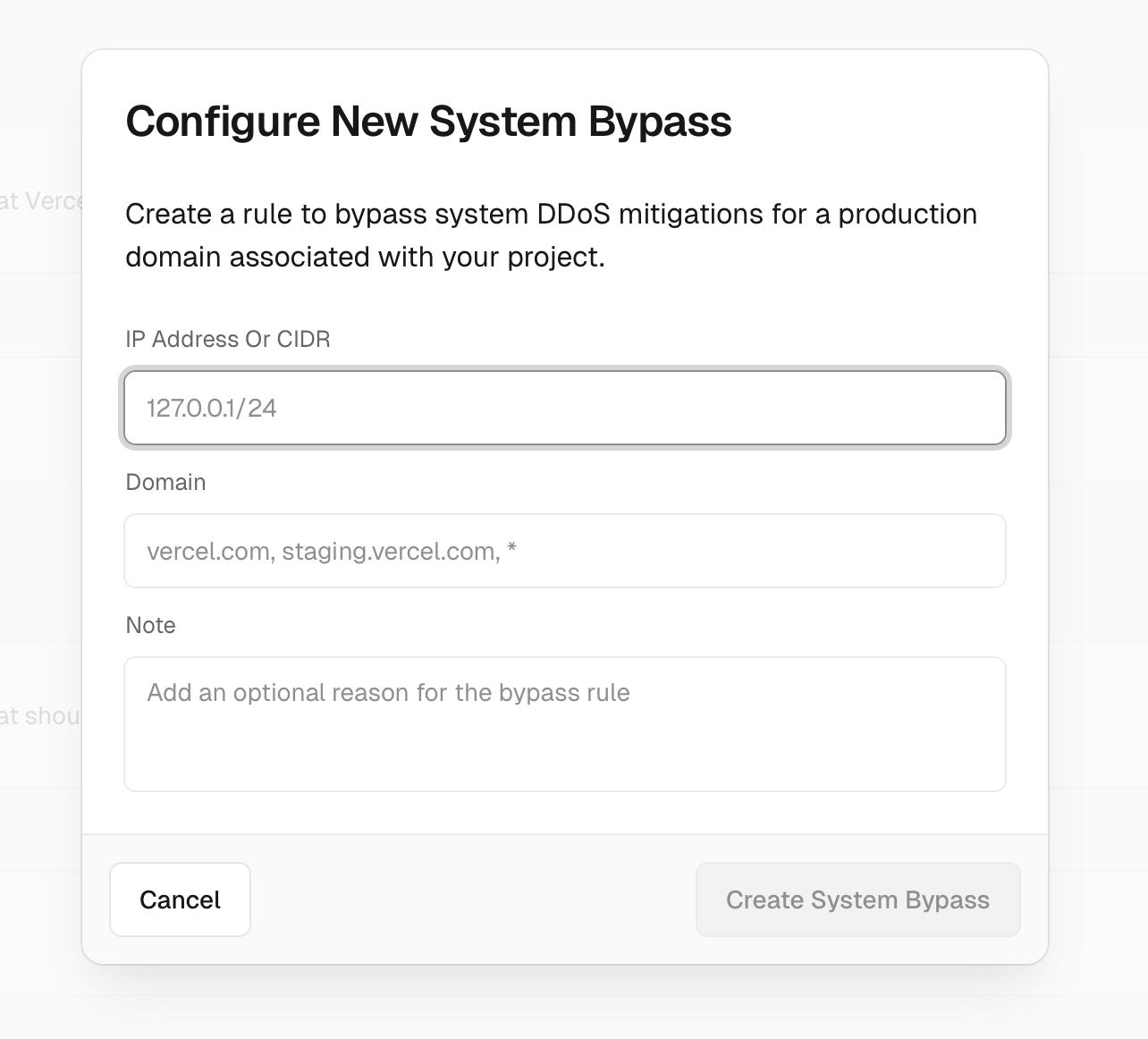
Navigate to Security → Firewall → System Bypass Rules.
Click Add Rule.
Enter each IP address from Astra's IP Ranges.
Save the rule configuration.
Return to your Astra dashboard and re-run your scan.
For detailed instructions on configuring the bypass rule itself, refer to Vercel's official System Bypass Rules guide.
Expected Outcome
Once the bypass rule is active, Astra’s scanners should be able to connect to your site and complete the scan reliably.
Troubleshooting
Scan still failing after adding the rule
Confirm all IPs from Astra's IP Ranges list have been added — missing even one can cause failures.
Allow a few minutes for Vercel's firewall rules to propagate before retrying.
Double-check that the rule is set to bypass and not block.
Login recording fails but connectivity check passes
The WAF may be applying additional bot protection during login. Ensure the bypass rule applies to all paths, not just the root URL.