How to Change Workspace Ownership?
Last updated: June 15, 2026
Introduction
Transferring workspace ownership passes full control of workspace settings and permissions to another member. This is typically done when a team lead changes, or when administrative responsibilities are being handed off.
Once the transfer is complete, the previous owner is automatically converted to a Workspace Admin, and the new owner gains full control over the workspace.
Prerequisites
Before you begin, make sure:
You are the current workspace owner
The member you want to transfer ownership to already exists in the workspace
Instructions
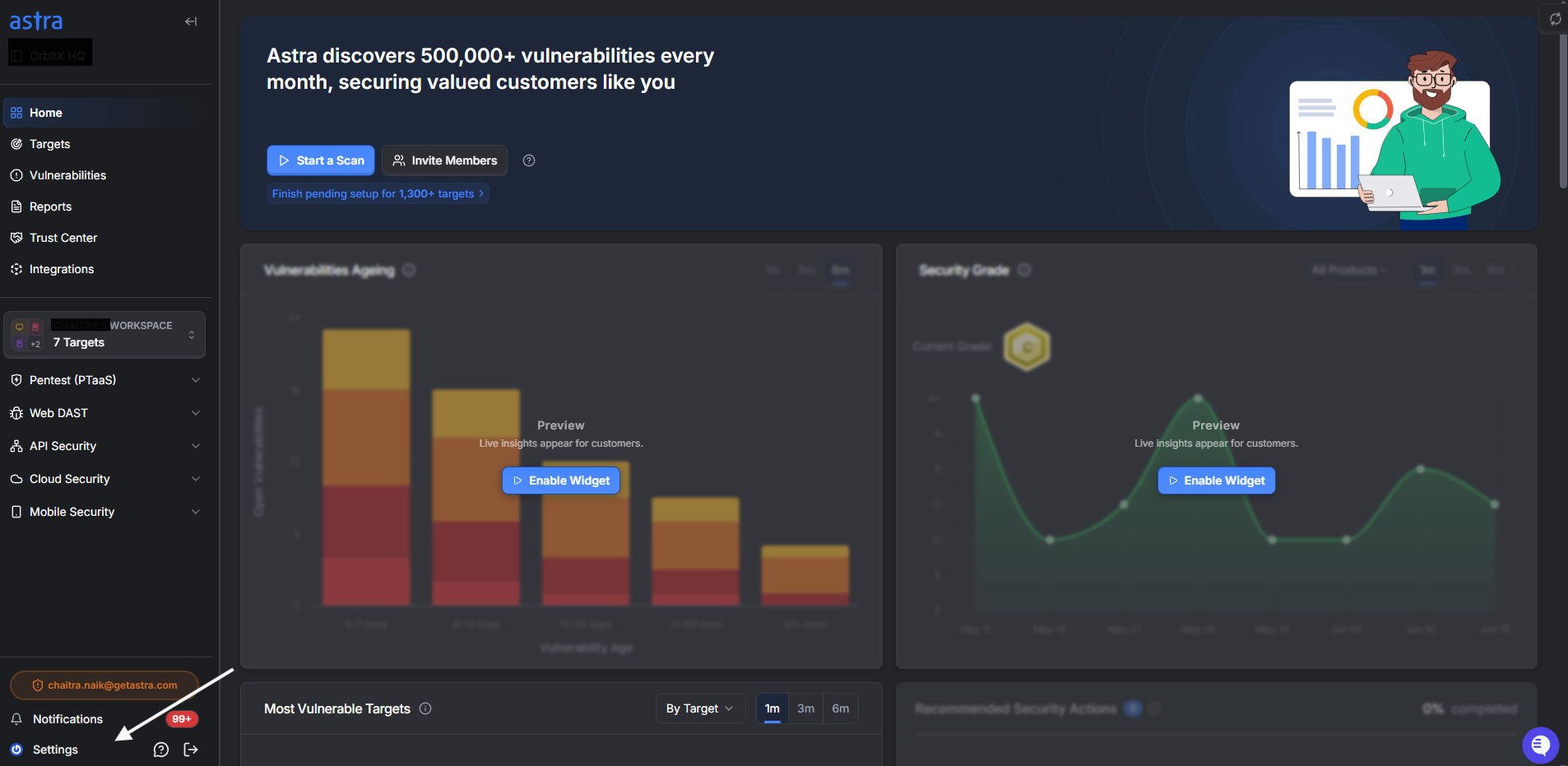
1. Navigate to Members Settings:
From your dashboard, click on the Settings button.
In the Settings menu, select the Members option to access the members list.
2. Locate the Member
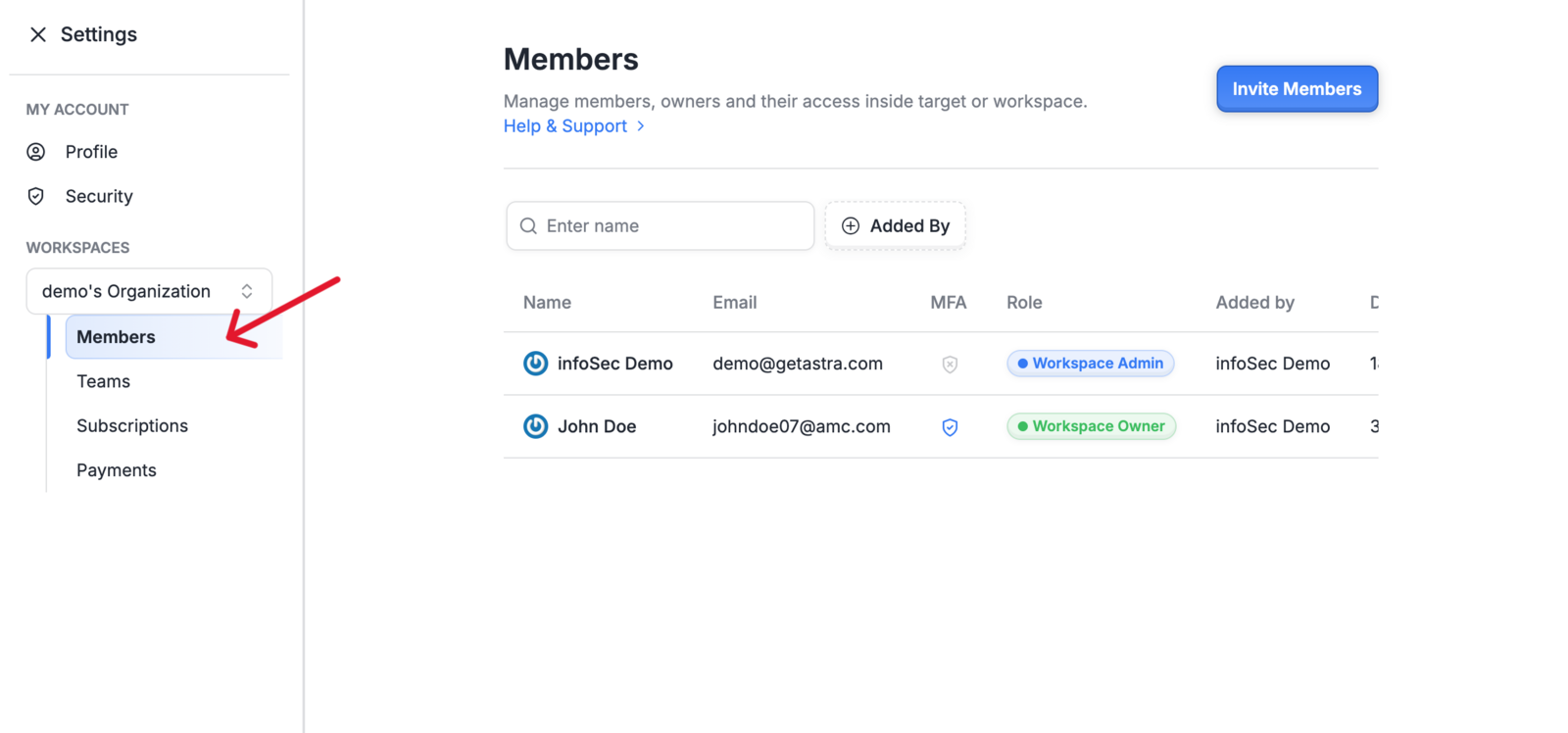
In the Members list, find the user to whom you want to transfer ownership.
Click on the member's name to open the Edit Member Details panel on the right
3. Initiate Ownership Transfer
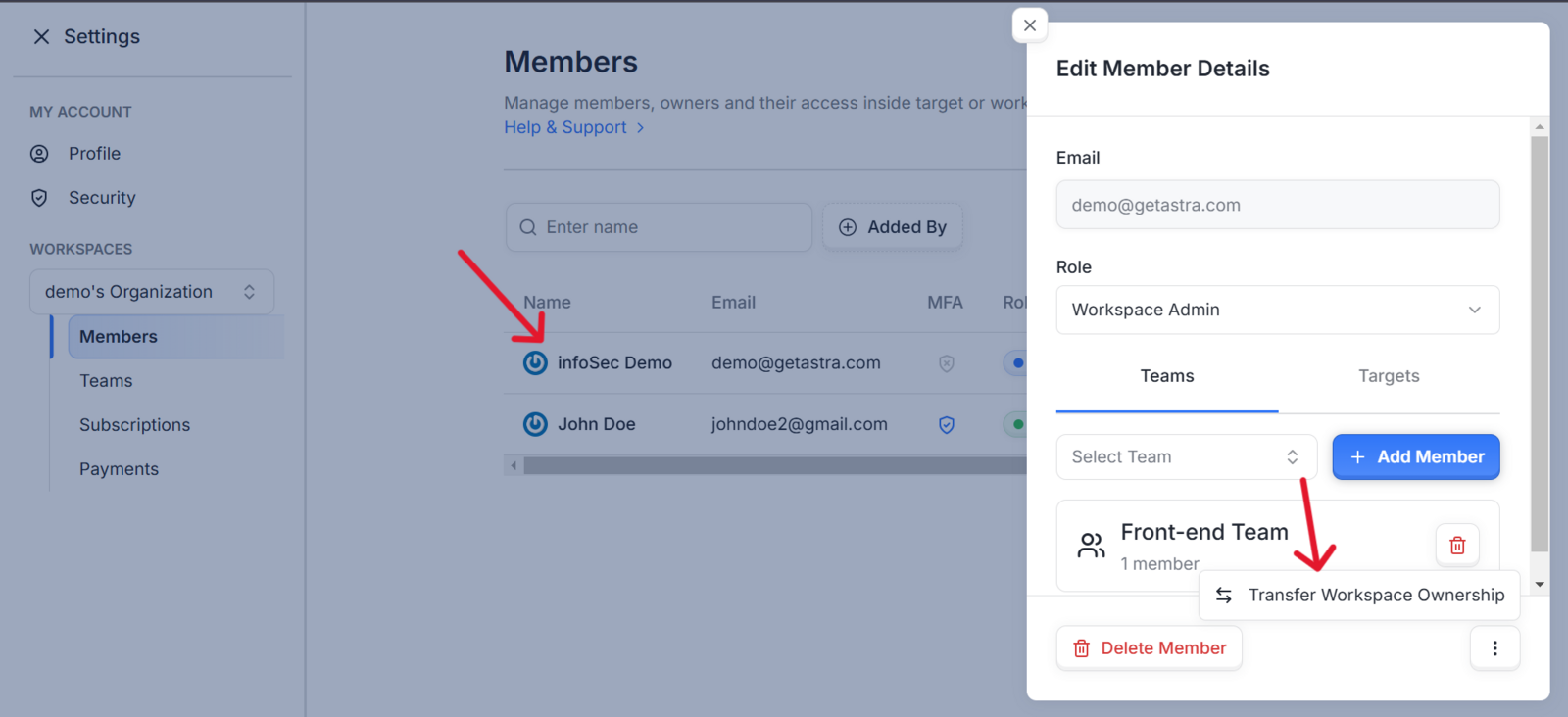
At the bottom of the edit member details panel click on the 3 vertical dots icon button to find the Transfer Workspace Ownership option.
4. Confirm the Transfer
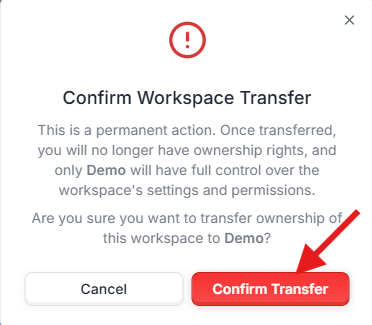
A confirmation window will appear, if you a*re sure, click Confirm Transfer to proceed
5. Complete the Verification.
For added security, you'll be prompted to re-enter your credentials.
Enter your login details and click on Continue to complete the ownership transfer.
Once the transfer is complete, the old owner will be converted into a Workspace Admin and the New owner will have full control over the workspace, and your access may be adjusted depending on your new role.
The ownership transfer is now complete.
Expected Outcome
After the transfer:
The new owner has full control over the workspace, including settings and permissions.
The previous owner is automatically assigned the Workspace Admin role.
Your own access level may change depending on the role you hold after the transfer.
Best Practices
Confirm the recipient is ready. Notify the new owner before initiating the transfer so they're prepared to take over workspace administration immediately.
Review member roles after transfer. Once ownership changes, audit the members list to ensure all roles and permissions reflect the intended access levels.
Don't transfer to a temporary member. Only transfer ownership to someone with a long-term stake in the workspace — reverting the transfer requires the new owner to repeat this process.