Overview: Compliance Page
Last updated: November 24, 2026
The Compliance Mapping page shows how the vulnerabilities found in your pentests and scans map to the frameworks you need to comply with, such as SOC 2 or PCI-DSS. Use it to see which findings stand between you and a framework's vulnerability management requirements, and to track how many of them you've fixed.
Open the page
In the sidebar, open your product menu, for example Pentest (PTaaS), and click Compliance Mapping. Other product menus, such as Web DAST, have the same link. The page opens on SOC 2. The frameworks are listed on the left:
Compliance Mappings: SOC 2, PCI-DSS, ISO 27001, GDPR, HIPAA, DORA, NIST 2 and MITRE.
Standards: OWASP 2021.
Which frameworks you can open depends on your plan. If a framework isn't included, the page shows a banner with an Upgrade plan link.
Each framework has two tabs, Overview and Vulnerabilities.
Overview tab
The Overview tab explains the framework and how Astra helps with it:
What is the framework: a short description.
How Astra Helps: how vulnerability management supports the framework. Click Fix Vulnerabilities to open the Vulnerabilities tab.
Frequently Asked Questions (FAQs) about the framework and certification.
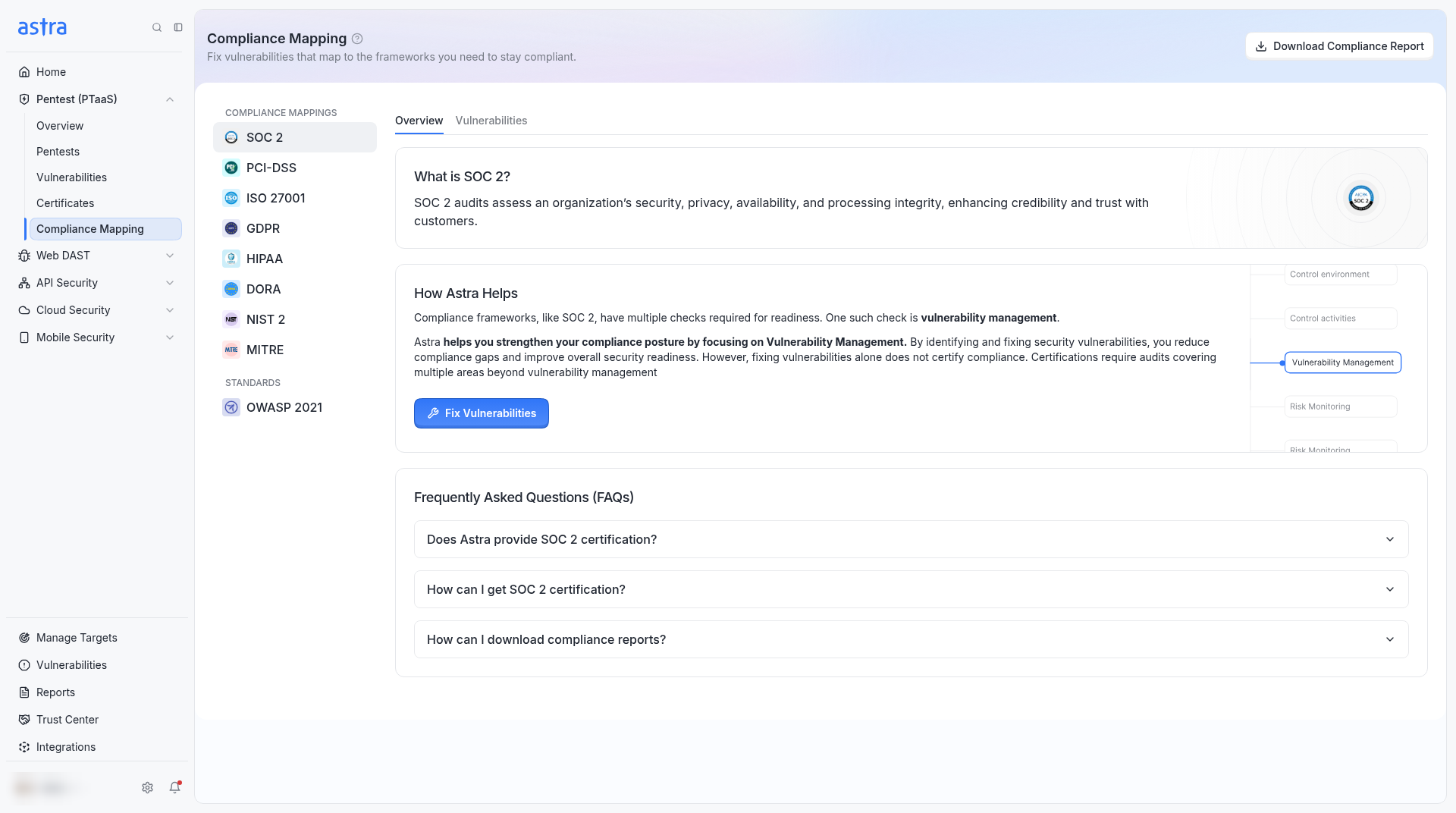
The Overview tab of the Compliance Mapping page for SOC 2. The frameworks are listed on the left.
Vulnerabilities tab
The Vulnerabilities tab lists the Impacting Vulnerabilities for the framework. Use the time frame filter at the top right to change the period.
Vulnerability Fixed Percentage: the share of mapped vulnerabilities you've fixed, with a status such as Action Required, Progressing or Under Control.
Vulnerability Severity: a graph of the vulnerabilities that still need a fix, by severity.
The table, split into Vulnerabilities Requiring Fix and Fixed Vulnerabilities. Its columns are Vulnerability Name, Pentest/Scan, Target, Severity and Risk Score.
Search by vulnerability name, use the All Targets filter to limit the list to one target, and open Filter to narrow the results. Sort by Risk Score. Click a vulnerability to open its details.
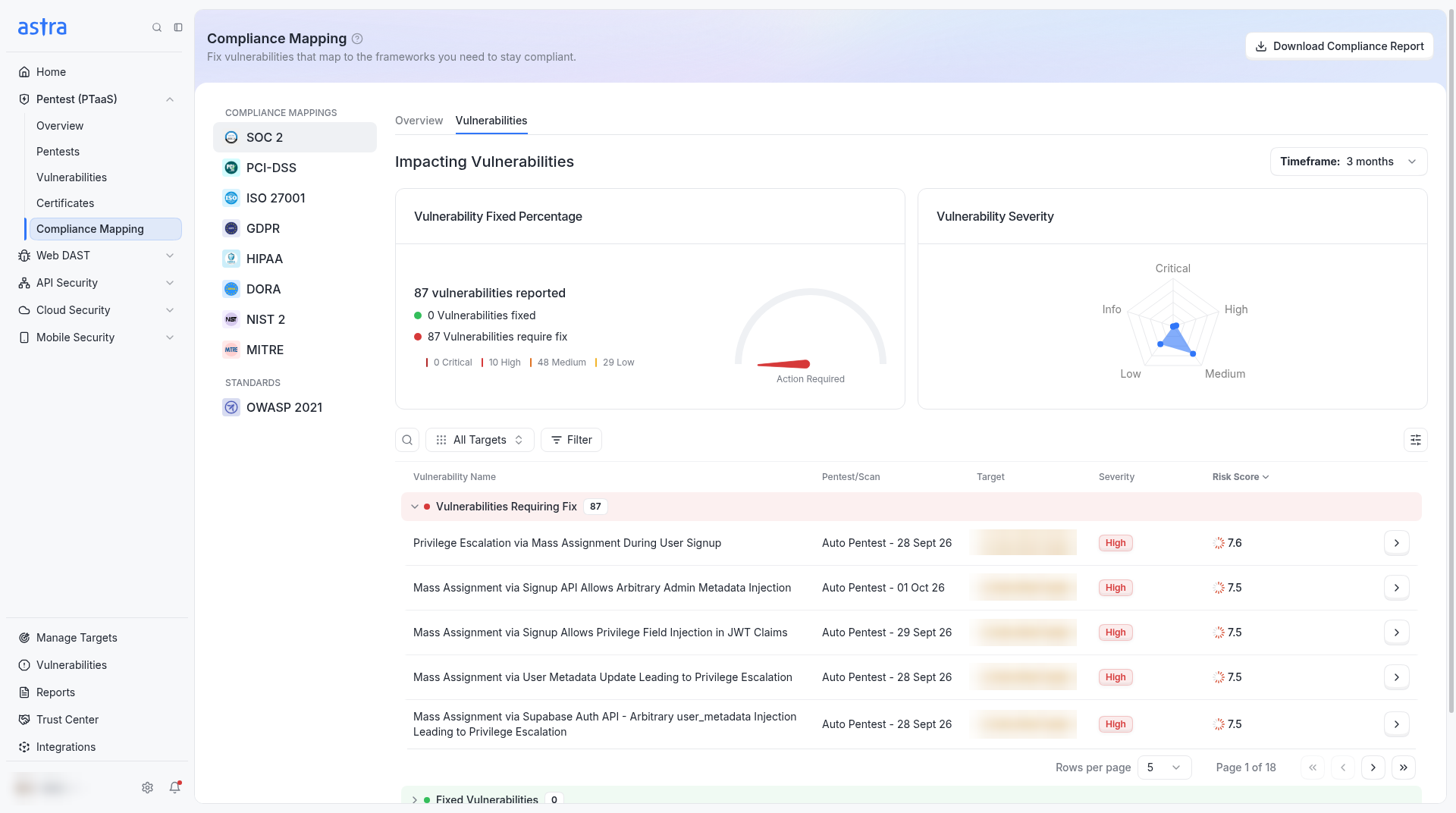
The Vulnerabilities tab shows the fixed percentage, the severity of open vulnerabilities and the mapped vulnerabilities.
Compliance report
If compliance reports are available to you, the page shows Download Compliance Report. It opens the Reports page with Compliance Report selected, where you can generate a report for all frameworks or for SOC 2.
Recommendations
Fix the highest-risk items first. Sort Vulnerabilities Requiring Fix by Risk Score for the frameworks that matter most to your audits.
Scan regularly. Compliance isn't a one-time check. Scheduled scans catch new issues introduced by new releases.
Use vetted results where you have them. Vetted scans remove false positives, so the page only shows genuine risks.
Astra helps you meet the vulnerability management requirements of these frameworks, but doesn't issue compliance certificates. For certification, work with an accredited auditor or a compliance platform. Read more in 📄 How Astra Pentest Helps You Achieve Compliance?.
A target has no results. Check that the target's scans have completed and that Astra's scanner can reach it. If the target is behind a firewall, allow Astra's IP addresses. Read How to make sure Astra's scanner can reach your application.
If you have questions about compliance mapping, contact support from your Astra dashboard or reach out to your CSM.