How to Export Your API Definition Files
Last updated: August 31, 2026
Introduction
Before importing your API inventory into Astra, you need to export your API definition files from Postman or your OpenAPI platform. This guide covers how to export a Postman Collection, Postman Environment variables, and an OpenAPI document.
Note: If you're exporting an OpenAPI specification or Postman collection because some application URLs are missing from your scan results, see Why Certain URLs May Not Appear in the Scan Sitemap to understand the common causes and how to improve scan coverage.
Instructions
Export a Postman Collection
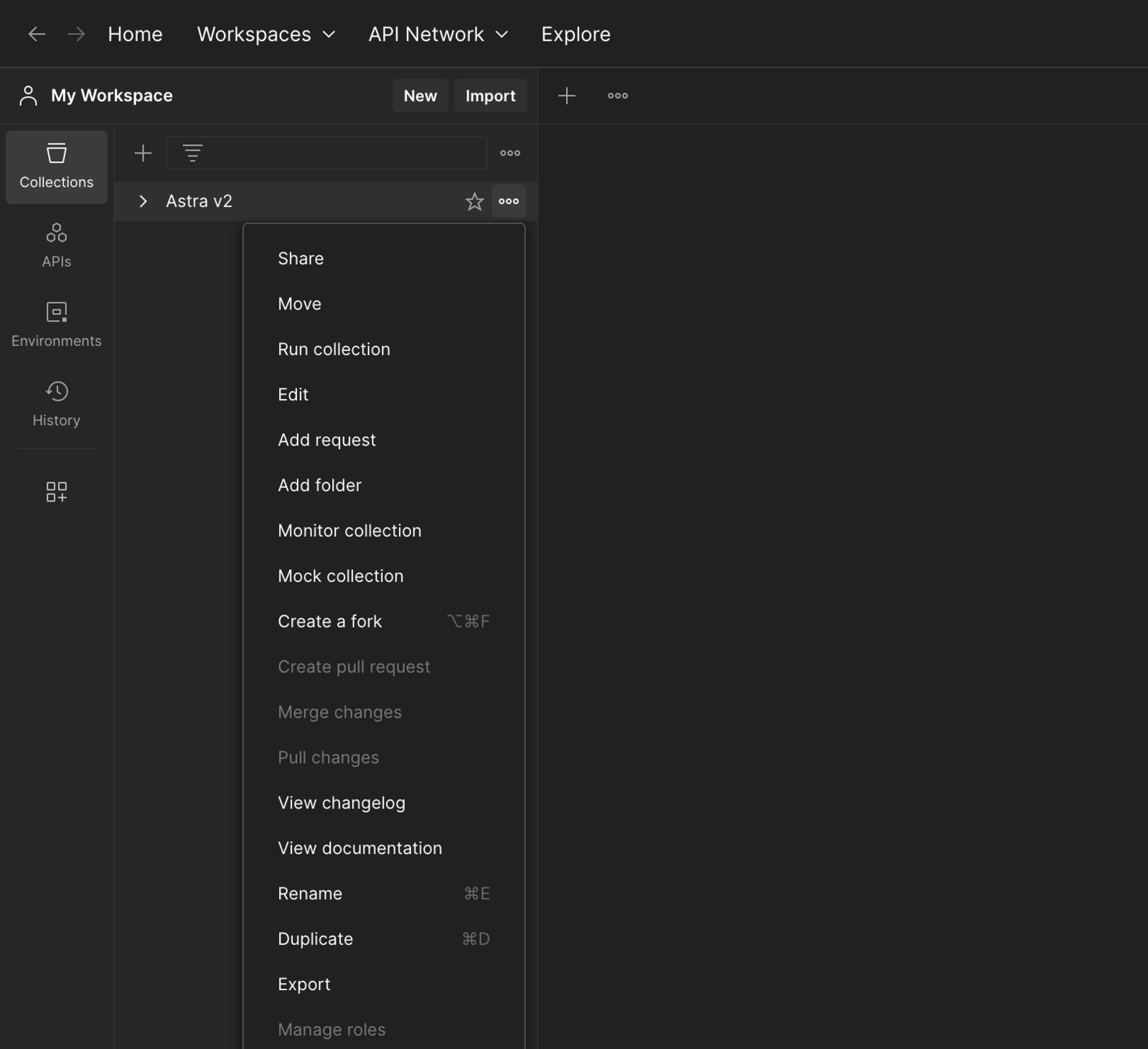
Click the options menu next to your API collection in Postman.
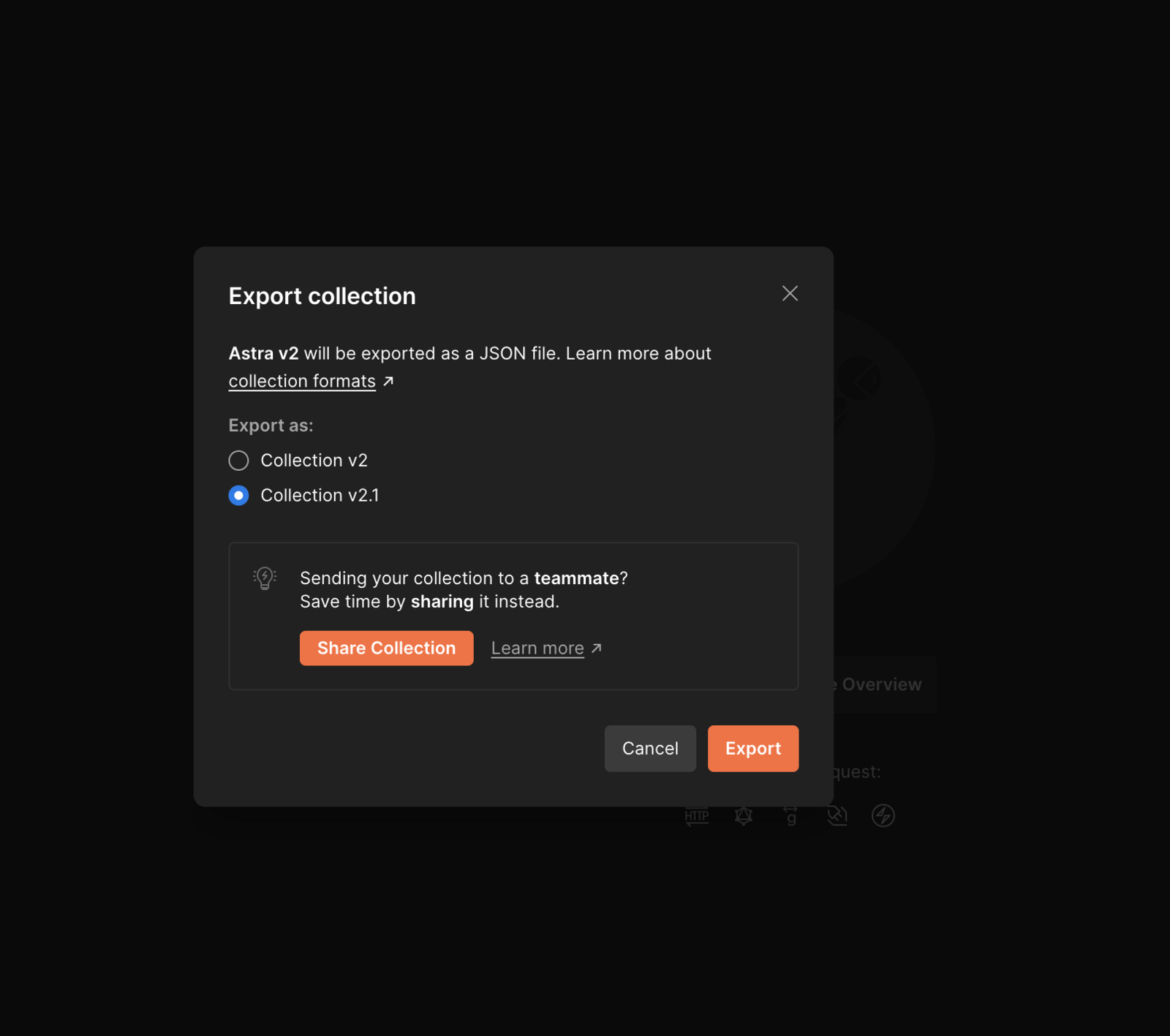
Choose Export, then click Export in the dialog box that opens.
Change the save file location and click Save.
Export Postman Environment Variables
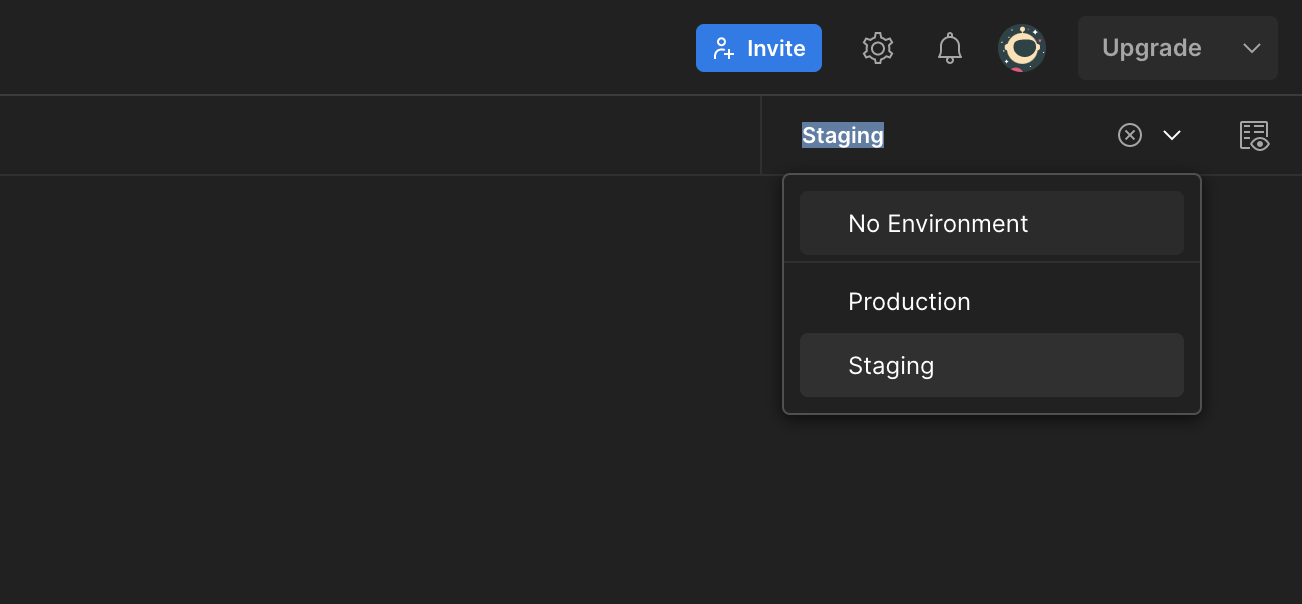
Select the environment you want to share from the selector in the top right corner.
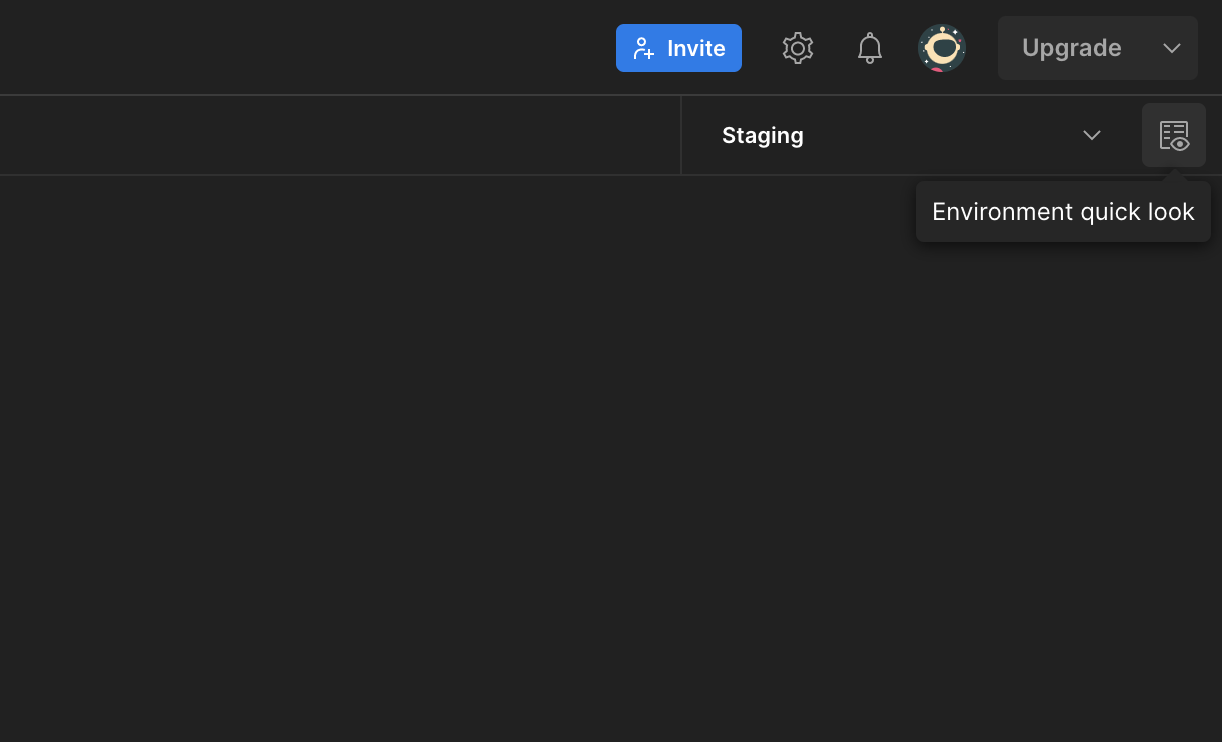
Click the Environment quick look button.
Click Edit.
Click the options menu and choose Export.
Change the save file location and click Save.
Export an OpenAPI Document
Log in to your Swagger or OpenAPI platform.
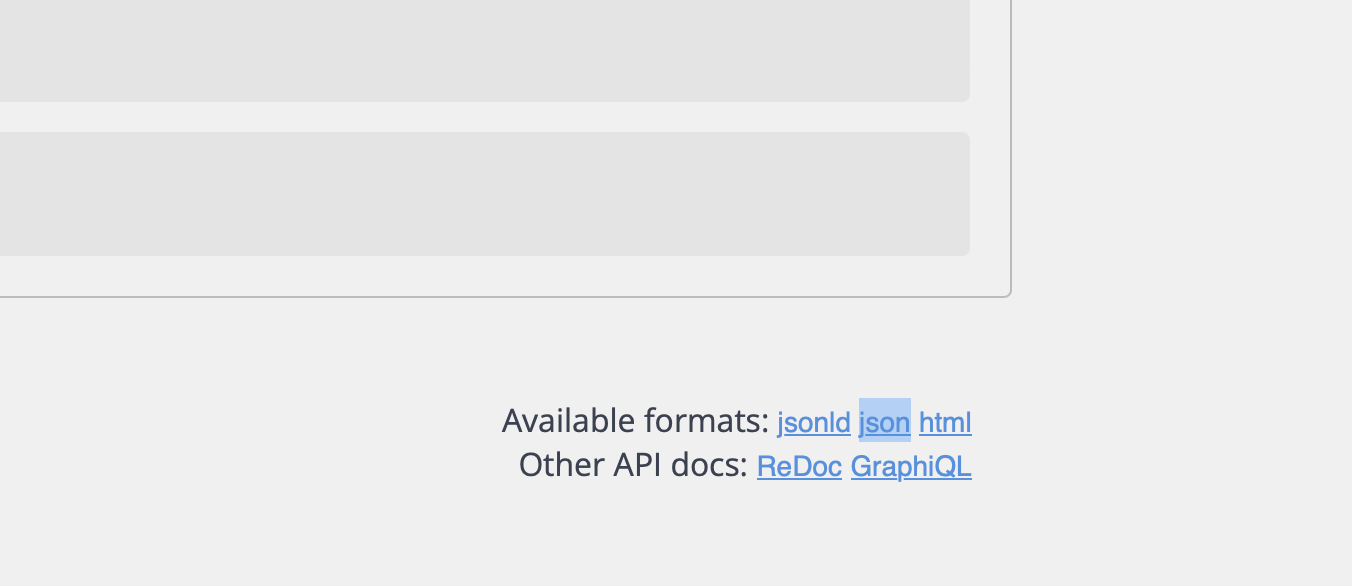
Scroll to the export section at the bottom of the page.
Right-click json and select Download Linked File.
Best Practices
Export both the Postman Collection and the Environment file together. The collection alone may not run correctly without the environment variables it depends on.
Ensure the collection is runnable before exporting. Test it via Run Collection in Postman to confirm all requests return valid responses.
Use descriptive file names when saving so you can easily identify the version when uploading to Astra.
Troubleshooting
My collection imported into Astra but requests are failing.
This usually means the environment file was not uploaded alongside the collection. Re-upload both files together.
I can't find the Export option in Postman.
Ensure you are right-clicking or using the three-dot options menu on the collection itself, not on an individual request.
The OpenAPI JSON file isn't downloading.
Try opening the export section in a different browser, or use right-click and Save link as if Download Linked File does not appear.