How to Use the Astranaut Chatbot for Contextual Vulnerability Guidance
Last updated: August 7, 2026
The Astranaut Bot is an AI-powered assistant integrated directly into the vulnerability details view on the Astra platform. It helps you get instant, contextual answers about a specific vulnerability identified in your target.
Built to support your security and engineering teams, the Astranaut Bot can assist with clarifying vulnerabilities, understanding impact, finding remediation steps, and more - so you can take action faster, with confidence.
How It Works
You'll find the Astranaut Bot at the end of each vulnerability details page. It is available for all customers and can be accessed by clicking the Astranaut Bot tab under the Comments section.
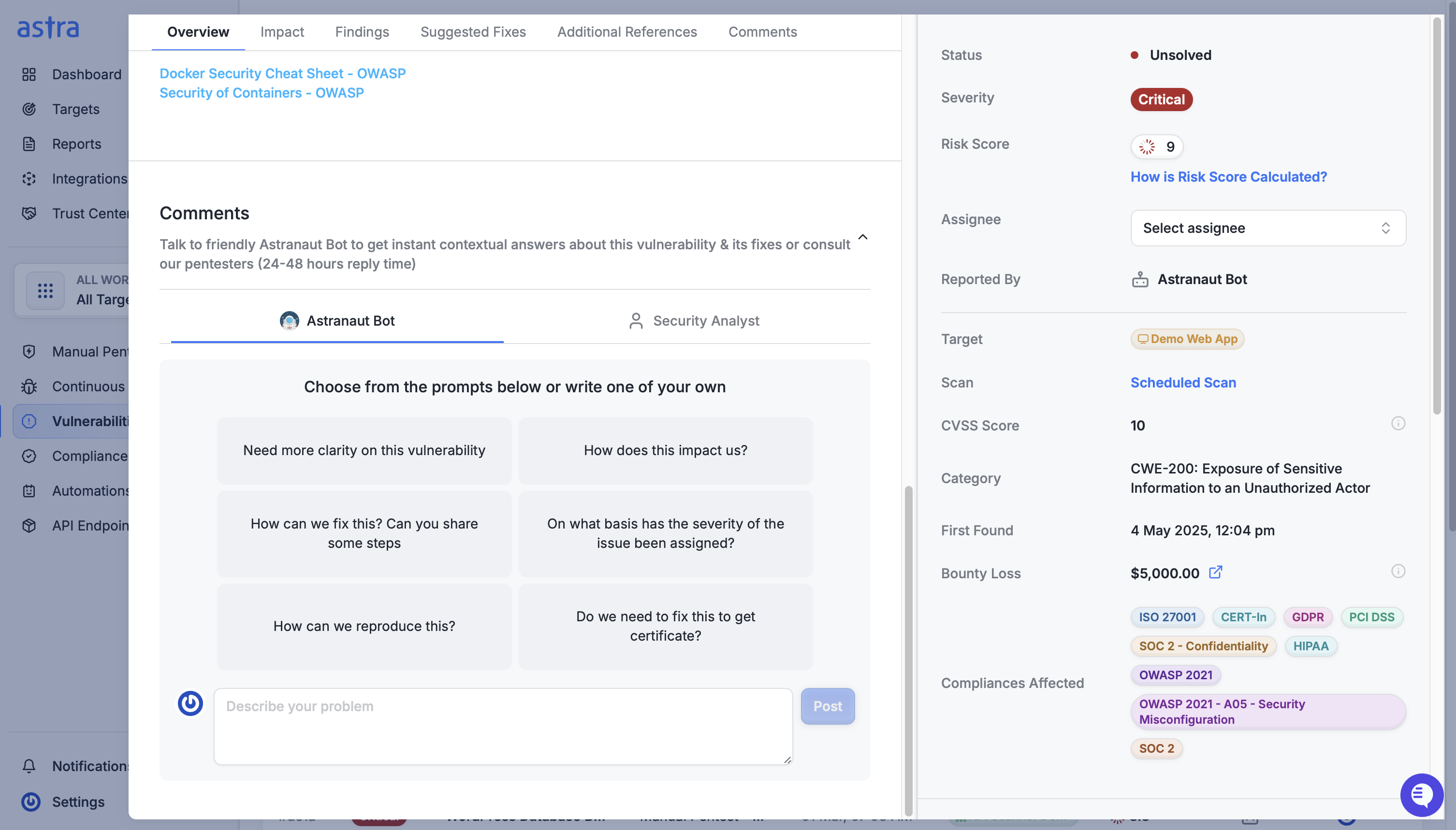
When you interact with the bot, it uses the context of the specific vulnerability (including technical details, affected target, and metadata) to respond meaningfully.
Here are some common questions it can help with:
“Need more clarity on this vulnerability.”
“How does this impact us?”
“How can we fix this? Can you share some steps?”
“On what basis has the severity of the issue been assigned?”
“How can we reproduce this?”
Responses are tailored to the vulnerability you're viewing, so you don’t need to explain the context - it already knows.
Privacy, Accuracy, and Responsible Use
Conversations with the Astranaut Bot are private to you and are not visible to other users in your workspace.
While the Astranaut Bot is trained on Astra’s vulnerability data and industry best practices, it may occasionally generate inaccurate or incomplete answers. Always review its responses before applying any changes in your environment.
We also take measures to redact sensitive information from the chat, but:
Please avoid sharing any confidential, personal, or sensitive data (e.g., access tokens, credentials, private keys) in your conversation with the bot.
Human Escalation (for Pentest Plan Customers)
If the vulnerability was reported as part of a manual pentest, you will see an option to escalate the discussion to a pentester directly from the same view. This allows you to get deeper technical insights or validation from the team that performed the assessment.
AI Feature Preferences
If your organization prefers not to use AI features, the Astranaut Bot can be disabled from your target settings under General > Basic Information > Enable AI Features. Disabling the AI preferences will deactivate the bot from your vulnerability detail views.