How to Generate an Engagement Letter
Last updated: June 12, 2026
Introduction
An Engagement Letter is a one-page PDF that serves as official proof your organization has engaged Astra to conduct a Vulnerability Assessment and Penetration Test (VAPT). It is typically shared with ISO 27001 and SOC 2 auditors as audit evidence, or with clients and partners to confirm that an independent pentest is in progress.
It acts as an interim compliance document — useful before the final Pentest Report and Certificate of Completion are available — and includes:
Your organization's name and website
The scope of testing (web apps, APIs, networks, cloud)
The testing plan and current status
A statement confirming Astra's engagement
Next steps: detailed report, remediation guidance, re-test, and pentest certificate
Note: Engagement Letters are only available for manual pentest plans. They are not issued for automated scanner plans.
Tip: Keep a copy of your Engagement Letter ready when undergoing compliance checks. It assures auditors that pentesting is underway even before final results are available.
Prerequisites
An active manual pentest plan on your Astra account
At least one configured target under that plan
Steps on How to Generate an Engagement Letter
Engagement Letters are only issued for manual pentest plans. They are not available for automated scanner plans.
Log in to your Astra Dashboard.
Go to the Reports page.
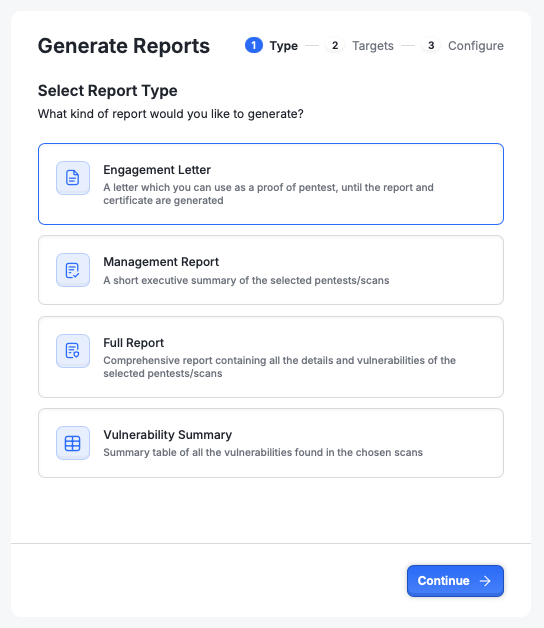
Select Engagement Letter and click on Continue
Select the Targets for which you want to generate this report and click on Continue
Enter the business name and address, and click on Download to instantly generate a PDF letter