How to Hide the Security Grade in Your Trust Center
Last updated: November 24, 2026
Your Trust Center's header shows the security grade of the targets it covers. If the grade is below A, you can hide it from the public page until it improves, and show it again whenever you like. This article explains how.
When you can hide the grade
The Trust Center has to be published. Before that, the header shows Badge will be shown after publishing the trust center.
The grade has to be below A. Grades of A and A+ are always shown, because they help build customer trust.
The grade is live. It changes as new scans find vulnerabilities and as you fix them.
Hide the grade
In the sidebar, click Trust Center, and open your Trust Center.
Open the Preview tab.
In the Header Section, click Hide from Public Page under the grade.
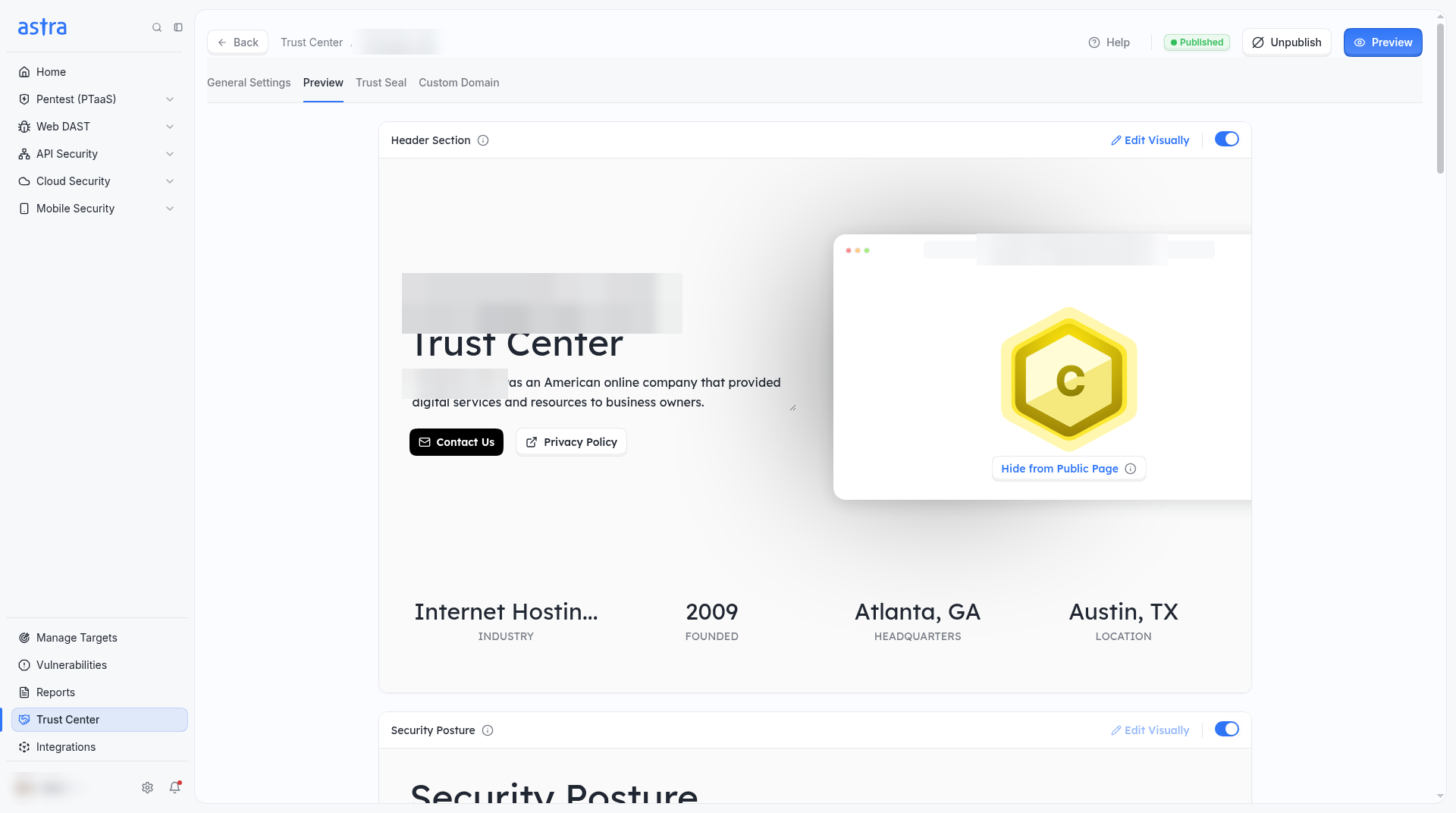
When the grade is below A, click Hide from Public Page to hide it from visitors.
The grade is hidden on the public page right away. In Preview, the badge is blurred, and a banner explains that it's hidden because the current grade is below A. The rest of the header and the other sections don't change.
To hide the whole header instead, turn off the switch on the Header Section.
Show the grade again
While the grade is still below A, click Show Grade Anyway in the banner.
When the grade improves to A or A+, the banner says Your security grade has improved. Click Show on Public Page.
Troubleshooting
The grade on the Trust Center is different from the grade in my dashboard. The Trust Center's grade is calculated from the targets selected under Targets Monitored on General Settings, including their automated scan results. Check which targets are selected. If the grades still don't match, contact support.
My grade dropped after a scheduled scan. The grade updates as soon as a scan reports new vulnerabilities. Hide it until you've fixed them, and show it again when the grade improves.
If you need help with your Trust Center, contact support from your Astra dashboard or reach out to your CSM.