How to cancel an ongoing scan
Last updated: August 7, 2026
If you've encountered the message "progress: A scan is underway, please try again once it is completed", it means there is already a scan currently in progress. Our system allows only one scan to run at a time to ensure performance and accuracy. If you wish to start a new scan, you’ll first need to cancel the one that’s currently running.
Steps to Cancel a Running Scan
1. Open the Continuous Scans page
Navigate to your dashboard and click on the Continuous Scans tab in the side navigation to view all your current and past scans.
2. Look for a scan that's in progress
Scans that are currently running will display a status such as "In Progress" or "Running."
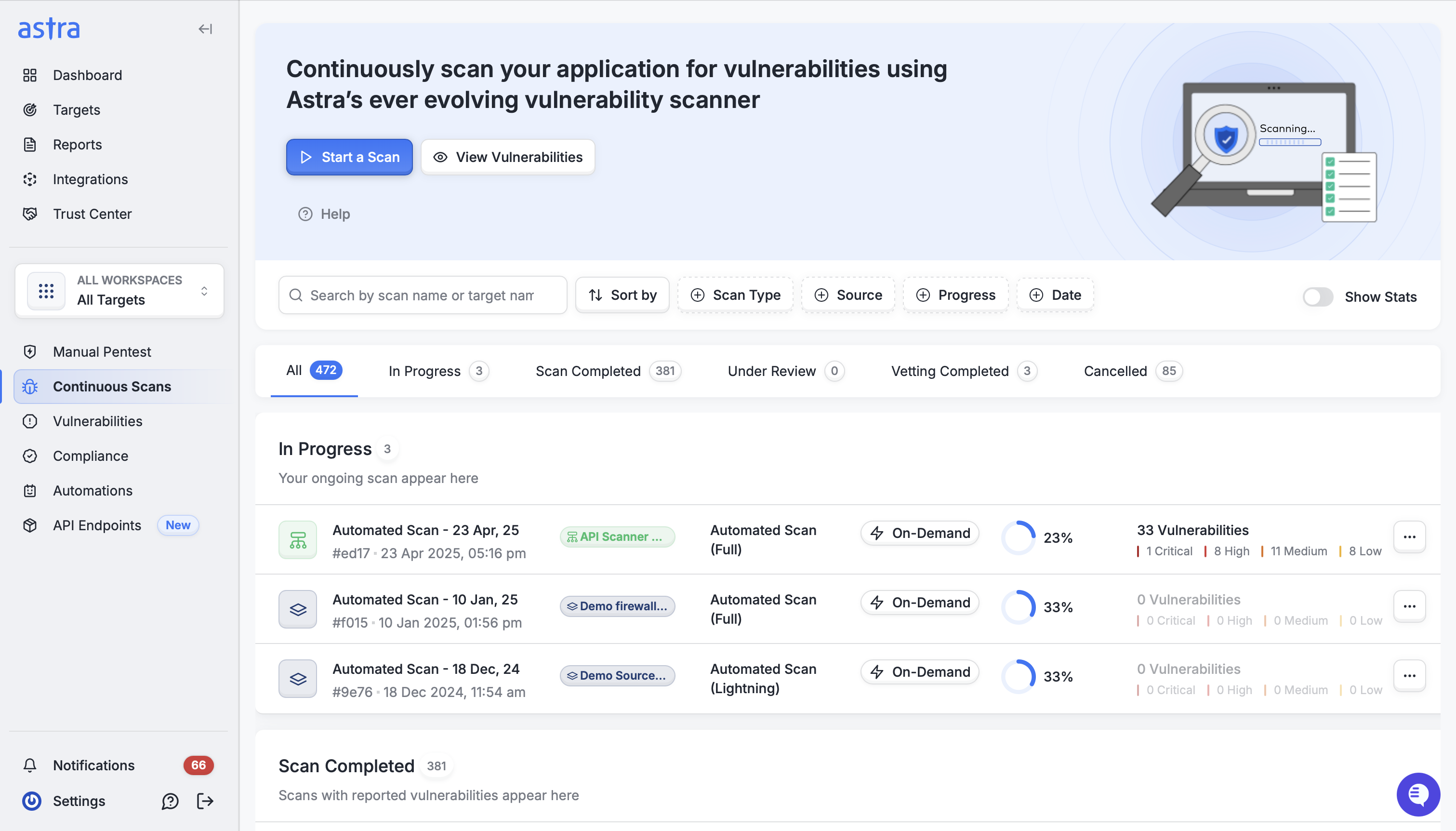
3. Open the scan details page
Click on the scan’s name or status to view its details.
4. Click the Cancel button
Inside the scan detail view, locate and click the Cancel button to stop the scan.
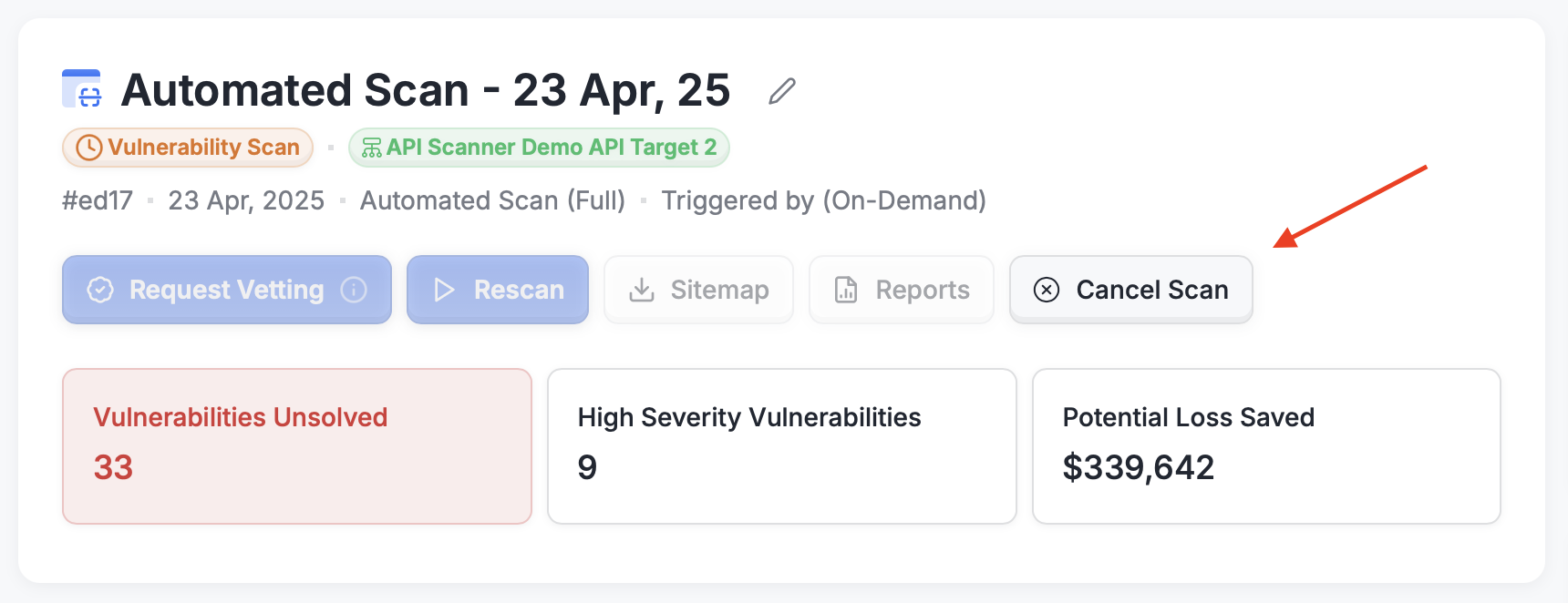
Once canceled, you’ll be able to initiate a new scan from the Continuous Scans page.
If you continue to see the error message even after canceling, please refresh the page or contact our support team for help.